
There is, simply, no way, to ignore privacy. Because a citizenry’s freedoms are interdependent, to surrender your own privacy is really to surrender everyone’s. Edward Snowden, Permanent Record   Zen is an open-source system-wide ad-blocker and privacy guard for Windows, macOS, and Linux. It works by setting up a proxy that intercepts HTTP requests from all applications, and blocks those serving ads, tracking scripts that monitor your behavior, malware, and other unwanted content. By operating at the system level, Zen can protect against threats that browser extensions cannot, such as trackers embedded in desktop applications and operating system components. Zen comes with many pre-installed filters, but also allows you to easily add hosts files and EasyList-style filters, enabling you to tailor your protection to your specific needs. ## Downloads During the first run, Zen will prompt you to install a root certificate. This is required for Zen to be able to intercept and modify HTTPS requests. This certificate is generated locally and never leaves your device. ### Windows - x64: [💾 Installer](https://github.com/anfragment/zen/releases/latest/download/Zen-amd64-installer.exe) | [📦 Portable](https://github.com/anfragment/zen/releases/latest/download/Zen_windows_amd64.zip) - ARM64: [💾 Installer](https://github.com/anfragment/zen/releases/latest/download/Zen-arm64-installer.exe) | [📦 Portable](https://github.com/anfragment/zen/releases/latest/download/Zen_windows_arm64.zip) Unsure which version to download? Click on 'Start' and type 'View processor info'. The 'System type' field under 'Device specifications' will tell you which one you need. ### macOS - x64 (Intel): [💾 Installer](https://github.com/anfragment/zen/releases/latest/download/Zen-amd64.dmg) | [📦 Portable](https://github.com/anfragment/zen/releases/latest/download/Zen_darwin_amd64.zip) - ARM64 (Apple Silicon): [💾 Installer](https://github.com/anfragment/zen/releases/latest/download/Zen-arm64.dmg) | [📦 Portable](https://github.com/anfragment/zen/releases/latest/download/Zen_darwin_arm64.zip) Unsure which version to download? Learn at [Apple's website](https://support.apple.com/en-us/HT211814). ### Linux - AUR: [👾 zen-adblocker-bin](https://aur.archlinux.org/packages/zen-adblocker-bin) - x64: [📦 Portable](https://github.com/anfragment/zen/releases/latest/download/Zen_linux_amd64.tar.gz) Zen currently only works on GNOME-based desktop environments. If you want to help bring it to your favorite desktop environment, please see [#21](https://github.com/anfragment/zen/issues/21). Support for installation via other package managers is coming soon. ## Screenshots
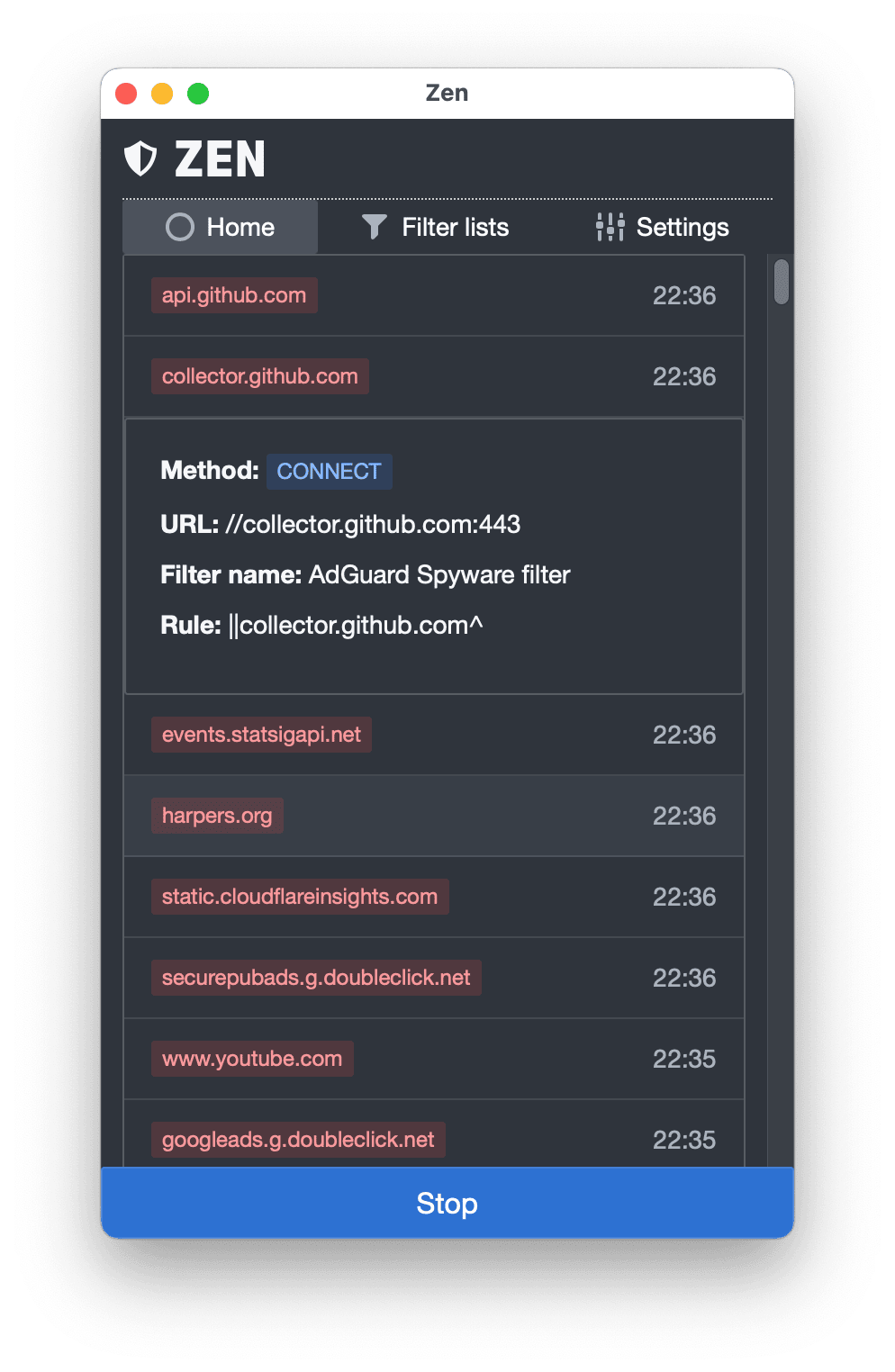
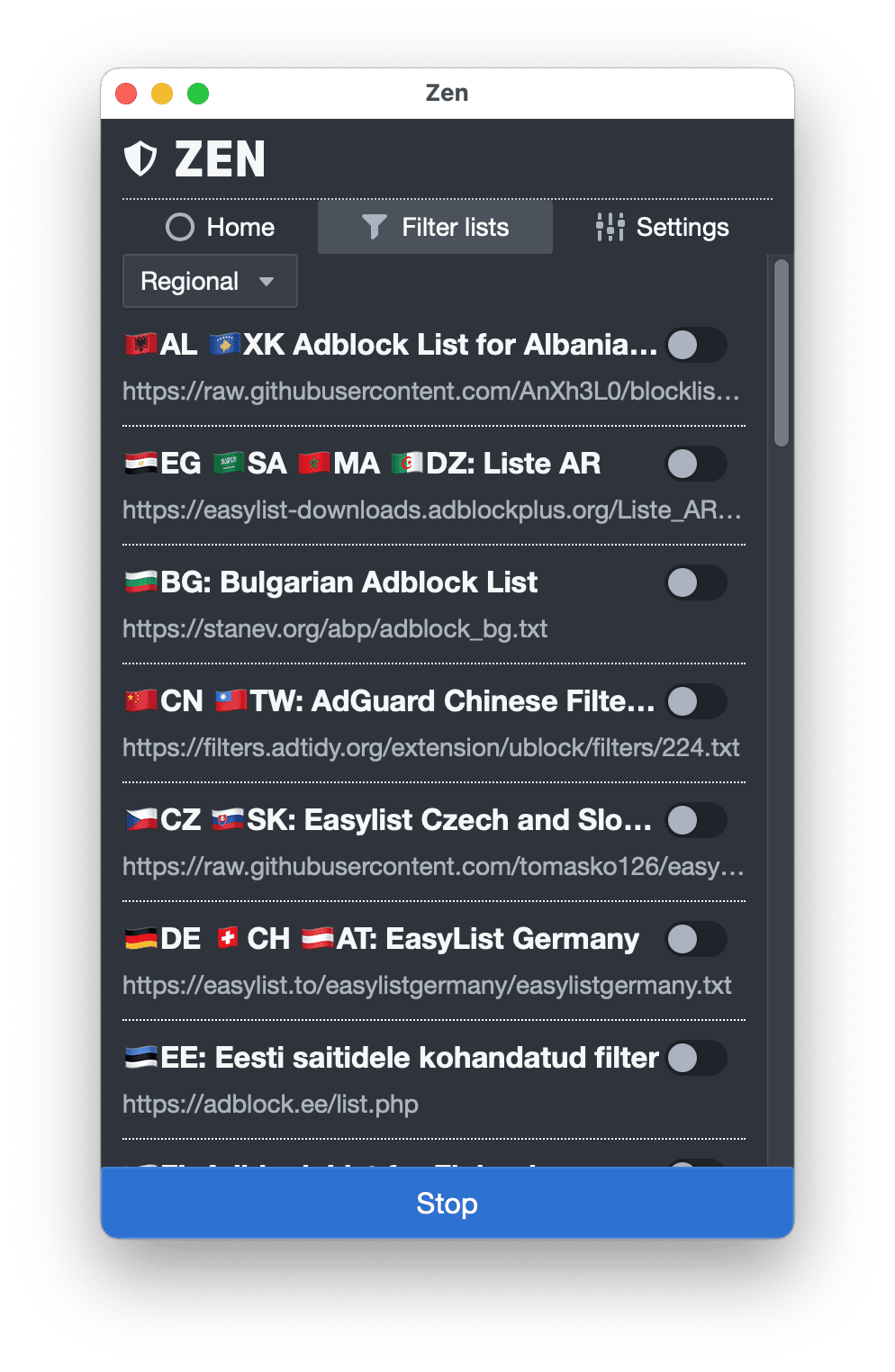
| Request history | Filter list manager |
|---|---|
| Request history shows all requests blocked by Zen. Each request can be inspected to see which filter and rule blocked it. | Zen comes with many pre-installed filters. You can also add your own by providing a URL to a hosts file or an EasyList-style filter. |
 |
 |