# pupil
**Repository Path**: wangda11/pupil
## Basic Information
- **Project Name**: pupil
- **Description**: No description available
- **Primary Language**: Unknown
- **License**: LGPL-3.0
- **Default Branch**: master
- **Homepage**: None
- **GVP Project**: No
## Statistics
- **Stars**: 0
- **Forks**: 0
- **Created**: 2026-01-15
- **Last Updated**: 2026-01-15
## Categories & Tags
**Categories**: Uncategorized
**Tags**: None
## README
# Pupil
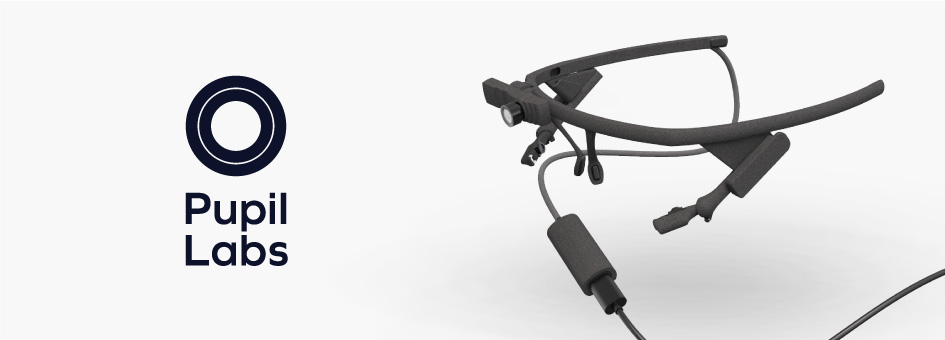
**Open source eye tracking platform.**
Pupil is a project in active, community driven development. Pupil Core mobile eye tracking hardware is accessible, hackable, and affordable. The software is open source and written in `Python` and `C++` when speed is an issue.
Our vision is to create tools for a diverse group of people interested in learning about eye tracking and conducting their eye tracking projects.
Chat with us on [Discord](https://pupil-labs.com/chat "Pupil Server on Discord").
## Users

You don't need to know how to write code to _use_ Pupil. [Download the latest apps](https://github.com/pupil-labs/pupil/releases/latest#user-content-downloads "Download Pupil Capture, Pupil Player, and Pupil Service application bundles")!
Read the [Pupil Core user guide](https://docs.pupil-labs.com/core/ "Pupil Core user guide").
## Developers
There are a number of ways you can interact with Pupil Core software as a developer:
- [Use the API](https://docs.pupil-labs.com/core/developer/): Use the network based real-time API to communicate with Pupil over the network and integrate with your application.
- [Develop a Plugin](https://docs.pupil-labs.com/core/developer/plugin-api/#plugin-api): Plugins are loaded at runtime from the app bundle. Note: if your plugin requires Python libraries that are not included in the application bundle, then you will need to run from source.
- Run from Source: Can't do what you need to do with the network based api or plugin? Then get ready to dive into the inner workings of Pupil and run from source!
All setup and dependency installation instructions are contained in this repo. All other developer documentation is [here](https://docs.pupil-labs.com/core/developer/#overview).
### Installing Dependencies and Code
To run the source code, you will need Python 3.7 or newer! We target Python 3.11 in our newer bundles and we recommend you to do the same.
Note: It is recommended to install the requirements into a
[virtual environment](https://docs.python.org/3/tutorial/venv.html).
Note: On arm64 macs (e.g. M1 MacBook Air), use the `python3.*-intel64` binary to create
the virtual environment. We do not yet provide arm64-native wheels for the Pupil Core
dependencies.
```sh
git clone https://github.com/pupil-labs/pupil.git
cd pupil
git checkout develop
python -m pip install -r requirements.txt
```
If you have trouble installing any of the dependencies, please see the corresponding
code repository for manual installation steps and troubleshooting.
#### Linux
##### USB Access
To grant Pupil Core applications access to the cameras, run
```sh
echo 'SUBSYSTEM=="usb", ENV{DEVTYPE}=="usb_device", GROUP="plugdev", MODE="0664"' | sudo tee /etc/udev/rules.d/10-libuvc.rules > /dev/null
sudo udevadm trigger
```
and ensure that your user is part of the `plugdev` group:
```sh
sudo usermod -a -G plugdev $USER
```
##### Audio Playback
The [`sounddevice`](https://python-sounddevice.readthedocs.io/en/0.4.5/installation.html#installation) package depends on the `libportaudio2` library:
```sh
sudo apt install libportaudio2
```
### Run Pupil
```sh
cd pupil_src
python main.py capture # or player/service
```
#### macOS 12 Monterey and newer
Note: Due to [technical limitations](https://github.com/libusb/libusb/issues/1014) on macOS 12 Monterey and newer, Pupil Capture and Pupil Service need to be started with administrator privileges to get access to the video camera feeds. To do that, prepend the python command with `sudo`. E.g.,:
```sh
sudo python main.py capture
```
#### Command Line Arguments
The following arguments are supported:
| Flag | Description |
| ---------------------- | ---------------------------------------- |
| `-h, --help` | Show help message and exit. |
| `--version` | Show version and exit. |
| `--debug` | Display debug log messages. |
| `--profile` | Profile the app's CPU time. |
| `-P PORT, --port PORT` | (Capture/Service) Port for Pupil Remote. |
| `--hide-ui` | (Capture/Service) Hide UI on startup. |
| `` | (Player) Path to recording. |
## License
All source code written by Pupil Labs is open for use in compliance with the [GNU Lesser General Public License (LGPL v3.0)](http://www.gnu.org/licenses/lgpl-3.0.en.html). We want you to change and improve the code -- make a fork! Make sure to share your work with the community!