# cesium-draw
**Repository Path**: smartwell_admin/cesium-draw
## Basic Information
- **Project Name**: cesium-draw
- **Description**: No description available
- **Primary Language**: Unknown
- **License**: Not specified
- **Default Branch**: master
- **Homepage**: None
- **GVP Project**: No
## Statistics
- **Stars**: 0
- **Forks**: 0
- **Created**: 2026-03-25
- **Last Updated**: 2026-03-25
## Categories & Tags
**Categories**: Uncategorized
**Tags**: None
## README
## Cesium-Draw
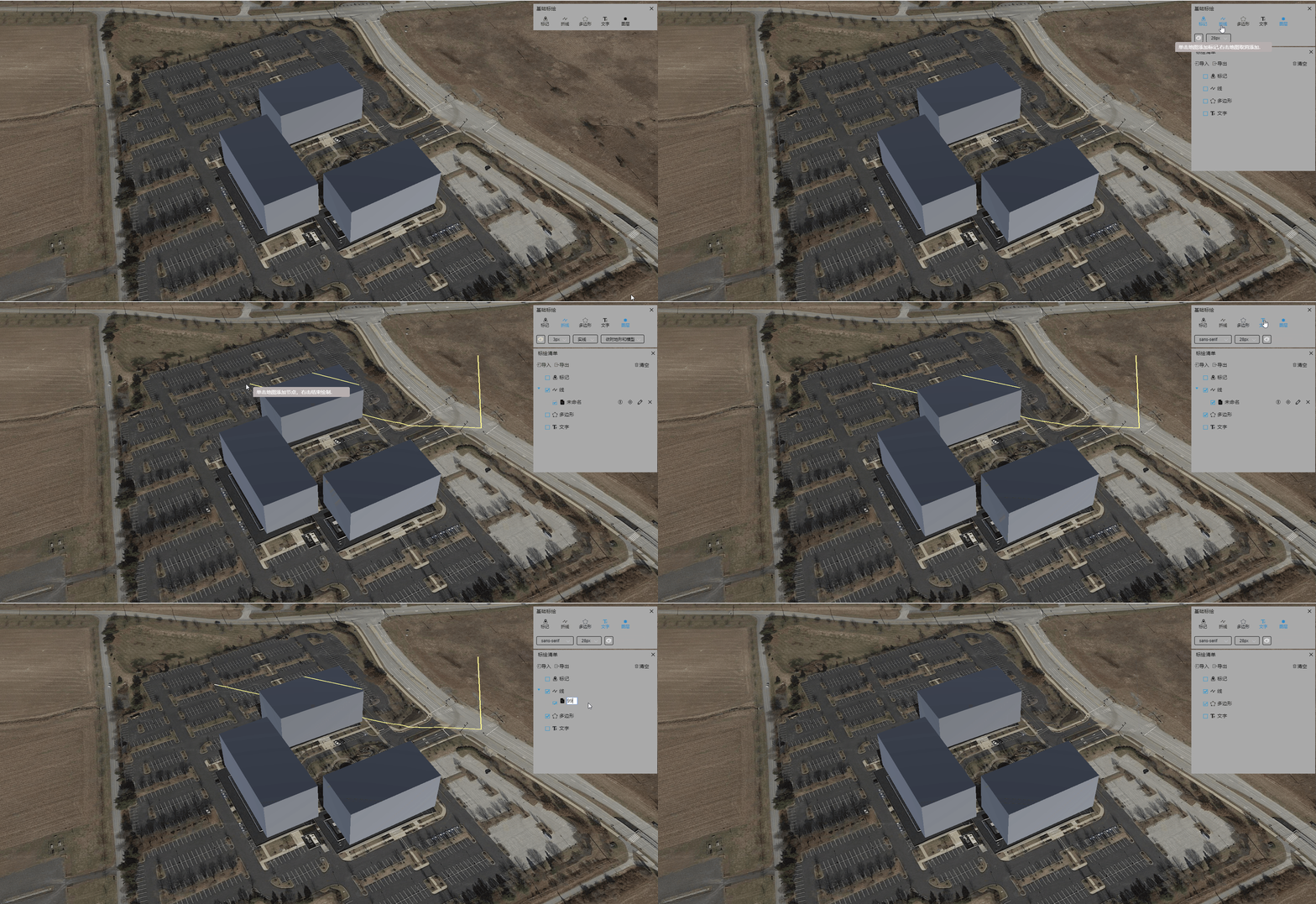
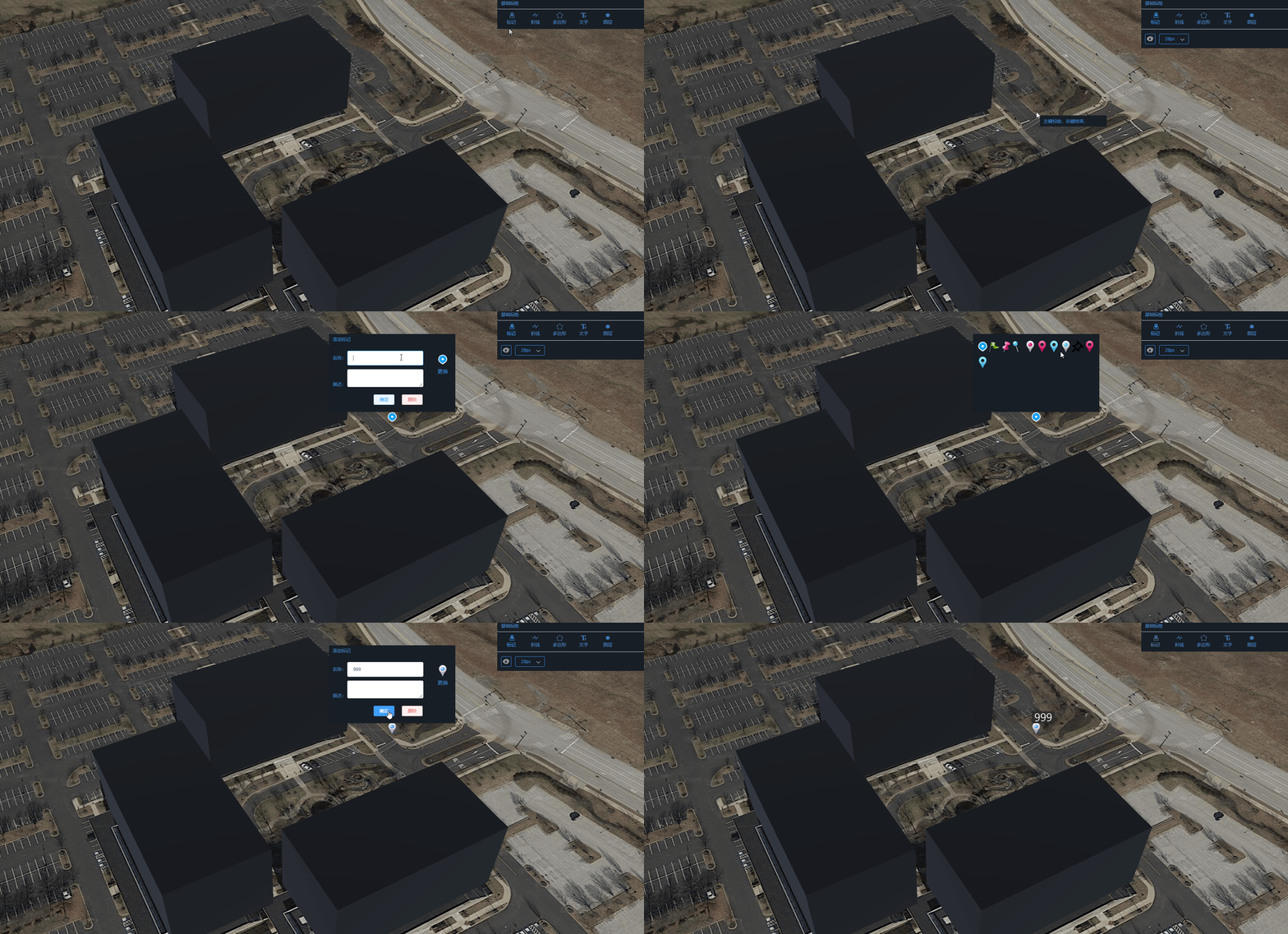
基于Vue 3.x开发的Cesium基础标绘插件,支持交互式添加BillBoard、Polyline、Polygon、Label和Model
Vue 2.x请访问 https://github.com/xtfge/cesium-draw/tree/cesium-draw-vue2
核心功能:
- 鼠标交互绘图
- 对于Billboard、Label、Model支持图标,名称的编辑,图标可以任意扩展.
- 对于Polyline和Polygon支持顶点、颜色等常见图形属性的编辑.
- 支持导入、导出功能
- 可以通过图层管理器管理通过该插件添加的所有图形.
兼容性
- 目前已测试兼容的Cesium最低版本为Cesium@1.88,最高版本为Cesium@1.119
- 版本低于1.88的版本没有经过测试
### 安装
```sh
npm i cesium-draw
```
**4.0.0及以上版本为Vue3.x版本,4.0.0以下的版本为Vue2.x的版本**
### 使用
```HTML
```
**如果您是在html中通过script引用的Cesium,您需要额外配置webpack**
您需要修改`vue.config.js`, 添加以下内容
```js
module.exports = defineConfig({
// ...
configureWebpack: {
externals: {
cesium: 'Cesium'
}
},
// ...
});
```
如果您使用的构建工具是`vite`,请了解vite相关配置。
#### 扩展图片标记的图标
```html
```
```js
data(){
return{
images:["./static/images/markers/1.png",
"./static/images/markers/2.png",
"./static/images/markers/3.png",
"./static/images/markers/4.png",
"./static/images/markers/5.png"
]
}
}
```
#### 启用模型标记
**你必须通过`extendMarkerModel`属性定义用于标记的模型,才可以使用模型标记。**
比如:
```html
```
```js
data(){
return{
models:[
{ id: "model0",
name: "木塔",
thumb:'thumb.png', // 定义模型的缩略图,如果未定义,则使用默认图片
url: "static/model/Wood_Tower.gltf" },
{
id: "model1",
name: "小人",
url: "static/model/Cesium_Man.gltf" }]
}
}
```
#### 如何使用喜欢的主题
```js
import 'cesium-draw/dist/theme/default.css'
```
或
```js
import 'cesium-draw/dist/theme/dark.css'
```
>更多主题敬请期待。
#### 完整示例
```HTML
```
### Methods
- `getById(mid)` 根据id返回图形要素
### Events
事件|说明|回调
---|---|---
deleteEvent|要素删除事件|参数为删除要素的id
locateEvent|要素定位事件|定位要素的id
editEvent|要素编辑事件|要素的id
renameEvent|要素重命名事件|两个参数,依次为要素id,要素更新前的名称
selectEvent|checkbox点击事件|两个参数,依次为要素id,checkbox状态
closeEvent|标绘面板关闭事件|无
### 开发&打包
```sh
npm install
npm run build
```
### 打包成组件
```sh
npm run lib
```
### 效果

### Cesium交流群
[](http://qm.qq.com/cgi-bin/qm/qr?_wv=1027&k=bgWooLP8IhmlRV-V9ATdqEmq3oXze8uX&authKey=4ce2A9KMcoxJOpiASPIBXTNwc%2B5a3cL7n4P%2BoXD2YyJp4dR4H2BfHfqBQi4RurYP&noverify=0&group_code=107615960) [](http://qm.qq.com/cgi-bin/qm/qr?_wv=1027&k=OPOFzUro3j8kgtFYG1NU3NEammB0bTny&authKey=esRwasLjLPchfAxo6qQjYHsiWGN4%2BT32WKKjOVHyKeMr1HMvfWHl1PRmyo4zGQis&noverify=0&group_code=628262010)