# PhiFlow
**Repository Path**: simon2033/PhiFlow
## Basic Information
- **Project Name**: PhiFlow
- **Description**: No description available
- **Primary Language**: Python
- **License**: MIT
- **Default Branch**: master
- **Homepage**: None
- **GVP Project**: No
## Statistics
- **Stars**: 0
- **Forks**: 0
- **Created**: 2021-11-25
- **Last Updated**: 2022-02-04
## Categories & Tags
**Categories**: Uncategorized
**Tags**: None
## README
# 

[](https://pypi.org/project/phiflow/)
[](https://pypi.org/project/phiflow/)
[](https://codecov.io/gh/tum-pbs/PhiFlow/branch/develop/)
[](https://colab.research.google.com/github/tum-pbs/PhiFlow/blob/develop/docs/Fluids_Tutorial.ipynb)
ΦFlow is an open-source simulation toolkit built for optimization and machine learning applications.
It is written mostly in Python and can be used with
[NumPy](https://numpy.org/),
[PyTorch](https://pytorch.org/),
[Jax](https://github.com/google/jax)
or [TensorFlow](https://www.tensorflow.org/).
The close integration with these machine learning frameworks allows it to leverage their automatic differentiation functionality,
making it easy to build end-to-end differentiable functions involving both learning models and physics simulations.
This is major version 2 of ΦFlow.
Version 1 is available in the [branch `1.5`](https://github.com/tum-pbs/PhiFlow/tree/1.5) but will not receive new features anymore.
Older versions are available through the [release history](https://github.com/tum-pbs/PhiFlow/releases).
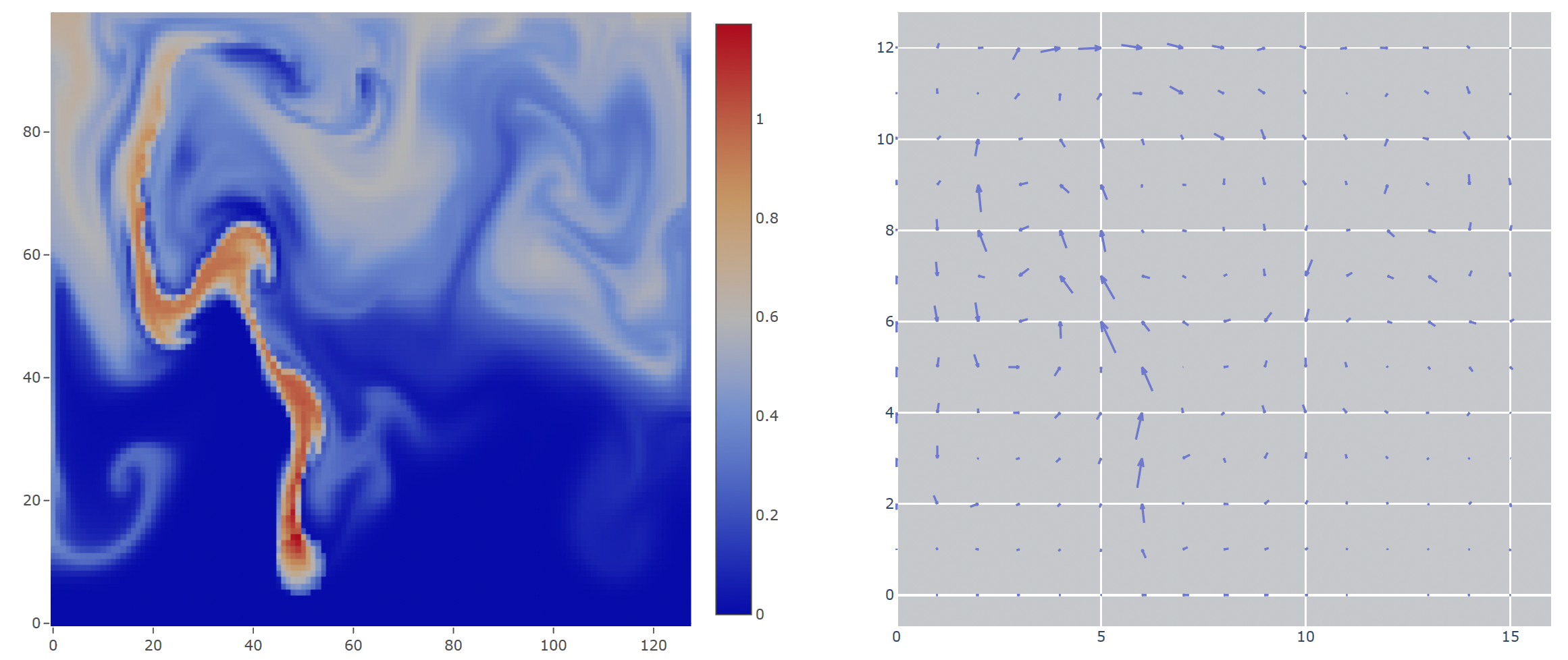
## Features
* Variety of built-in PDE operations with focus on fluid phenomena, allowing for concise formulation of simulations.
* Tight integration with PyTorch, Jax and TensorFlow for straightforward neural network training with fully differentiable simulations that can [run on the GPU](https://tum-pbs.github.io/PhiFlow/GPU_Execution.html#enabling-gpu-execution).
* Flexible, easy-to-use [web interface](https://tum-pbs.github.io/PhiFlow/Web_Interface.html) featuring live visualizations and interactive controls that can affect simulations or network training on the fly.
* Object-oriented, vectorized design for expressive code, ease of use, flexibility and extensibility.
* Reusable simulation code, independent of backend and dimensionality, i.e. the exact same code can run a 2D fluid sim using NumPy and a 3D fluid sim on the GPU using TensorFlow or PyTorch.
* High-level linear equation solver with automated sparse matrix generation.
## Publications
* [Learning to Control PDEs with Differentiable Physics](https://ge.in.tum.de/publications/2020-iclr-holl/), *Philipp Holl, Vladlen Koltun, Nils Thuerey*, ICLR 2020.
* [Solver-in-the-Loop: Learning from Differentiable Physics to Interact with Iterative PDE-Solvers](https://arxiv.org/abs/2007.00016), *Kiwon Um, Raymond Fei, Philipp Holl, Robert Brand, Nils Thuerey*, NeurIPS 2020.
* [ΦFlow: A Differentiable PDE Solving Framework for Deep Learning via Physical Simulations](https://montrealrobotics.ca/diffcvgp/), *Nils Thuerey, Kiwon Um, Philipp Holl*, DiffCVGP workshop at NeurIPS 2020.
## Installation
Installation with pip on Python 3.6 and above:
``` bash
$ pip install phiflow dash plotly imageio
```
Install TensorFlow or PyTorch in addition to ΦFlow to enable machine learning capabilities and GPU execution.
See the [detailed installation instructions](https://tum-pbs.github.io/PhiFlow/Installation_Instructions.html) on how to compile the custom CUDA operators and verify your installation.
## Documentation and Guides
[**Documentation**](https://tum-pbs.github.io/PhiFlow/)
[**API**](https://tum-pbs.github.io/PhiFlow/phi/)
[**Demos**](https://github.com/tum-pbs/PhiFlow/tree/develop/demos)
[ **Playground**](https://colab.research.google.com/drive/1zBlQbmNguRt-Vt332YvdTqlV4DBcus2S#offline=true&sandboxMode=true)
An overview of all available documentation can be found [here](https://tum-pbs.github.io/PhiFlow/).
If you would like to get right into it and have a look at some code, check out the
[tutorial notebook on Google Colab](https://colab.research.google.com/github/tum-pbs/PhiFlow/blob/develop/docs/Fluids_Tutorial.ipynb).
It lets you run fluid simulations with ΦFlow in the browser.
The following introductory demos are also helpful to get started with writing your own scripts using ΦFlow:
* [smoke_plume.py](demos/smoke_plume.py) runs a smoke simulation and displays it in the web interface.
* [optimize_pressure.py](demos/differentiate_pressure.py) uses TensorFlow to optimize a velocity field and displays it in the web interface.
## Version History
The [Version history](https://github.com/tum-pbs/PhiFlow/releases) lists all major changes since release.
The releases are also listed on [PyPI](https://pypi.org/project/phiflow/).
## Contributions
Contributions are welcome! Check out [this document](CONTRIBUTING.md) for guidelines.
## Acknowledgements
This work is supported by the ERC Starting Grant realFlow (StG-2015-637014) and the Intel Intelligent Systems Lab.
**Playground**](https://colab.research.google.com/drive/1zBlQbmNguRt-Vt332YvdTqlV4DBcus2S#offline=true&sandboxMode=true)
An overview of all available documentation can be found [here](https://tum-pbs.github.io/PhiFlow/).
If you would like to get right into it and have a look at some code, check out the
[tutorial notebook on Google Colab](https://colab.research.google.com/github/tum-pbs/PhiFlow/blob/develop/docs/Fluids_Tutorial.ipynb).
It lets you run fluid simulations with ΦFlow in the browser.
The following introductory demos are also helpful to get started with writing your own scripts using ΦFlow:
* [smoke_plume.py](demos/smoke_plume.py) runs a smoke simulation and displays it in the web interface.
* [optimize_pressure.py](demos/differentiate_pressure.py) uses TensorFlow to optimize a velocity field and displays it in the web interface.
## Version History
The [Version history](https://github.com/tum-pbs/PhiFlow/releases) lists all major changes since release.
The releases are also listed on [PyPI](https://pypi.org/project/phiflow/).
## Contributions
Contributions are welcome! Check out [this document](CONTRIBUTING.md) for guidelines.
## Acknowledgements
This work is supported by the ERC Starting Grant realFlow (StG-2015-637014) and the Intel Intelligent Systems Lab.