# TradeNote
**Repository Path**: sevenclear/TradeNote
## Basic Information
- **Project Name**: TradeNote
- **Description**: No description available
- **Primary Language**: Unknown
- **License**: GPL-3.0
- **Default Branch**: main
- **Homepage**: None
- **GVP Project**: No
## Statistics
- **Stars**: 0
- **Forks**: 0
- **Created**: 2025-09-06
- **Last Updated**: 2025-09-06
## Categories & Tags
**Categories**: Uncategorized
**Tags**: None
## README
TradeNote
- Open Source Trading Journal -
🌐 Website | 📚 Documentation |  Discord
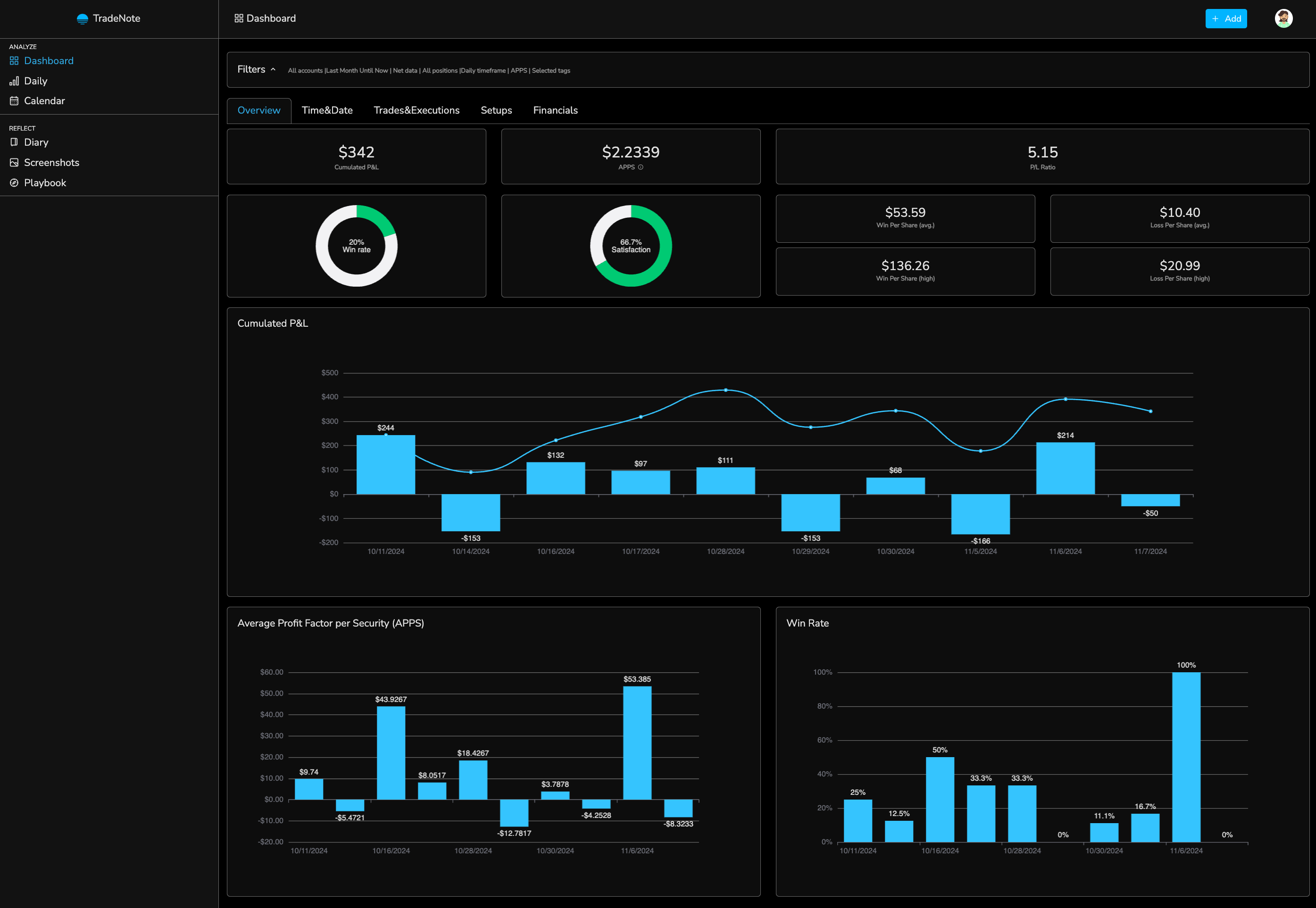
There are numerous great and very powerful trading journals out there. However, I wanted to build a journal for traders who care about data security and privacy but also for individuals that need simplicity and flexibility.
By creating and sharing TradeNote as an open source project, I hope to help other days traders like myself store, discover and recollect trade patterns so they can become and remain consistent and profitable traders.
# Installation
For detailed installation and user guide, please visit the [documentation](https://tradenote.co/project-overview.html "documentation") page.
## Docker Compose
### Requirements
- Docker
- Docker Compose
### Installation
1. Download the docker compose.yml file
2. Run `docker compose up -d`
This will automatically setup the database (mongodDB) and the TradeNote app.
You can then access the website on http://localhost:8080.
If you cannot access the website, please refer to the importante notice above (and try changing the mongo version) or get support via [Discord](https://discord.gg/ZbHekKYb85 "Discord")
## Docker
### Requirements
- Docker
- Node 18.X
- MongoDB
### Installation
You need to have a running MongoDB database. Please see their [Docker Hub](https://hub.docker.com/_/mongo "Docker Hub") for instructions.
Then, run the TradeNote image with its environment variables.
```
docker run \
-e MONGO_URI= \
-e TRADENOTE_DATABASE=
-e APP_ID= \
-e MASTER_KEY= \
-e TRADENOTE_PORT= \
-p : \
--name tradenote_app \
-d eleventrading/tradenote
```
- **MONGO_URI**: The MongoDB connection string, with tradenote database name and enforced access control ([explanation](https://www.mongodb.com/docs/manual/reference/connection-string/ "explanation")). You can use any MongoDB instance you like. If you are using Docker, you can use the default MongoDB instance. (example: mongodb://tradenote:tradenote@mongo:27017/tradenote?authSource=admin)
- **TRADENOTE_DATABASE**: The TradeNote database name in the MongoDB (example: tradenote)
- **APP_ID**: Set a random string as application ID, which will be used to connect to the backend (no spaces) (example: 12345).
- **MASTER_KEY**: Set a random string as master key, which will be used to make root connections to the backend (no spaces) (example: 12345)
- **TRADENOTE_PORT**: TradeNote port number, from which you wish to serve the website. (example: 8080)
# Quick Start
## Registering a User
Start by registering a user. Visit `http://localhost:8080/register` to register a TradeNote user.
- Use any (random) email and set a password.
- Choose your broker and/or account timezone.
## Importing Trades
Please make sure to follow the instructions in the brokers folder for exporting and importing trades.
# Contribute
I'm a trader and recreational developer. My days are very packed but I will do my best to answer your questions and update the code when needed. As such, do not hesitate to contact me if you would like to contribute and help improve this project. Things to work on and improve:
- Add support to other trading platforms
- Improve front end layout and develop new ideas
- And more...
# License
This project is open sourced under the GNU GPL v3 licence.