# web-cli
**Repository Path**: onlylucky/web-cli
## Basic Information
- **Project Name**: web-cli
- **Description**: 前端脚手架工具demo
- **Primary Language**: Unknown
- **License**: MIT
- **Default Branch**: master
- **Homepage**: None
- **GVP Project**: No
## Statistics
- **Stars**: 0
- **Forks**: 0
- **Created**: 2022-03-13
- **Last Updated**: 2022-11-16
## Categories & Tags
**Categories**: Uncategorized
**Tags**: None
## README
## 目录
- [目录](#目录)
- [简介](#简介)
- [常用的脚手架工具](#常用的脚手架工具)
- [Yeoman](#yeoman)
- [Yeoman 基本使用](#yeoman-基本使用)
- [下一步将该项目暴露到全局](#下一步将该项目暴露到全局)
- [测试全局能否查到项目](#测试全局能否查到项目)
- [Yeoman Sub Generator](#yeoman-sub-generator)
- [常规使用步骤](#常规使用步骤)
- [自定义 Generator](#自定义-generator)
- [创建 Generator 模块](#创建-generator-模块)
- [根据模版创建文件](#根据模版创建文件)
- [接收用户输入数据](#接收用户输入数据)
- [发布 Generator](#发布-generator)
- [Vue Generator 案例](#vue-generator-案例)
- [提交规范](#提交规范)
## 简介

脚手架的本质作用---- 创建项目基础结构、提供项目规范和约定
**最主要的特征**
- 相同的组织结构
- 相同的开发范式
- 相同的工具配置
- 相同的基础代码
- 相同的模块依赖
比如,IDE 创建项目的过程就是一个脚手架的工作流程(Android Studio)
---
**其中我们能从这里学到什么呢?**
- 脚手架的作用
- 常用的脚手架工具
- 通用脚手架工具剖析
- 开发一款脚手架
### 常用的脚手架工具
- React.js 项目 --> create-react-app
- Vue.js 项目 --> vue-cli
- Angular 项目 --> angular-cli
- Yeoman
- Plop
## Yeoman
The web's scaffolding tool for modern webapps
[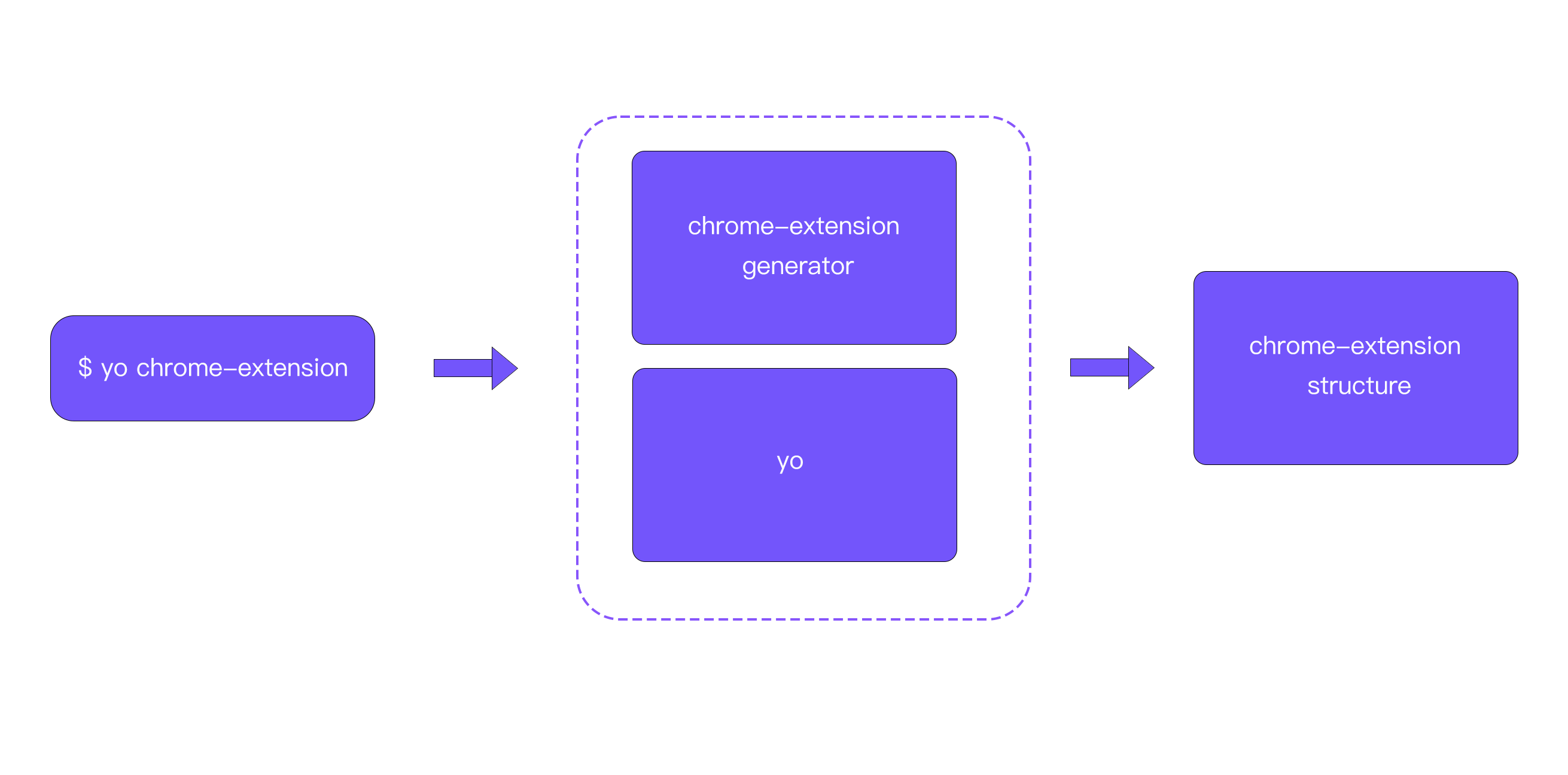](https://imgtu.com/i/bxbFPI)
## Yeoman 基本使用
安装使用
- 全局范围安装 yo
```shell
$ npm i -g yo / yarn global add yo
```
- 安装对应的 generator
```shell
$npm install generator-node --global # or yarn global add generator-node
```
- 通过 yo 运行 generator
```shell
$ cd path/to/project-dir
$ mkdir my-module
$ yo node
```
下面使用脚本创建一个简单的 demo
```shell
$ mkdir my-modlue
$ yo node
$ yo node:cli
```
详细代码参考[my-module](my-module)
### 下一步将该项目暴露到全局
```shell
$ yarn link
```
如果你看到以下内容,说明,项目暴露到全局成功
info You can now run `yarn link "***你的项目名"` in the projects where you want to use this package and it will be used instead.
### 测试全局能否查到项目
```shell
$ **你的项目名 --help (my-module --help)
```
注意如果有下面的报错:
-bash: /usr/local/bin/my-module: Permission denied ,看来是没有权限导致的
可以尝试如下方式
1. 到上一个目录,
```shell
$ cd ..
```
2. 将该项目授权
```shell
$ sudo chmod -R 777 项目名
```
3. 回到项目中
```shell
$ cd my-module
```
4. 再次查看
```shell
$ my-module --help
```
在这里就可以看到控制台打印了下面这些东西
```shell
Usage
$ my-module [input]
Options
--foo Lorem ipsum. [Default: false]
Examples
$ my-module
unicorns
$ my-module rainbows
unicorns & rainbows
```
## Yeoman Sub Generator
### 常规使用步骤
1. 明确你的需求
2. 找到合适的 Generator
3. 全局范围安装找到的 Generator
4. 通过 Yo 运行对应的 Generator
5. 通过命令行交互填写选项
6. 生成你所需要的项目结构
下面我们跟着 generator-webapp,进行简单的使用
查看更多的代码[webapp](webapp)
- 全局安装`generator-webapp`
```shell
$ yarn golbal add generator-webapp
```
- 创建 webapp 项目,使用 generator
```shell
$ yo webapp
```
## 自定义 Generator
基于 Yeoman 搭建自己的脚手架
### 创建 Generator 模块
Generator 本质上就是一个 NPM 模块
查看更多的代码[generator-sample](generator-sample)
**文件架构**
│─generator .................生成器目录
│ └── app .................默认生成器目录
│ │ └─ index.js .................默认生成器实现
│ └── component .................其他生成器目录
│ └─ index.js .................其他生成器实现
└─ package.json .................模块包配置文件
注意
> `generator-`
添加 yeoman-generator,实现相关生成器
```js
const Generator = require("yeoman-generator");
module.exports = class extends Generator {
writing() {
// yeoman 自动在生成文件阶段调用此方法
// 我们这里尝试往项目目录中写入文件
this.fs.write(this.destinationPath("temp.txt"), Math.random().toString());
}
};
```
> generator 核心入口
>
> 需要导出一个继承来自 Yeoman Generator 的类型
>
> 在 yeoman 工作时会自动调用我们在此类型中定义的生命周期
使用 `yarn link`添加到全局
```shell
$ cd ..
$ mkdir my-proj
$ cd my-proj
$ yo sample
```
下面会创建 temp.txt
txt 文件内容是:
> 0.005328516798935423
### 根据模版创建文件
添加 template 文件夹,里面可以添加相应的模块文件,模块文件可以添加模版语法
下面是 foo.txt 模版文件
```txt
foo ~~~~
<%= title %>
<% if (success){ %>
success test
<% }%>
```
下面为生成器实现:
```js
const Generator = require("yeoman-generator");
module.exports = class extends Generator {
writing() {
// 通过模版方式写入文件到目标目录中
// 模版文件路径
const temp = this.templatePath("foo.txt");
// 输出目标路径
const output = this.destinationPath("foo.txt");
// 模版数据上下文
const context = {
title: "hello generator",
success: false,
};
this.fs.copyTpl(temp, output, context);
}
};
```
生成的项目里面的 txt 文件
```txt
foo ~~~~
hello generator
```
相对于手动创建每一个文件,模版的方式大大提高了效率。
### 接收用户输入数据
```js
const Generator = require('yeoman-generator')
module.exports = class extends Generator {
prompting(){
return this.prompt([
{
type: 'input',
name: 'name',
message: 'Your project name',
default: this.appname //appname 为项目生成文件名称
}
]).then(answers=>{
// answers => {name: 'user input name'}
this.answers = answers
})
}
......
}
```
在这里调用了继承类 Generator 的 prompting 的方法调用,返回一个 promise 接受一个数组传递数据,其中可以分为多个类型
最后执行结果,会在用户回答问题之后,在这个文件夹里面创建 foo.txt 和 bar.html
### 发布 Generator
其实这里发布 Generator 的过程实则还是 npm 包的发布流程
在上传到 git 仓库之后
```shell
$ npm publish
$ npm publish --registry=http://registry.npmjs.org
# yarn
$ yarn publish --registry=http://registry.yarnpkg.com
```
输入自己 npm 的账号密码
## Vue Generator 案例
查看更多的代码[generator-only-vue](generator-only-vue)
全局代码设置完成之后,链接到全局
```shell
$ npm link
$ cd ..
$ yo only-vue
```
生成填写项目名称为`vue-project`
详细效果查看[vue-project](vue-project)
## 提交规范
- `feat` 增加新功能
- `fix` 修复问题/BUG
- `style` 代码风格相关无影响运行结果的
- `perf` 优化/性能提升
- `refactor` 重构
- `revert` 撤销修改
- `test` 测试相关
- `docs` 文档/注释
- `build` 对构建系统或者外部依赖项进行了修改
- `chore` 依赖更新/脚手架配置修改等
- `workflow` 工作流改进
- `ci` 持续集成
- `types` 类型定义文件更改
- `wip` 开发中
**相关参考**


