# code-lighter
**Repository Path**: mirrors_singod/code-lighter
## Basic Information
- **Project Name**: code-lighter
- **Description**: a lightweight code highlighting tool, 代码高亮工具
- **Primary Language**: Unknown
- **License**: Not specified
- **Default Branch**: master
- **Homepage**: None
- **GVP Project**: No
## Statistics
- **Stars**: 0
- **Forks**: 0
- **Created**: 2020-09-25
- **Last Updated**: 2026-03-08
## Categories & Tags
**Categories**: Uncategorized
**Tags**: None
## README
code-lighter
============
This is an extremely lightweight tool for code heighlighting.
You can go to Example Page to see demos.
Currently support highlighting for:
* javascript
* html
* css
And all of above have both a light theme and a dark theme.
No dependencies on other javascript libraries. It uses lexical analysis instead of regex matching.
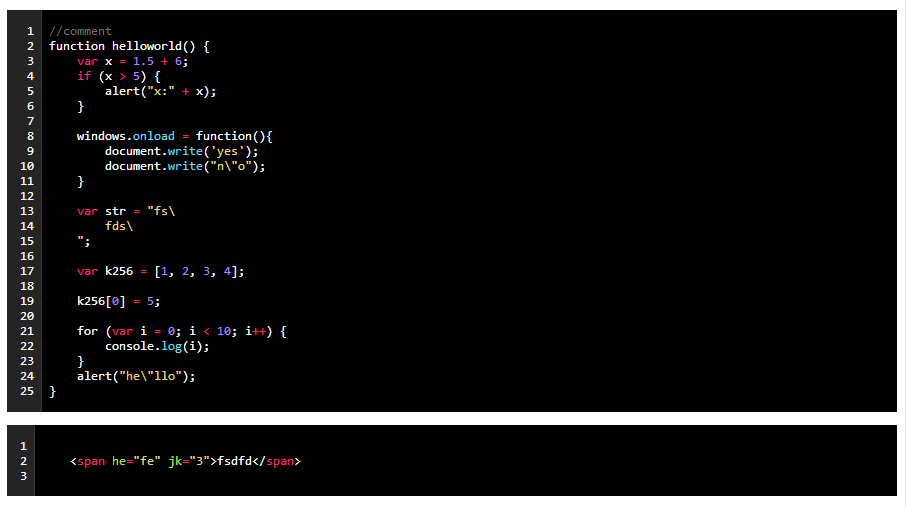
preview
## Simple usage
First, include the css and code-lighter.js.
HTML code
```html
	//comment
	function helloworld() {
		for (var i = 0; i < 10; i++) {
			console.log(i);
		}
		alert("hello");
	}
```
javascript initializing:
```js
var option = {
target: document.querySelector('#area'), // target element
language: 'javascript',
tabSpace: 4, // change a '\t' char to spaces, default is 4 spaces.
lineNumber: true // add line number to the code
}
var code = lighter.code();
```
Then, Using `code.on()` to highlight the code. Using `code.off()` to disable highlighting.
In a more convenient way, using `lighter.auto()` when page is loaded, code-lighter will highlight the code which has the attribute "codelighter", like below.
```html
	function(){

	}
```
## License
MIT License