# progress-view
**Repository Path**: mirrors_react-native-community/progress-view
## Basic Information
- **Project Name**: progress-view
- **Description**: ProgressView Component for react-native iOS/macOS/Windows
- **Primary Language**: Unknown
- **License**: MIT
- **Default Branch**: master
- **Homepage**: None
- **GVP Project**: No
## Statistics
- **Stars**: 0
- **Forks**: 0
- **Created**: 2020-08-18
- **Last Updated**: 2026-03-21
## Categories & Tags
**Categories**: Uncategorized
**Tags**: None
## README
# @react-native-community/progress-view
[![Build Status][build-badge]][build]
[![Windows CI Status][windows-ci-badge]][build]
[![Version][version-badge]][package]
![Platforms][support-badge]
[![MIT License][license-badge]][license]
[![Lean Core Badge][lean-core-badge]][lean-core-issue]
ProgressBar Component for macOS, iOS (based on UIProgressView), Android, and Windows.
| macOS | iOS | Android | Windows |
| ----- | --- | --- | ---- |
|  |
| 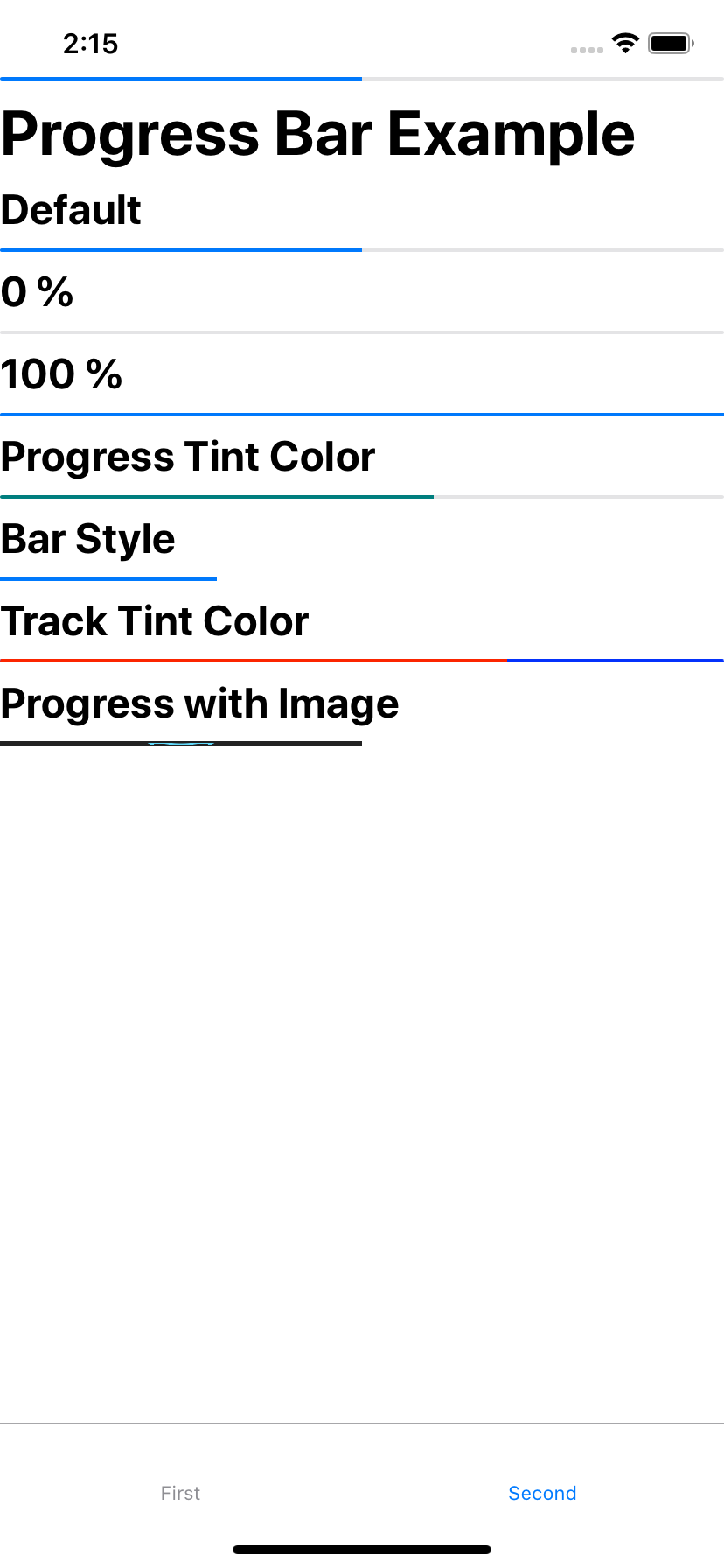 |
| 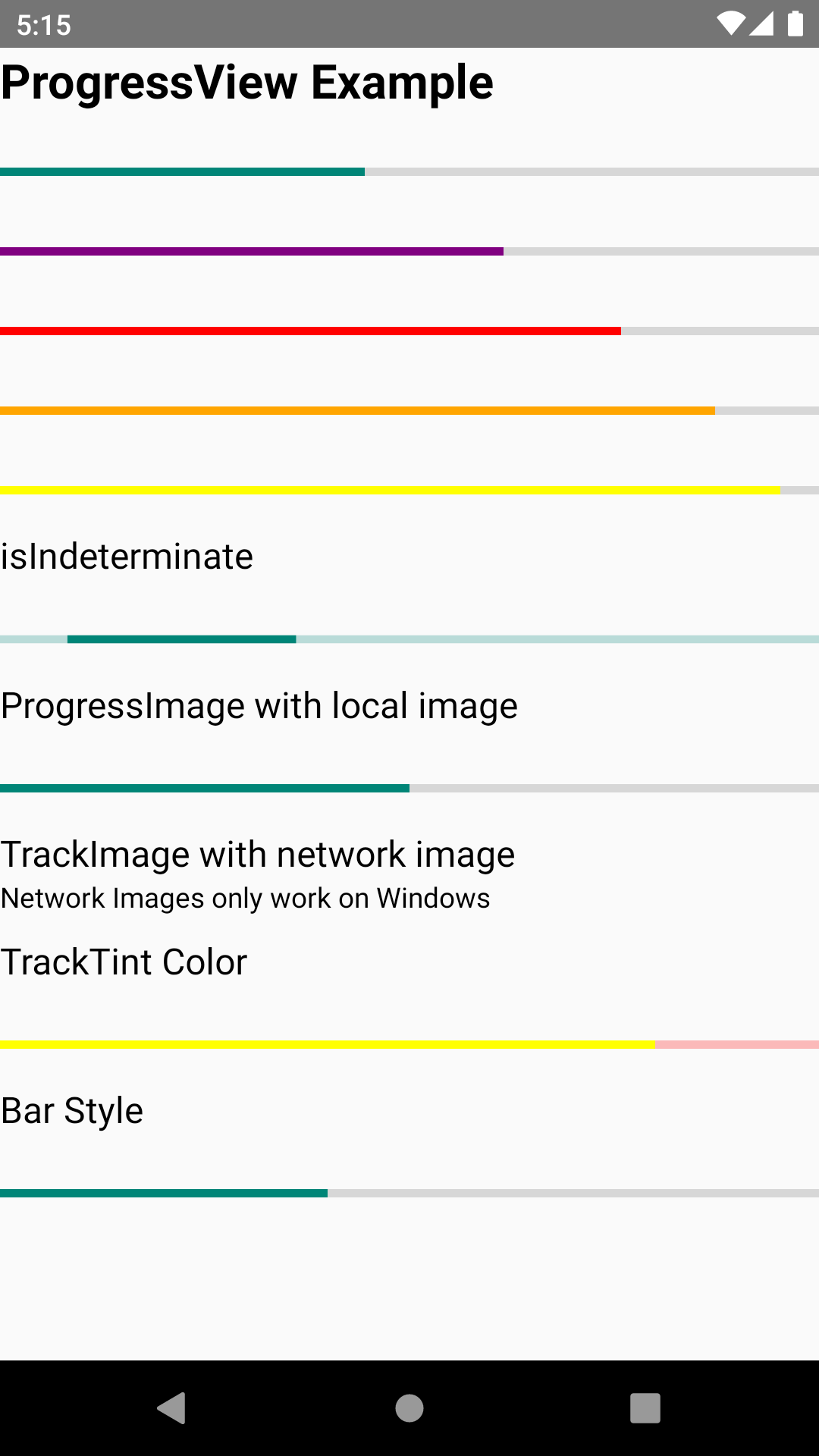 |
|  > |
## Getting started
```sh
npm install @react-native-community/progress-view --save
```
or
```sh
yarn add @react-native-community/progress-view
```
### Linking
- React Native 0.60+
The package is [automatically linked](https://github.com/react-native-community/cli/blob/master/docs/autolinking.md) when building the app. All you need to do is:
```sh
npx pod-install
```
- React Native <= 0.59
Run the following commands
```sh
react-native link @react-native-community/progress-view
```
#### Windows
##### Add the `progress-view` project to your solution.
1. Open the solution in Visual Studio 2019
2. Right-click Solution icon in Solution Explorer > Add > Existing Project
Select `node_modules\@react-native-community\progress-view\windows\progress-view\progress-view.vcxproj`
##### **windows/myapp.sln**
Add a reference to `progress-view` to your main application project. From Visual Studio 2019:
Right-click main application project > Add > Reference...
Check `progress-view` from Solution Projects.
##### **pch.h**
Add `#include "winrt/progress_view.h"`.
##### **app.cpp**
Add `PackageProviders().Append(winrt::progress_view::ReactPackageProvider());` before `InitializeComponent();`.
### Manual installation
#### IOS
> |
## Getting started
```sh
npm install @react-native-community/progress-view --save
```
or
```sh
yarn add @react-native-community/progress-view
```
### Linking
- React Native 0.60+
The package is [automatically linked](https://github.com/react-native-community/cli/blob/master/docs/autolinking.md) when building the app. All you need to do is:
```sh
npx pod-install
```
- React Native <= 0.59
Run the following commands
```sh
react-native link @react-native-community/progress-view
```
#### Windows
##### Add the `progress-view` project to your solution.
1. Open the solution in Visual Studio 2019
2. Right-click Solution icon in Solution Explorer > Add > Existing Project
Select `node_modules\@react-native-community\progress-view\windows\progress-view\progress-view.vcxproj`
##### **windows/myapp.sln**
Add a reference to `progress-view` to your main application project. From Visual Studio 2019:
Right-click main application project > Add > Reference...
Check `progress-view` from Solution Projects.
##### **pch.h**
Add `#include "winrt/progress_view.h"`.
##### **app.cpp**
Add `PackageProviders().Append(winrt::progress_view::ReactPackageProvider());` before `InitializeComponent();`.
### Manual installation
#### IOS
Manually linking the library - iOS
1. In XCode, in the project navigator, right click `Libraries` ➜ `Add Files to [your project's name]`
2. Go to `node_modules` ➜ `@react-native-community/progress-view` and add `RNCProgressView.xcodeproj`
3. In XCode, in the project navigator, select your project. Add `libRNCProgressView.a` to your project's `Build Phases` ➜ `Link Binary With Libraries`
4. Run your project (`Cmd+R`)
## Usage
Import ProgressView from `@react-native-community/progress-view`
```javascript
import {ProgressView} from "@react-native-community/progress-view";
```
Add ProgressView like this
```jsx
```
### Running Example App
#### Windows
1. Clone branch
2. cd into progress_view and run `yarn install`
3. Start metro server with `yarn start:windows`
4. Open Visual Studios and open `example/windows/ProgressViewExample.sln`
5. Set to Debug x64 and start solution
#### IOS
1. Clone branch
2. cd into progress-view and run `yarn install`
2. cd into example/ios and run `pod install`
4. cd back into progress-view and run `yarn ios`
#### macOS
1. Clone branch
2. cd into progress-view and run `yarn install`
2. cd into example/macos/example/macos and run `pod install`
4. Open the newly created example.xcworkspace in Xcode, build, and run
## Reference
### Props
- [Inherited `View` props...](https://reactnative.dev/docs/view#props)
* [`progress`](#progress)
* [`progressImage`](#progressimage)
* [`progressTintColor`](#progresstintcolor)
* [`progressViewStyle`](#progressviewstyle)
* [`trackImage`](#trackimage)
* [`trackTintColor`](#tracktintcolor)
---
# Reference
## Props
### `progress`
The progress value (between 0 and 1).
| Type | Required |
| ------ | -------- |
| number | No |
---
### `progressImage`
A stretchable image to display as the progress bar.
| Type | Required |
| ---------------------- | -------- |
| Image.propTypes.source | No |
---
### `progressTintColor`
The tint color of the progress bar itself.
| Type | Required |
| ------ | -------- |
| string | No |
---
### `progressViewStyle`
The progress bar style. Network images only work on Windows.
| Type | Required |
| ---------------------- | -------- |
| enum('default', 'bar') | No |
---
### `trackImage`
A stretchable image to display behind the progress bar. Network images only work on Windows.
| Type | Required |
| ---------------------- | -------- |
| Image.propTypes.source | No |
---
### `trackTintColor`
The tint color of the progress bar track.
| Type | Required |
| ------ | -------- |
| string | No |
### `isIndeterminate`
Turns progress bar into an indeterminate progress bar
| Type | Required | Platform |
| ------ | -------- | -------- |
| bool | No | Windows |
## Contributors
- [Kaiden Sin](https://github.com/kdenz) - [Passionate Product Maker and Coder](http://linkedin.com/in/kaiden)
- [Jesse Katsumata](https://github.com/Naturalclar)
## License
The library is released under the MIT license. For more information see [`LICENSE`](/LICENSE).
[build-badge]: https://github.com/react-native-community/progress-view/workflows/Build/badge.svg
[windows-ci-badge]:https://github.com/react-native-community/progress-view/workflows/Windows%20CI/badge.svg
[build]: https://github.com/react-native-community/progress-view/actions
[version-badge]: https://img.shields.io/npm/v/@react-native-community/progress-view.svg?style=flat-square
[package]: https://www.npmjs.com/package/@react-native-community/progress-view
[support-badge]:https://img.shields.io/badge/platforms-ios%20|%20android%20|%20macos%20|%20windows-lightgrey.svg?style=flat-square
[license-badge]: https://img.shields.io/npm/l/@react-native-community/progress-view.svg?style=flat-square
[license]: https://opensource.org/licenses/MIT
[lean-core-badge]: https://img.shields.io/badge/Lean%20Core-Extracted-brightgreen.svg?style=flat-square
[lean-core-issue]: https://github.com/facebook/react-native/issues/23313