# vscode
**Repository Path**: mirrors_rainglow/vscode
## Basic Information
- **Project Name**: vscode
- **Description**: 320+ color themes for Visual Studio Code.
- **Primary Language**: Unknown
- **License**: MIT
- **Default Branch**: master
- **Homepage**: None
- **GVP Project**: No
## Statistics
- **Stars**: 0
- **Forks**: 0
- **Created**: 2022-01-11
- **Last Updated**: 2026-01-25
## Categories & Tags
**Categories**: Uncategorized
**Tags**: None
## README
 ## Visual Studio Code
[](https://marketplace.visualstudio.com/items?itemName=daylerees.rainglow)
[](https://marketplace.visualstudio.com/items?itemName=daylerees.rainglow)
[](https://marketplace.visualstudio.com/items?itemName=daylerees.rainglow)
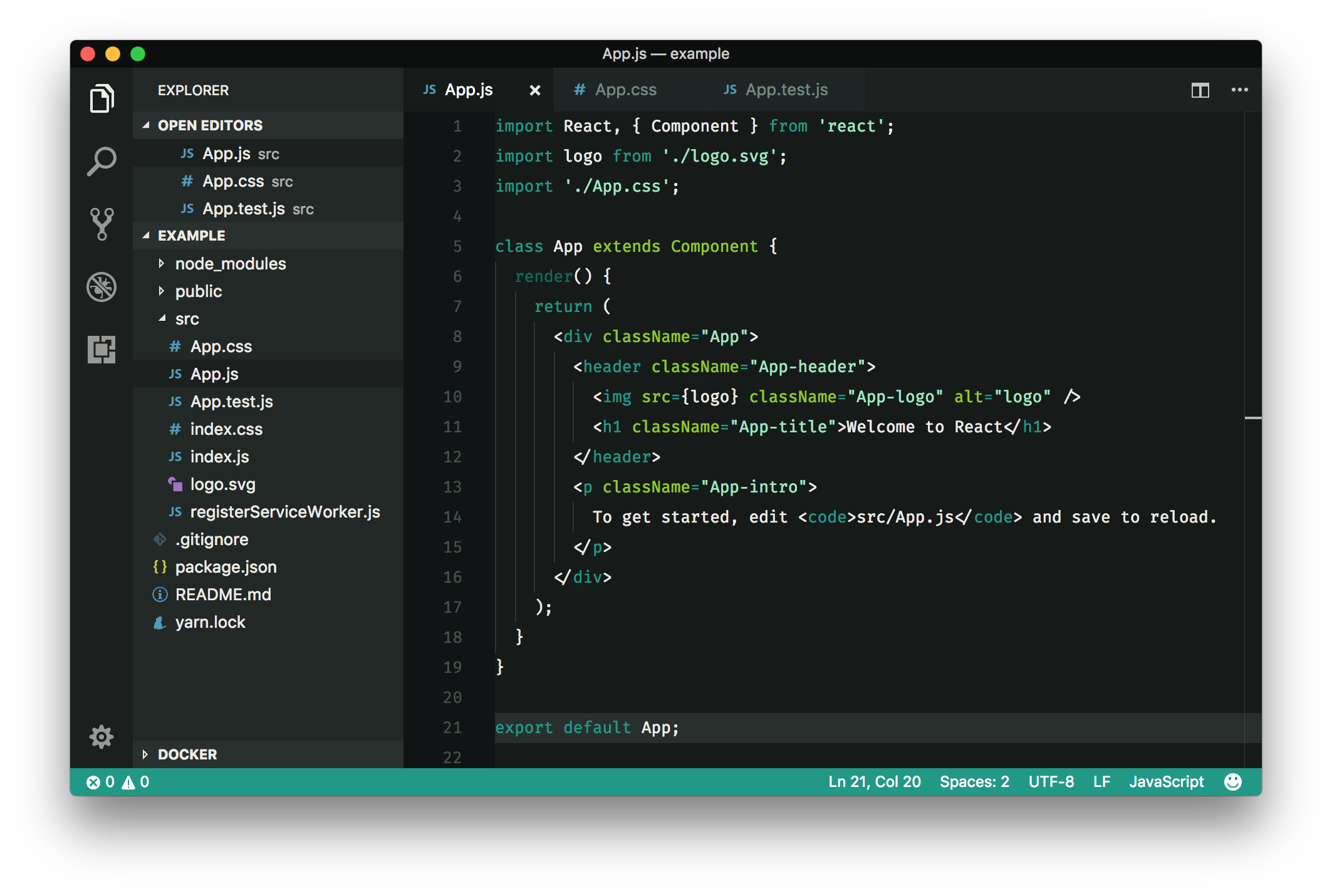
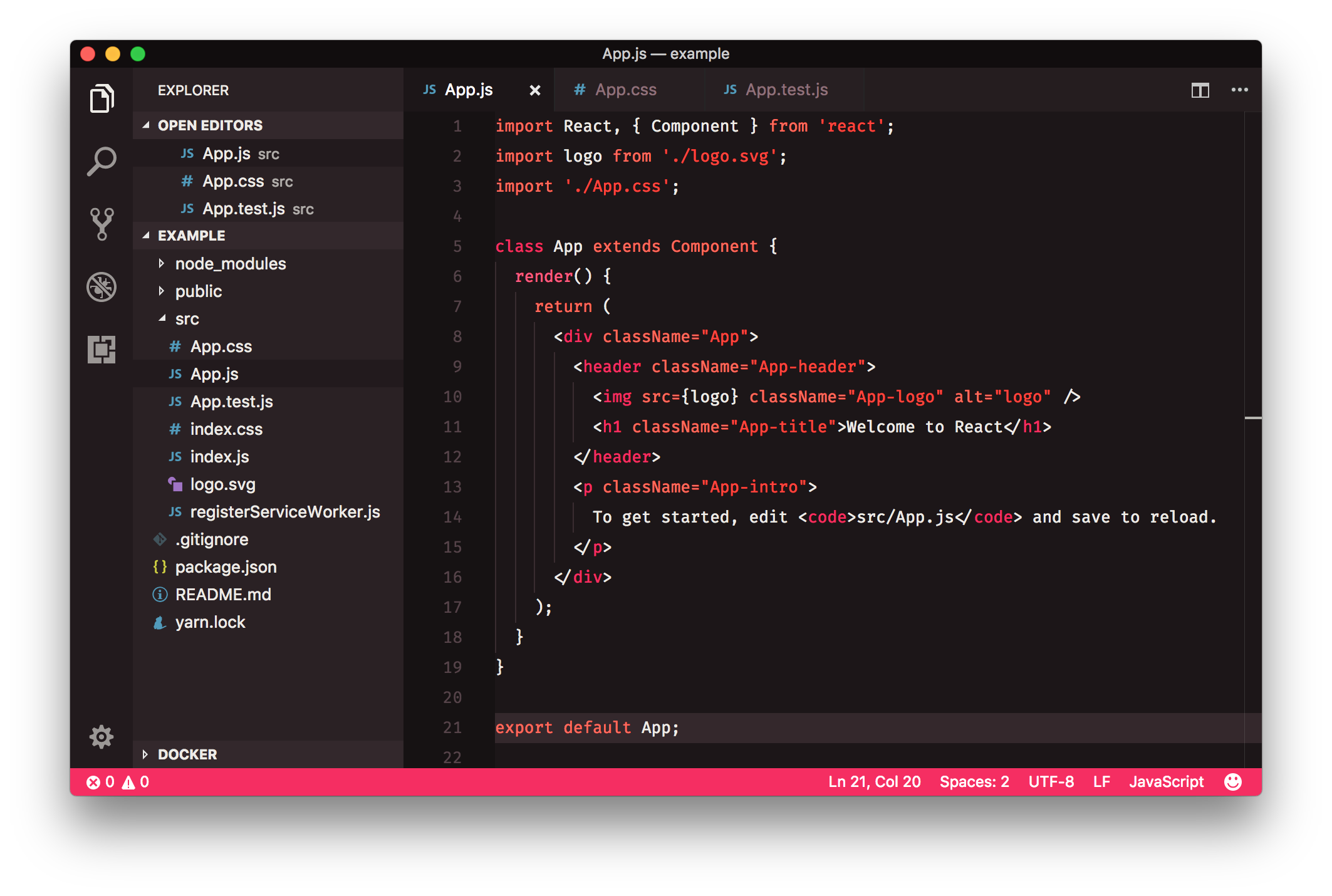
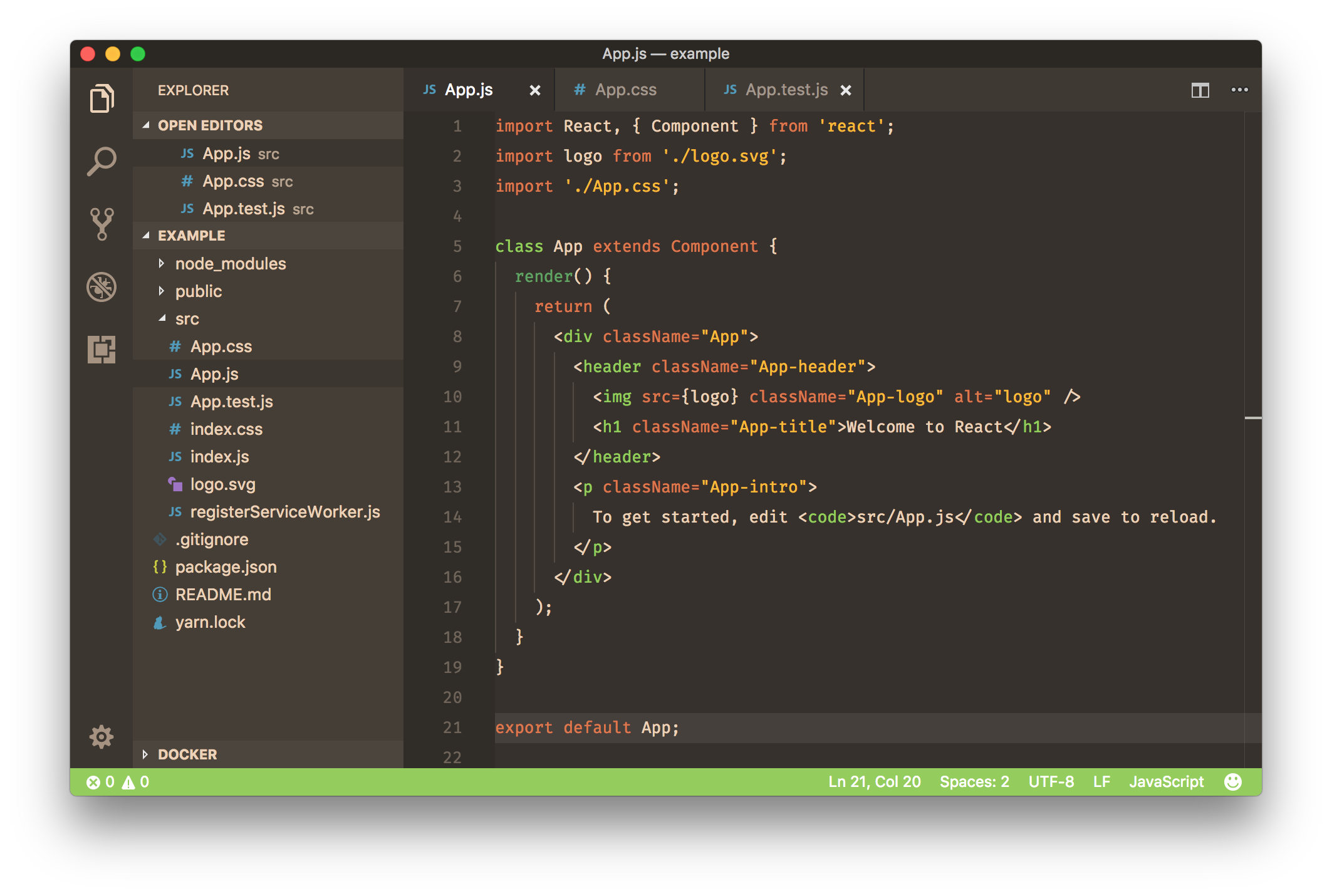
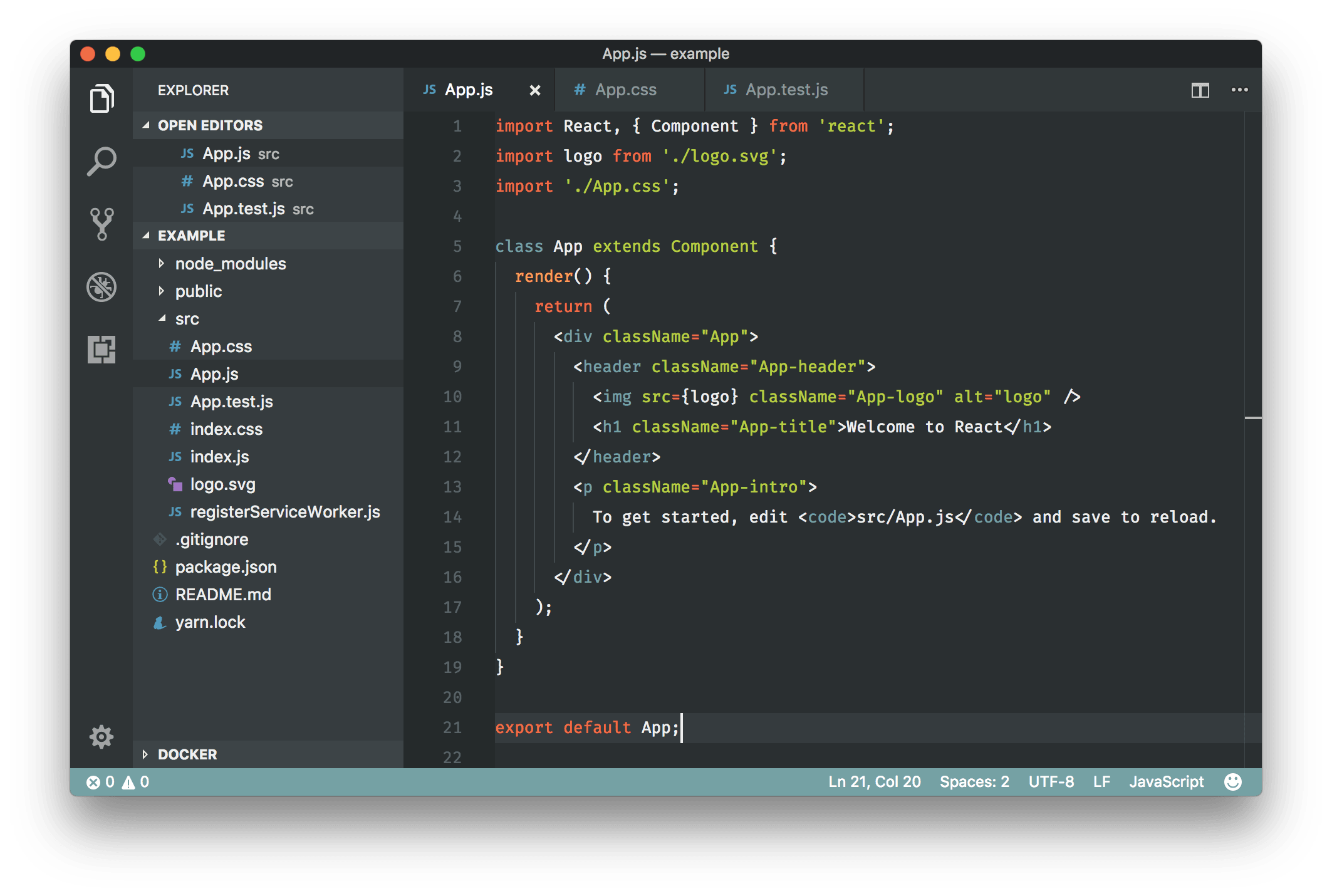
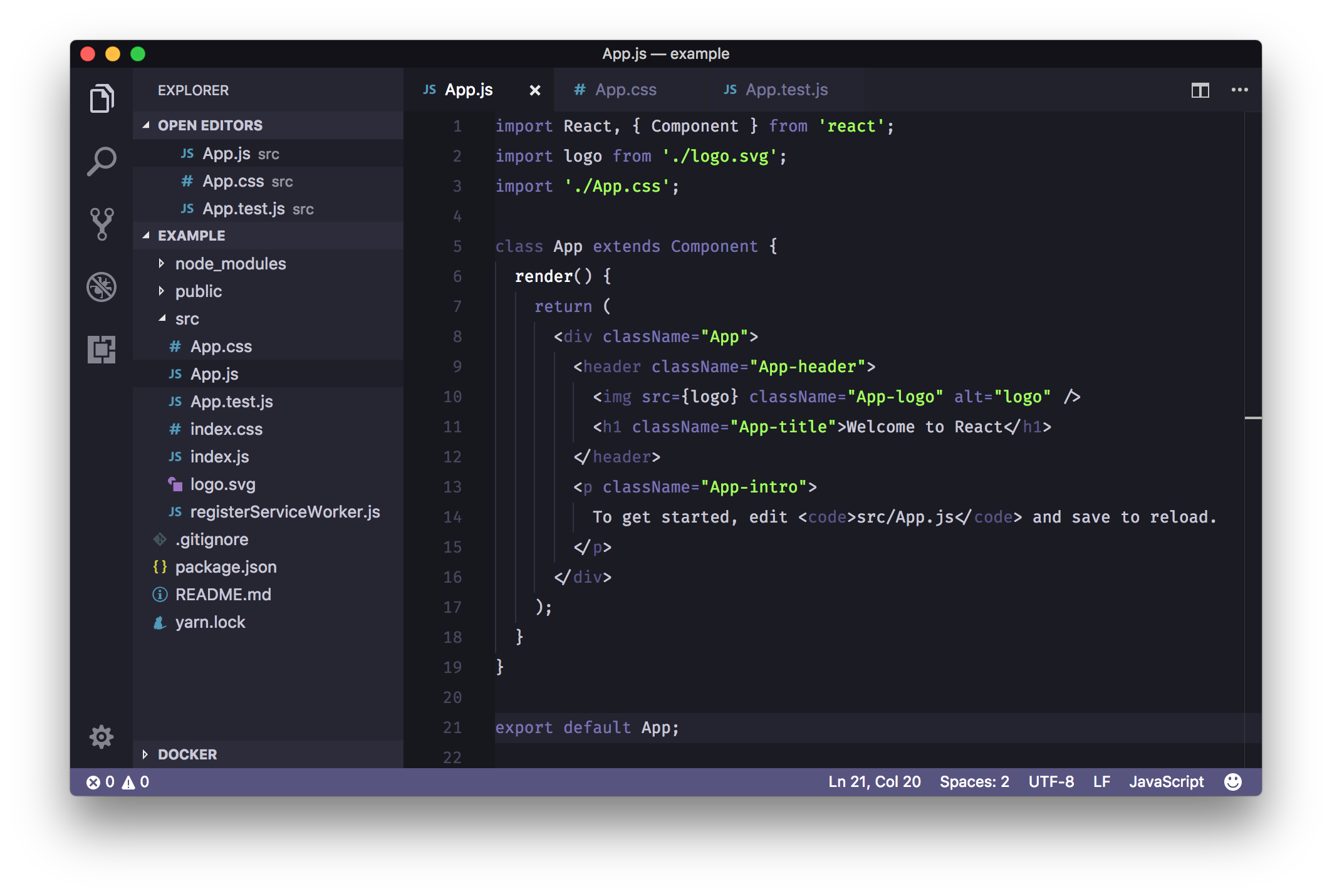
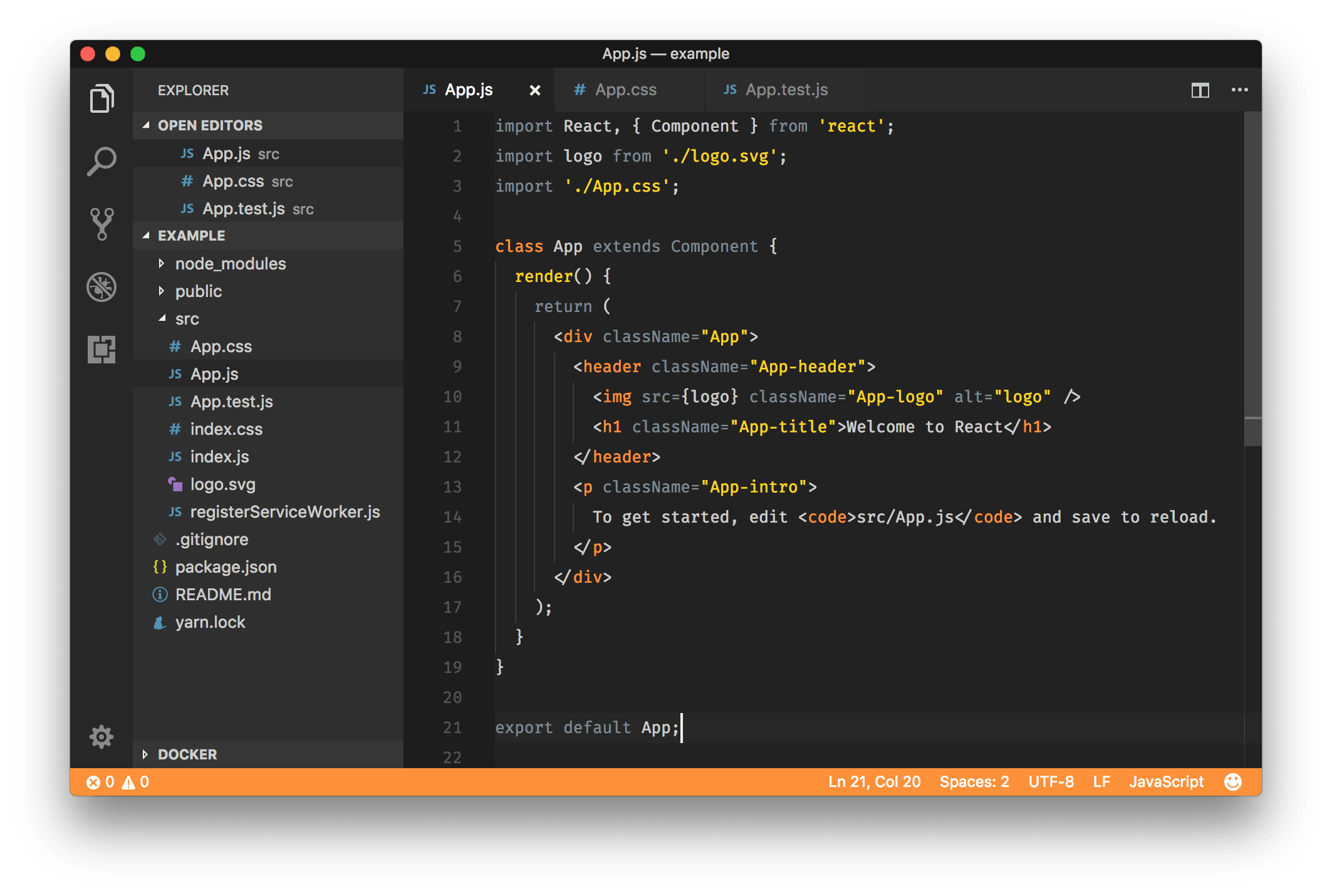
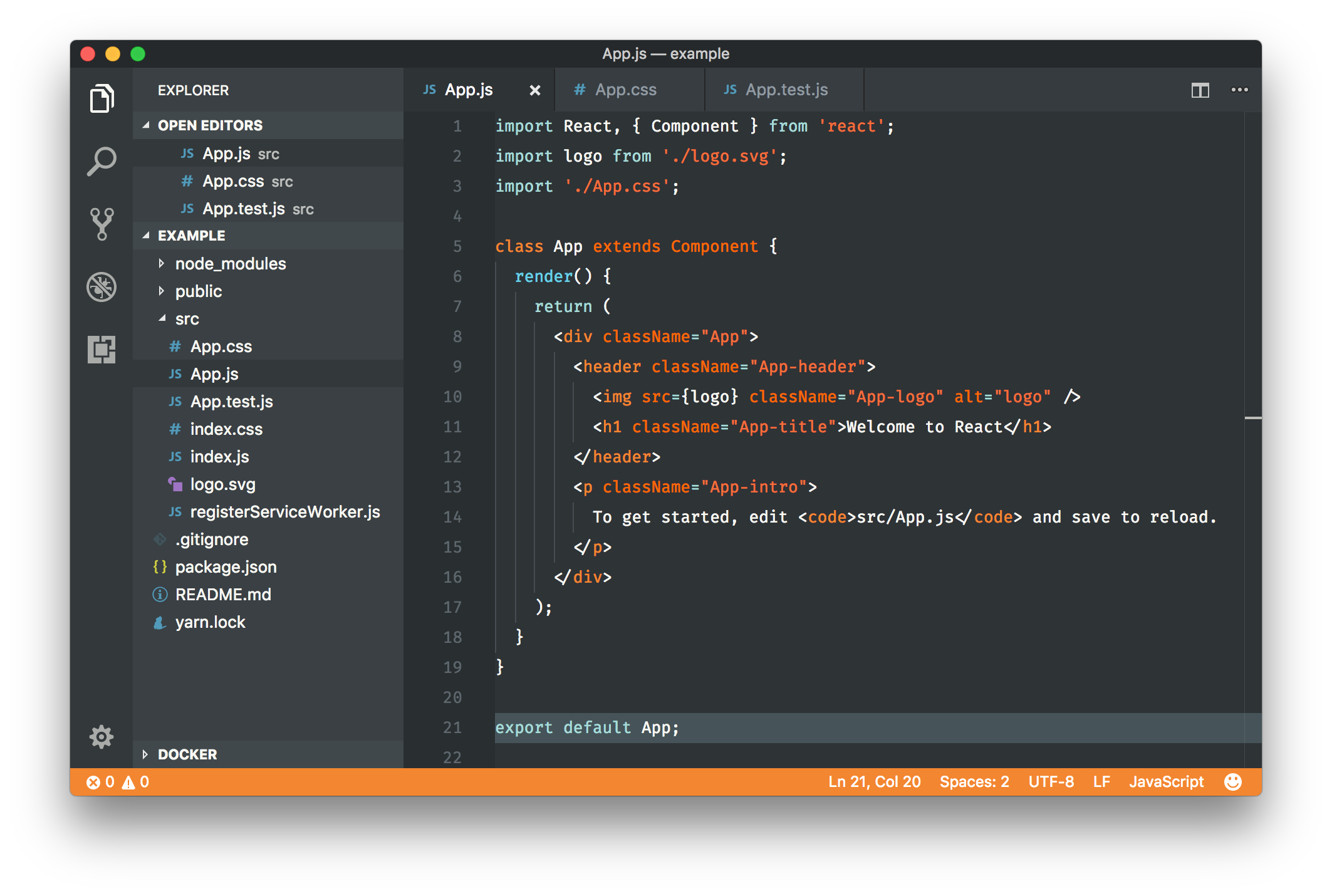
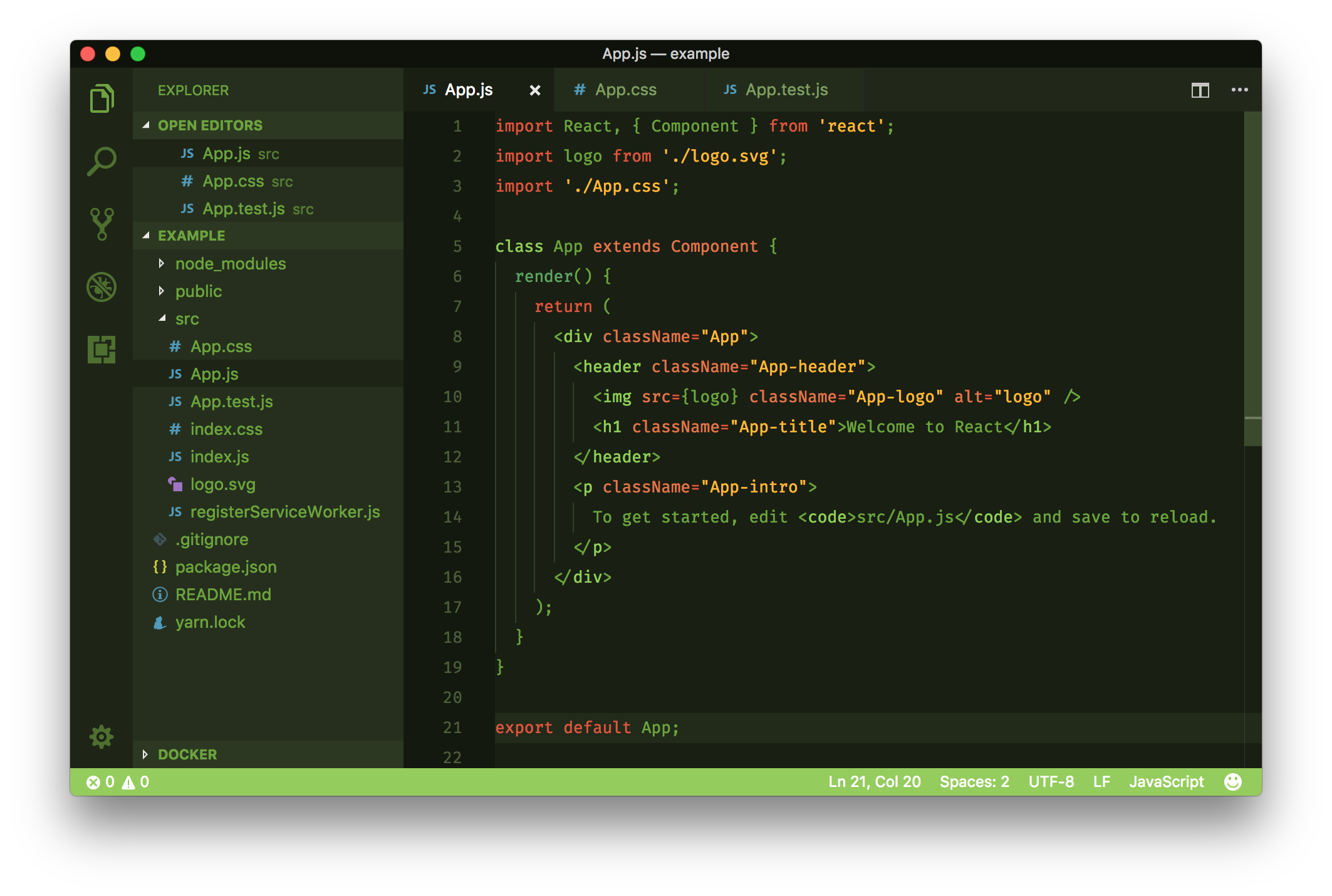
Rainglow is a collection of color themes for a number of different editors and platforms. This repository consists of **320+ syntax and UI themes** for [Visual Studio Code](https://code.visualstudio.com/).
## Visual Studio Code
[](https://marketplace.visualstudio.com/items?itemName=daylerees.rainglow)
[](https://marketplace.visualstudio.com/items?itemName=daylerees.rainglow)
[](https://marketplace.visualstudio.com/items?itemName=daylerees.rainglow)
Rainglow is a collection of color themes for a number of different editors and platforms. This repository consists of **320+ syntax and UI themes** for [Visual Studio Code](https://code.visualstudio.com/).

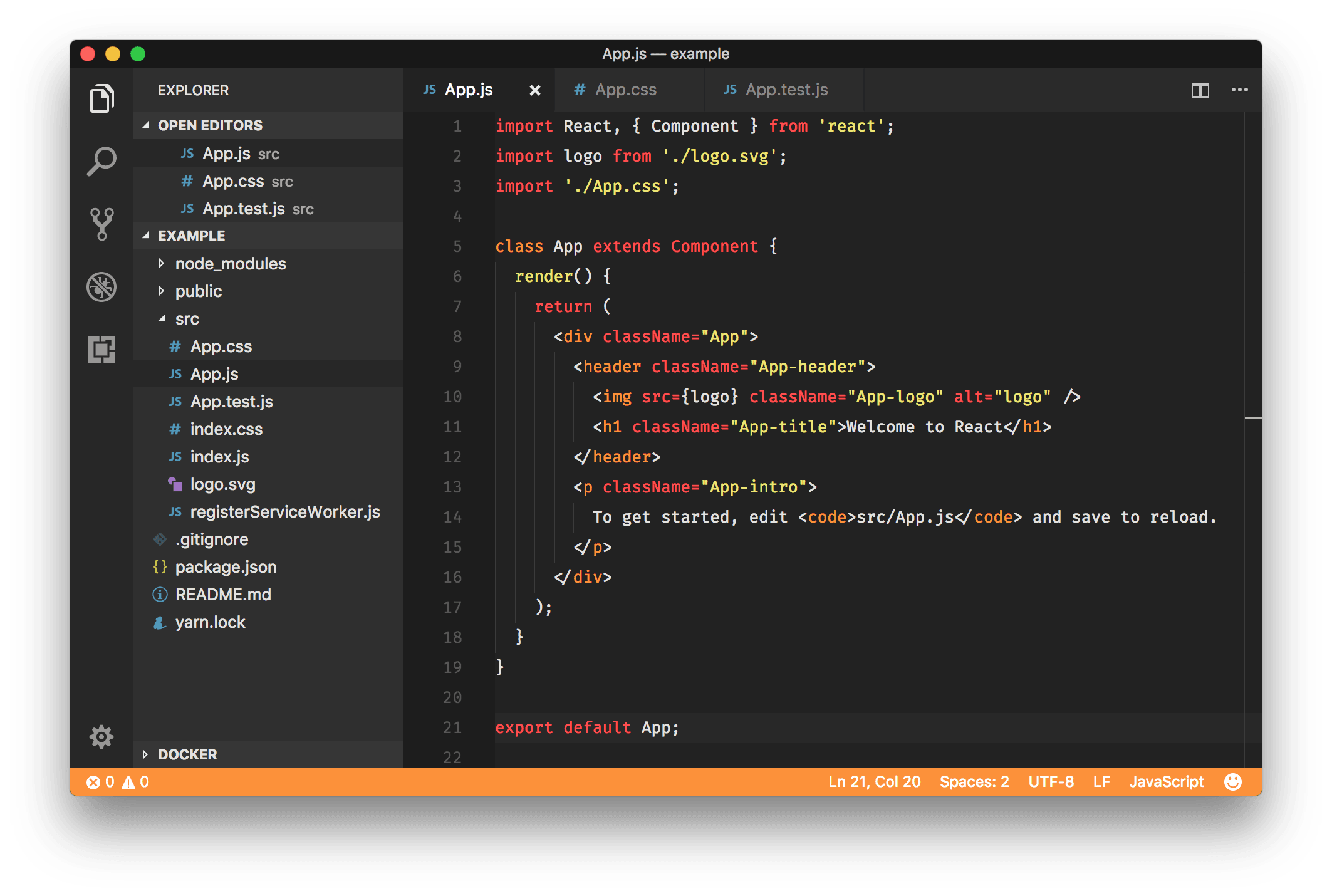
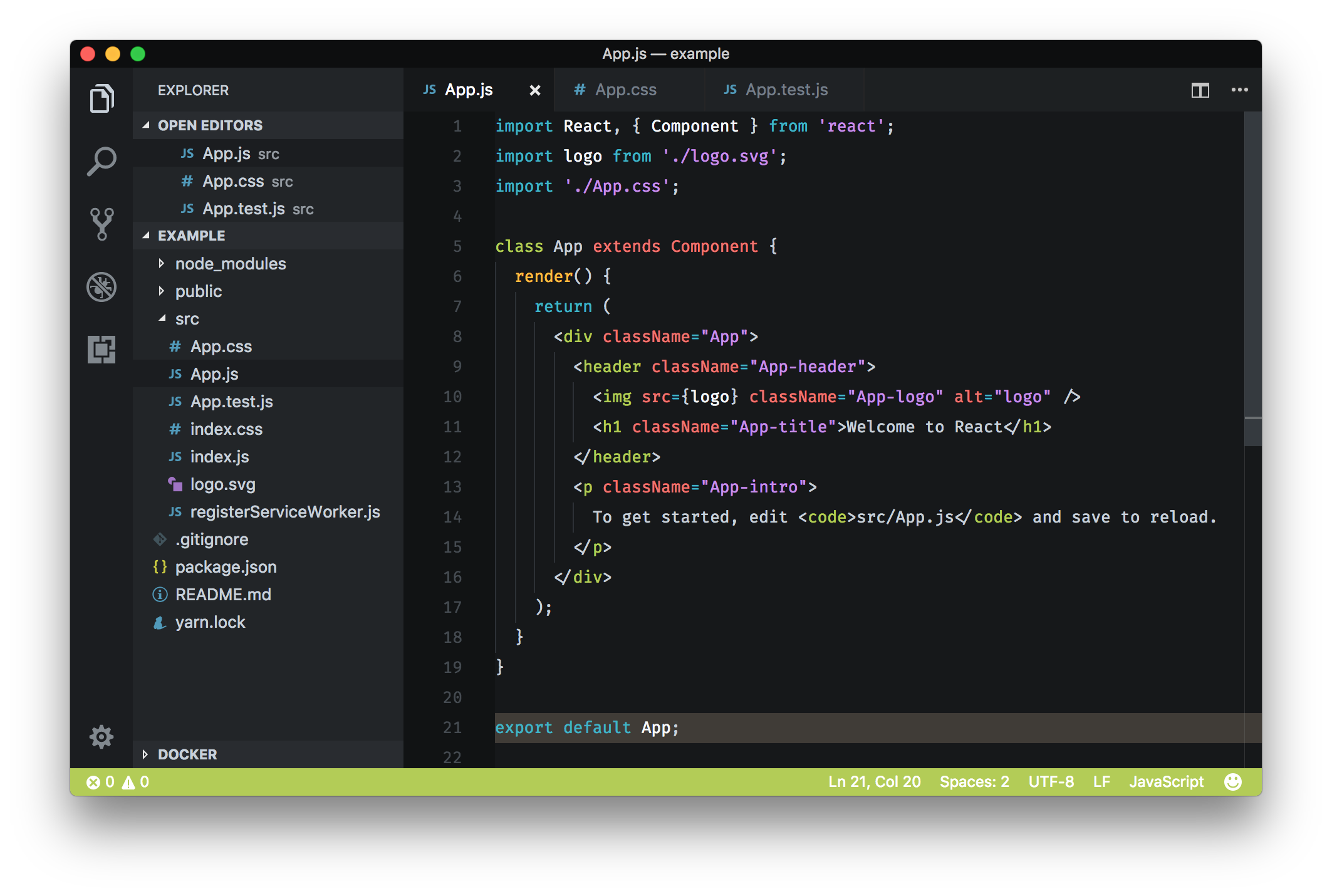
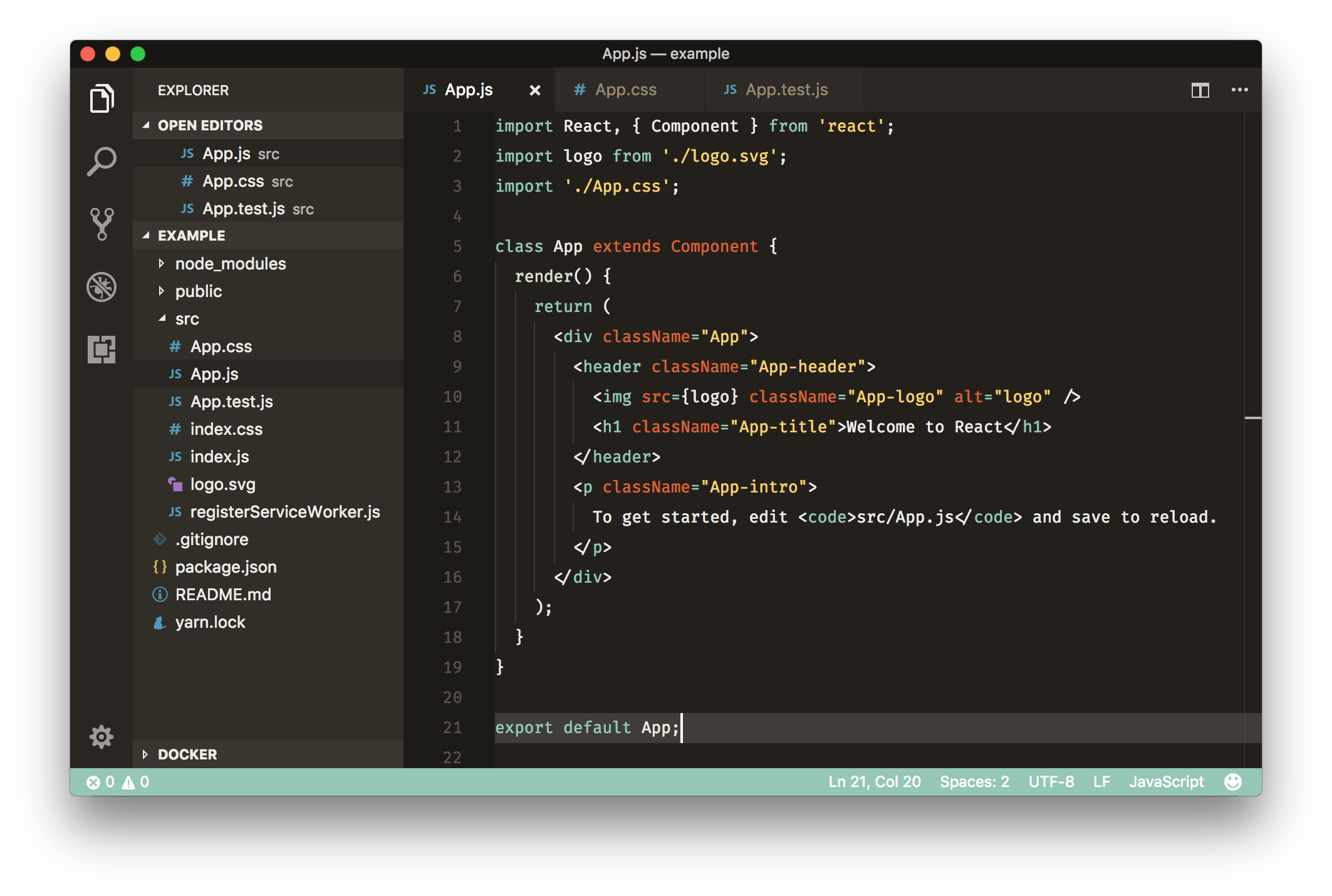
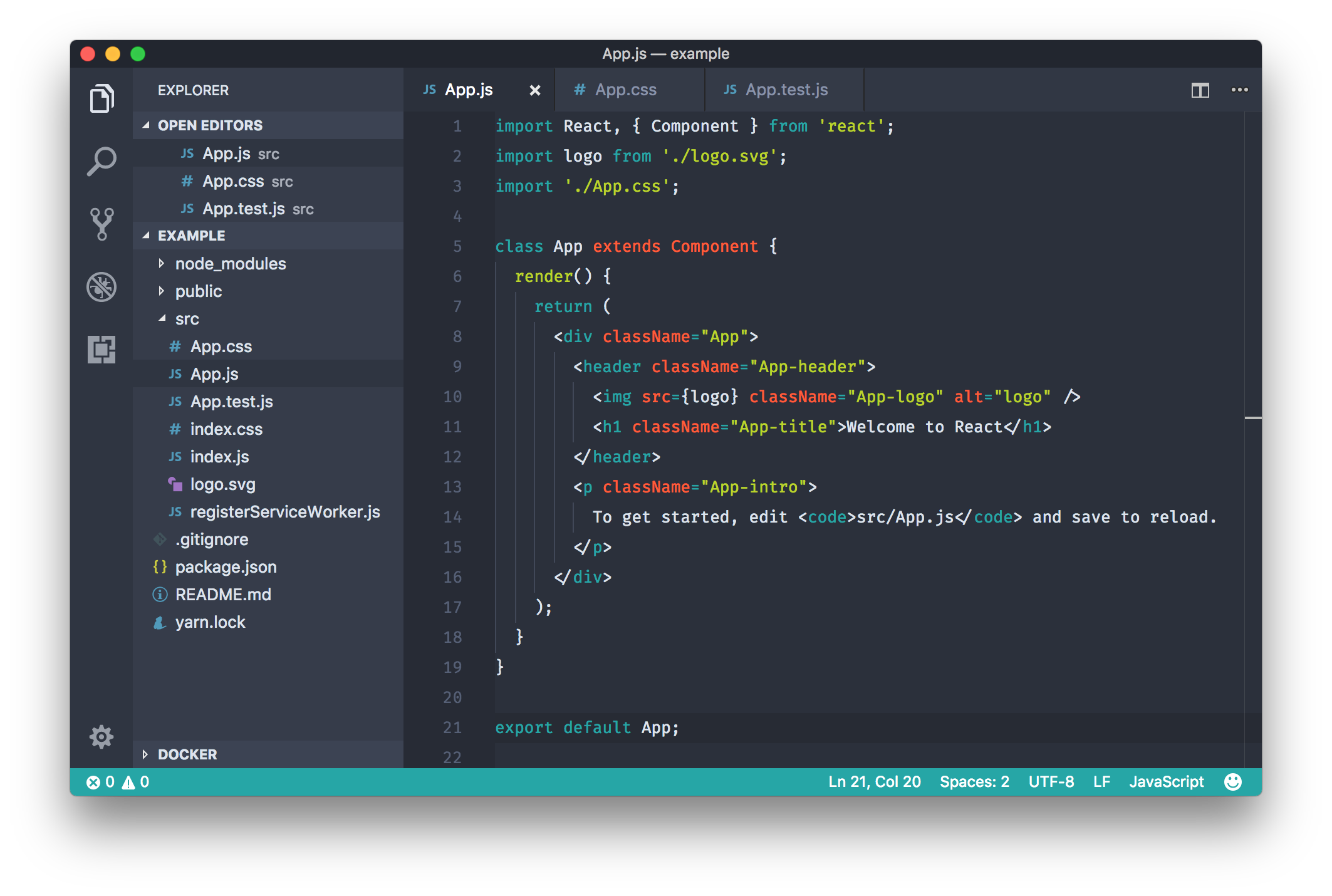
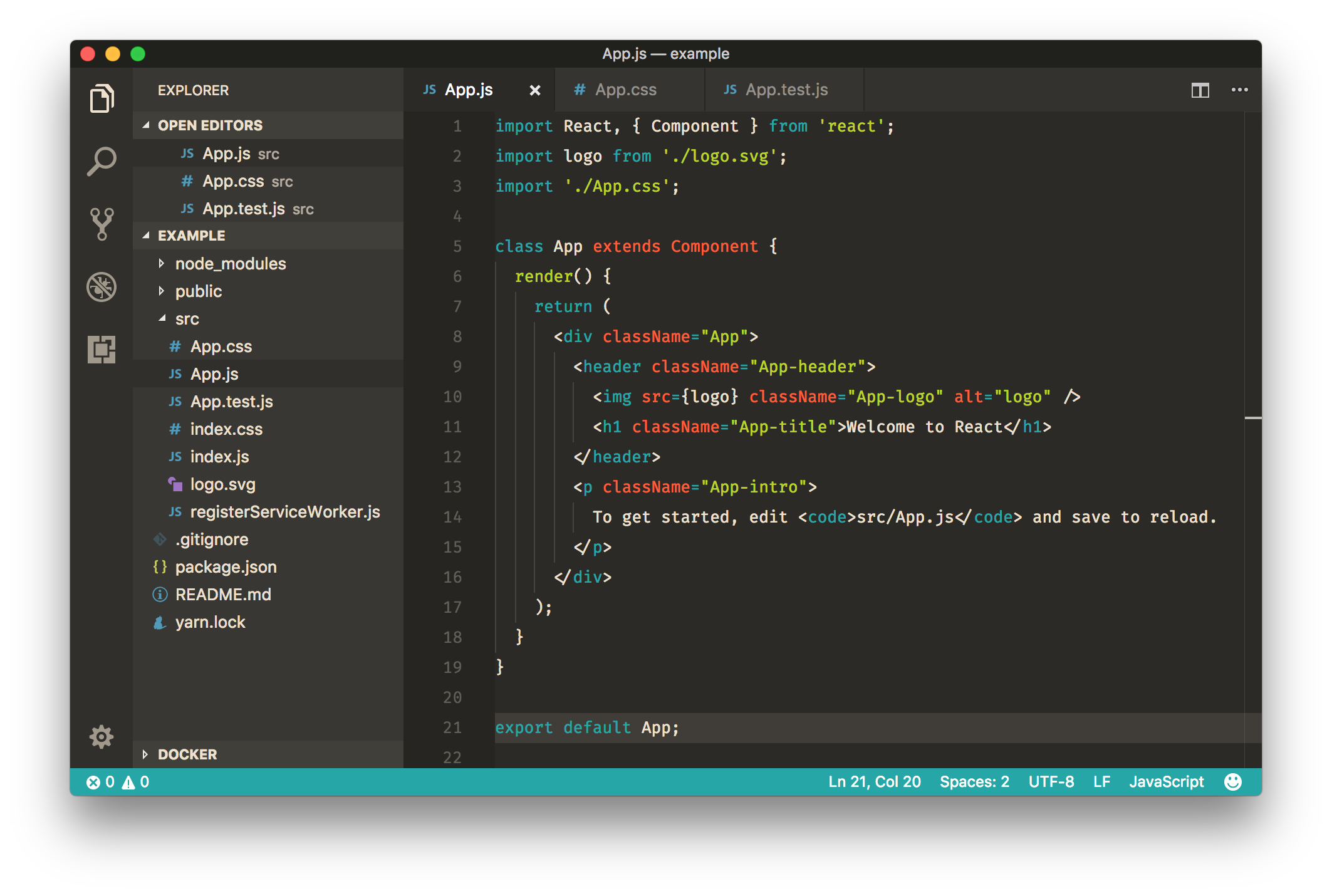
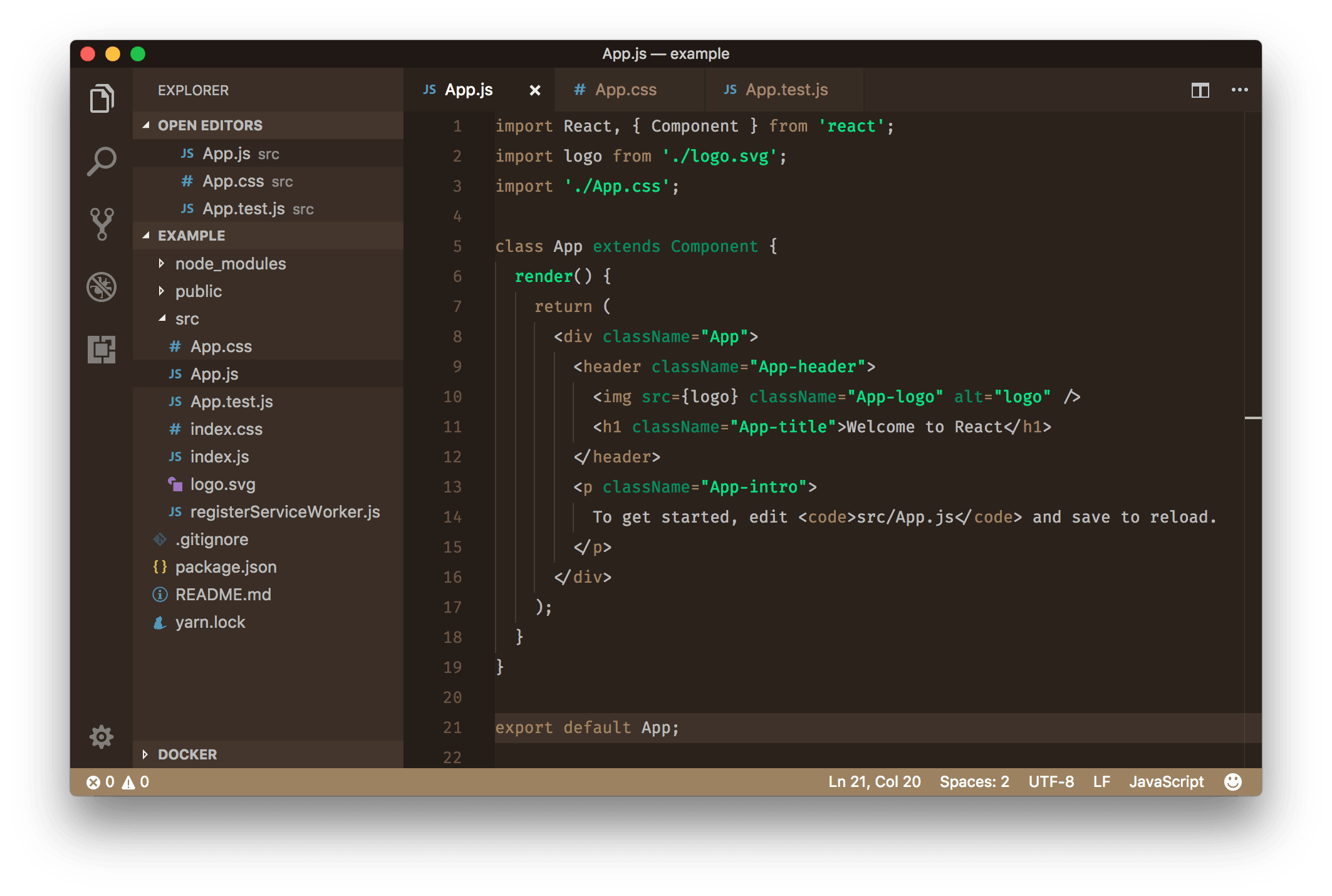
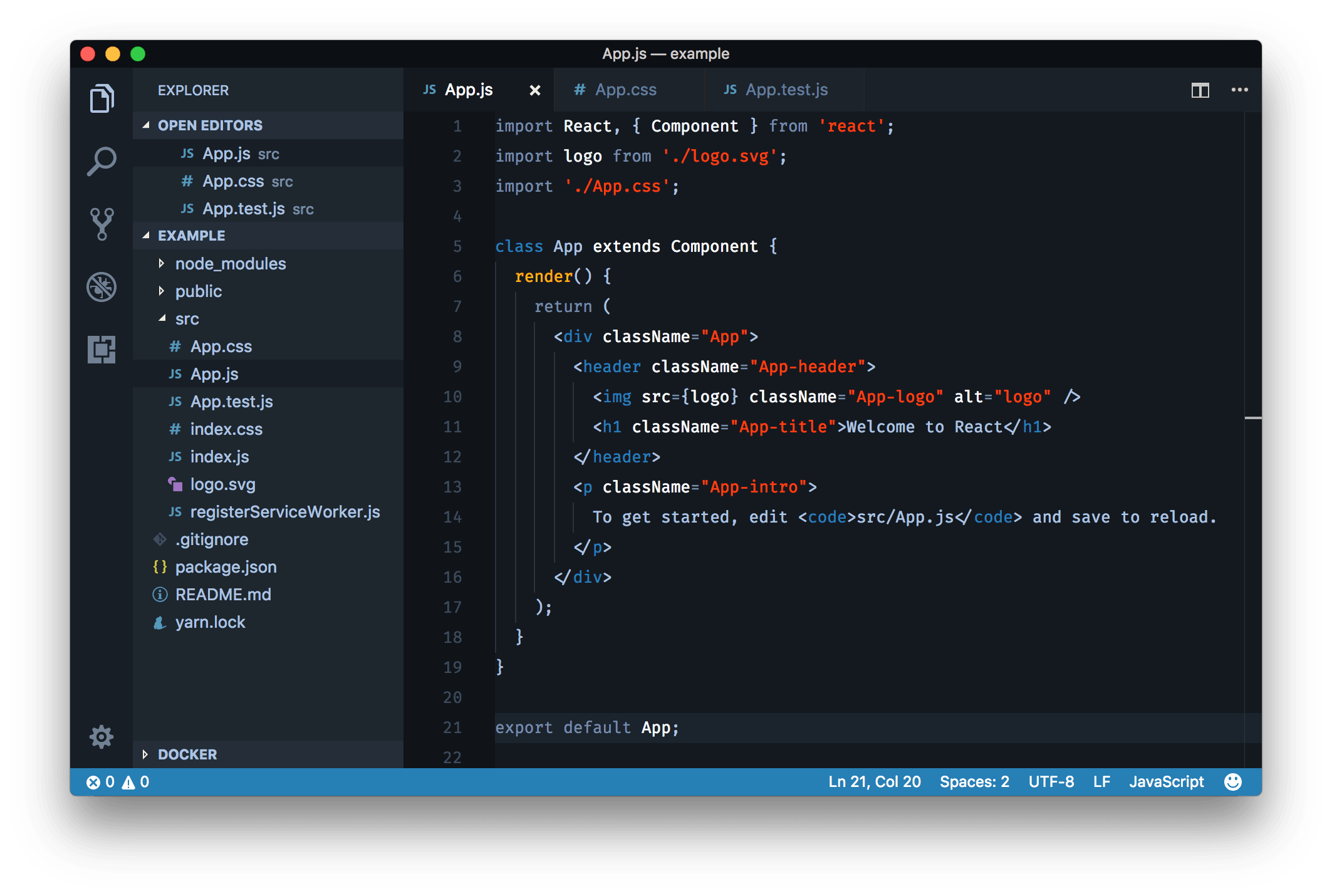
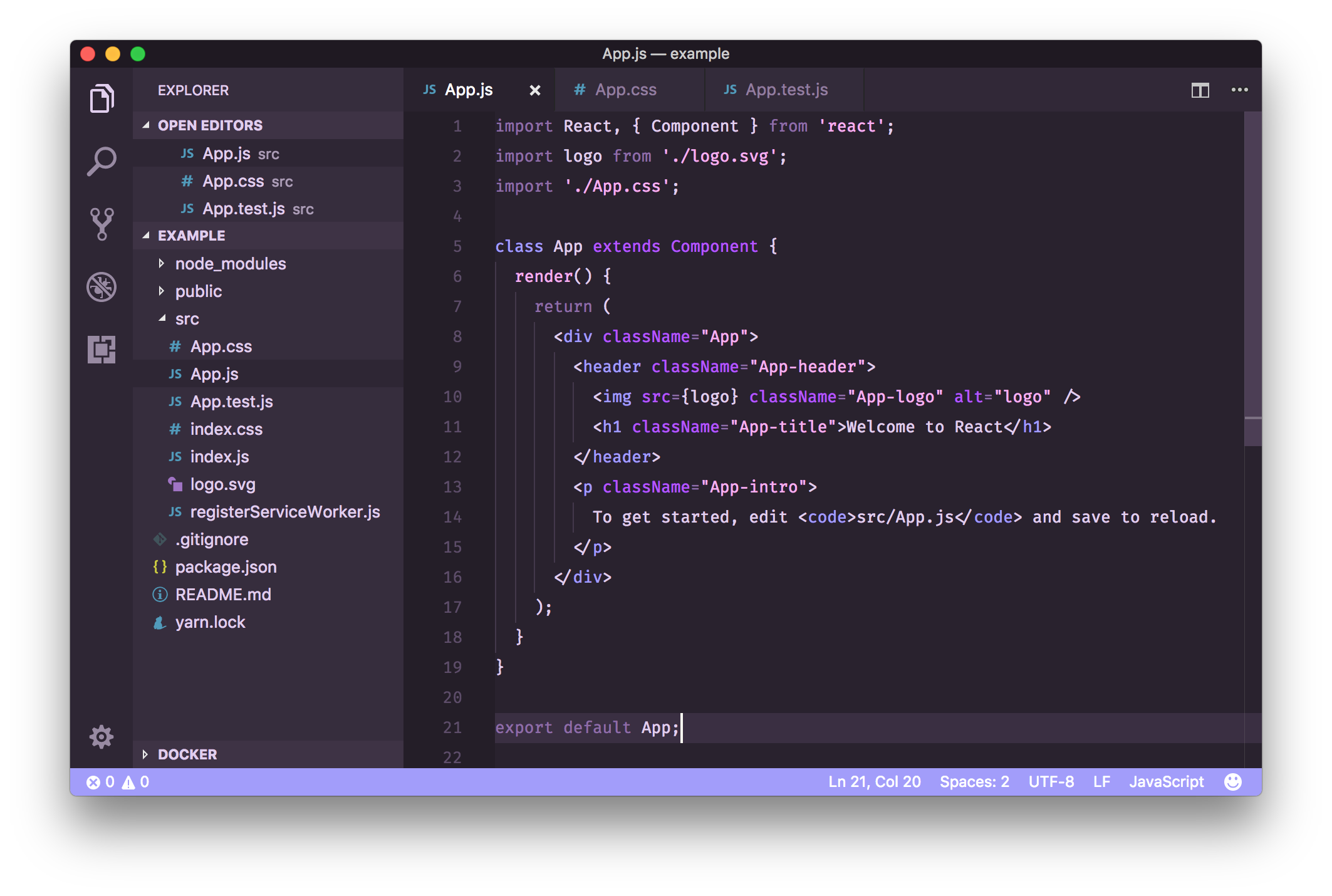
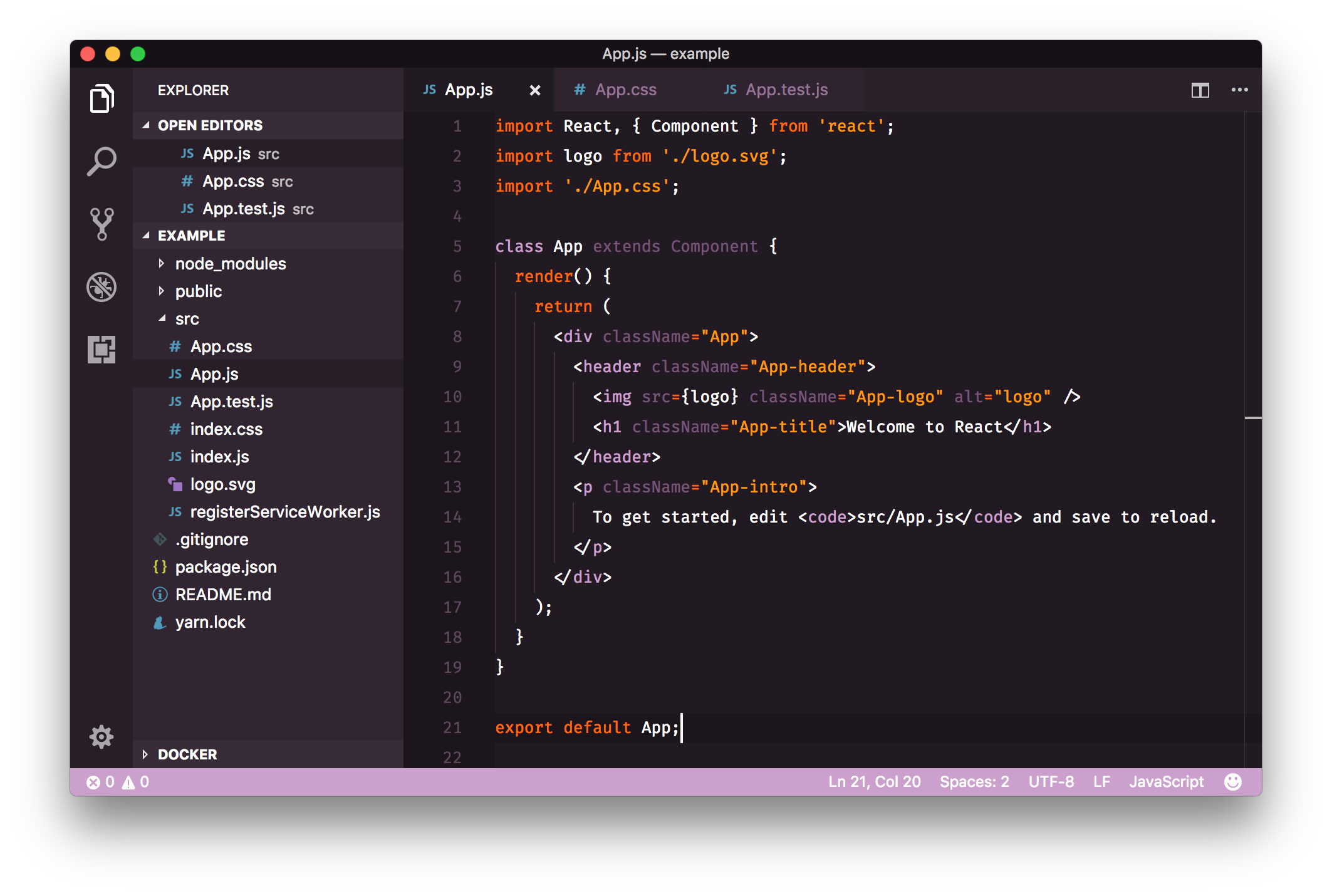
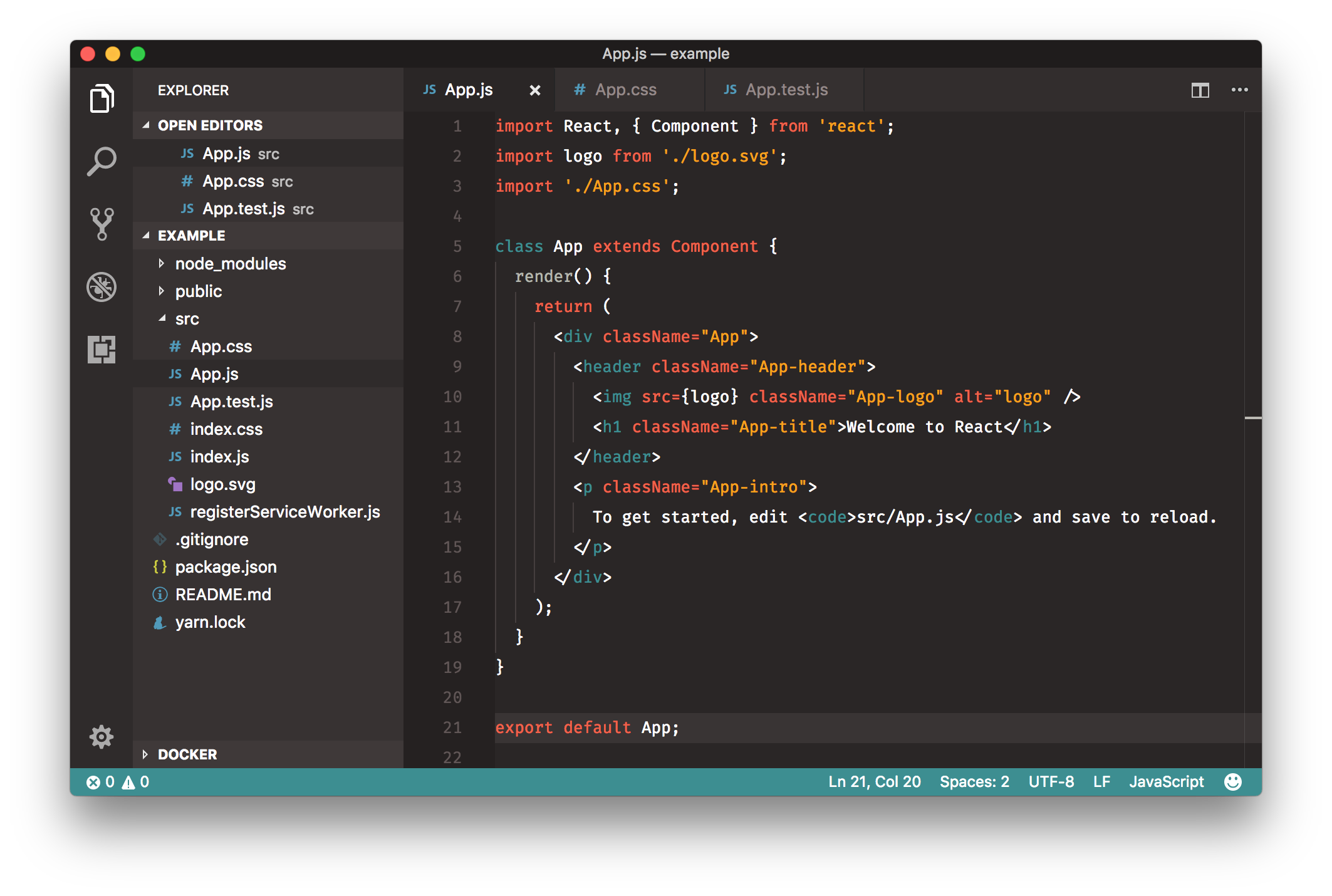
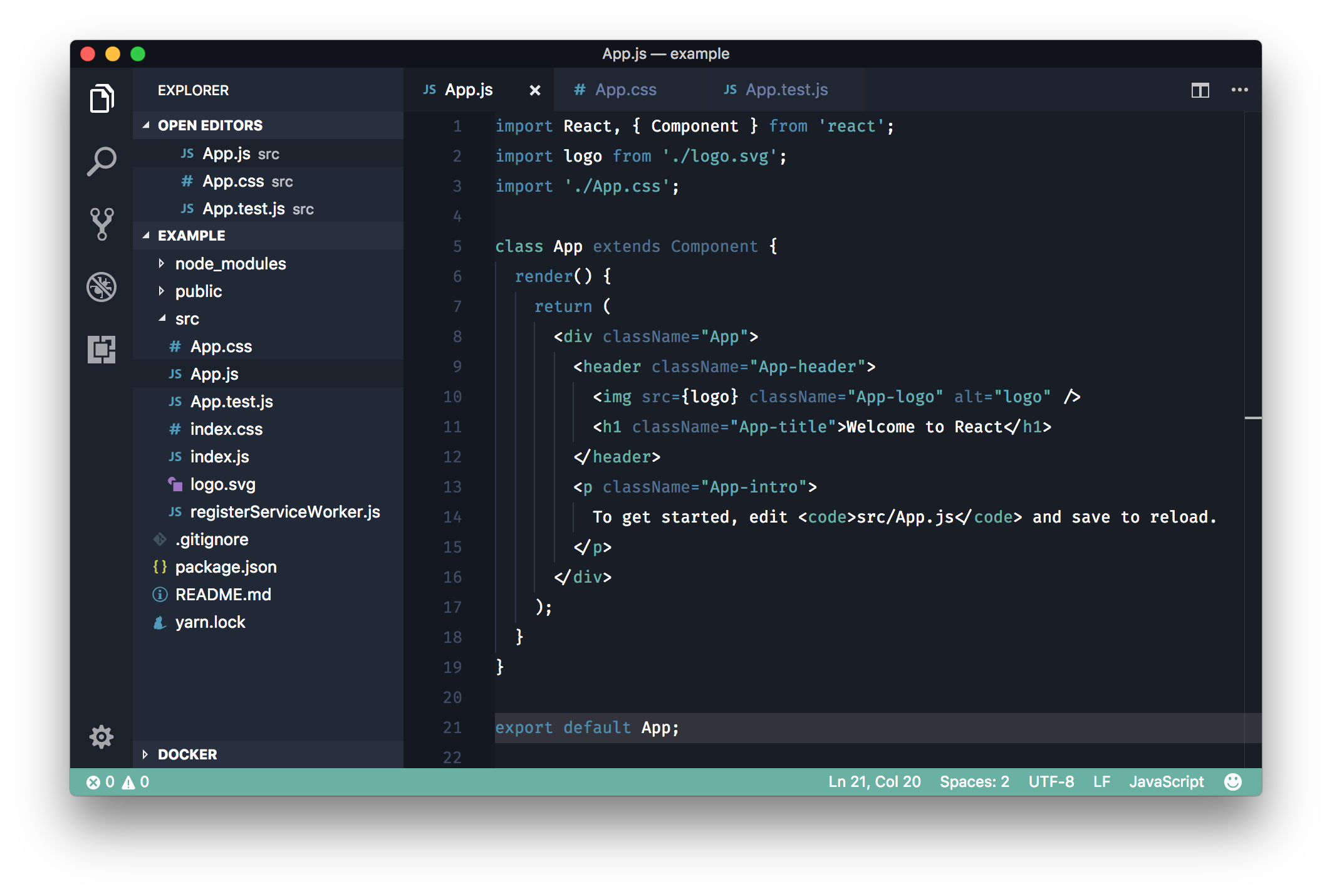
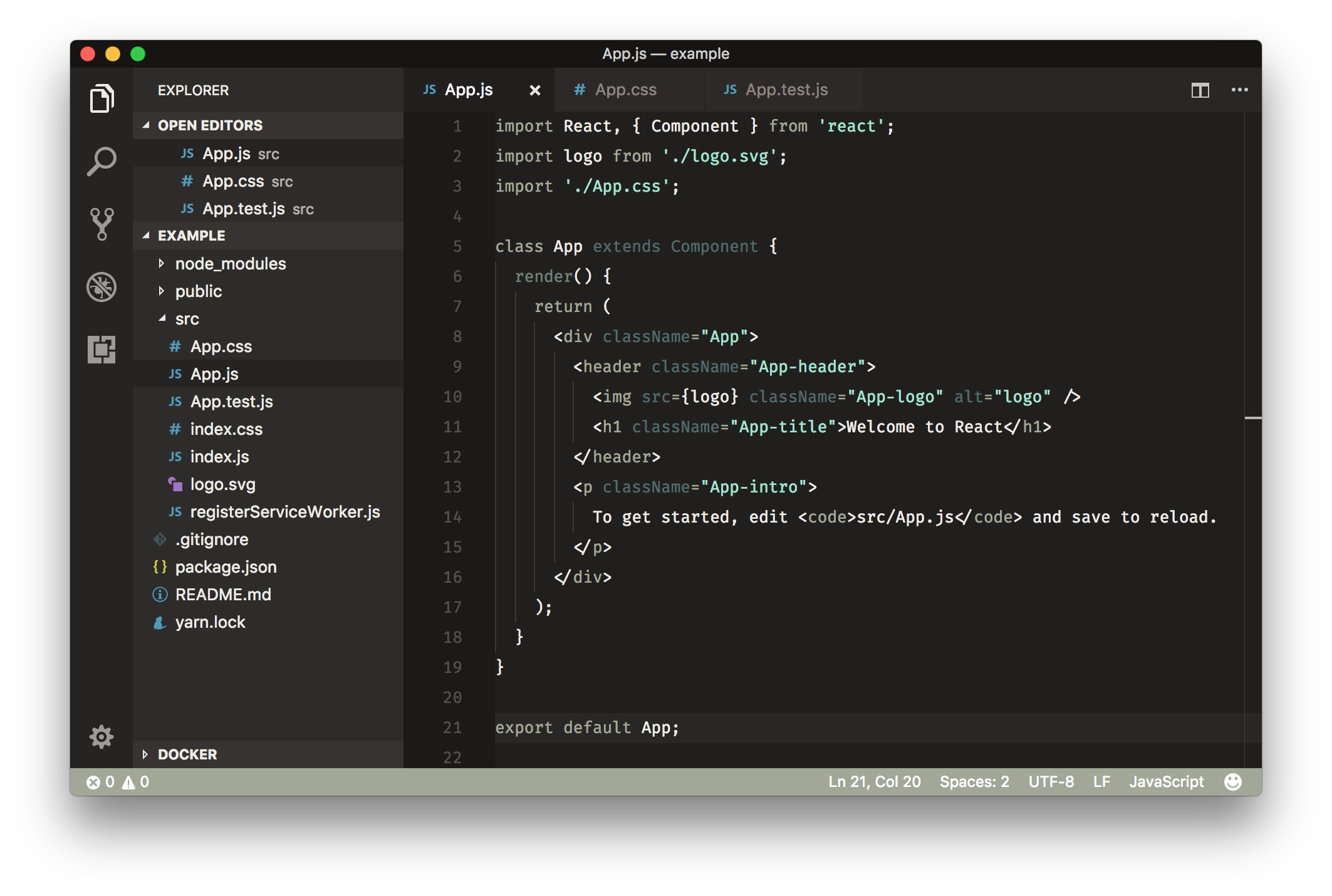 To show support for the project, you can do any (or many!) of the following:
- [Wear a theme.](https://teespring.com/stores/rainglow)
- [Star the repository.](https://github.com/rainglow/vscode/stargazers)
- [Rate the extension on the marketplace.](https://marketplace.visualstudio.com/items?itemName=daylerees.rainglow)
- [Follow me on twitter, and say hi!](https://twitter.com/daylerees)
- [Share on refind.](https://refind.com/daylerees?invite=9125a6f6a7)
- [Share on product hunt.](https://www.producthunt.com/)
- [Buy my books!](https://daylerees.com/books/)
- [Donate via PayPal.](https://paypal.me/daylerees)
- [Donate via Monzo.](https://monzo.me/daylerees)
### Easy Installation
To install the color themes, just use the extensions tab within VS Code and search for 'Rainglow'.
Once installed, themes can be switched using the menu item `Code -> Preferences -> Color Theme`.
### Manual Installation
Clone the repository into `~/.vscode/extensions` and restart the editor.
### Useful Information
To override the status bar colors, add the following to your settings JSON. (Change the colors as you see fit.)
```json
"workbench.colorCustomizations": {
"statusBar.background": "#333",
"statusBar.foreground": "#fff",
"statusBar.noFolderBackground": "#333",
"statusBar.noFolderForeground": "#fff"
}
```
This project is an evolution of my colour schemes project found at [https://github.com/daylerees/colour-schemes](https://github.com/daylerees/colour-schemes). Peacock was the first ever theme. I created it to try and find something to use other than Monokai. It's now a favourite for many users!
If you'd like to report a bug with one of the color schemes, please raise an issue on the repository rather than submitting a pull request. This is because the themes run through a generation process, and editing the themes directly is not advised!
Have a wonderful day!
Dayle.
To show support for the project, you can do any (or many!) of the following:
- [Wear a theme.](https://teespring.com/stores/rainglow)
- [Star the repository.](https://github.com/rainglow/vscode/stargazers)
- [Rate the extension on the marketplace.](https://marketplace.visualstudio.com/items?itemName=daylerees.rainglow)
- [Follow me on twitter, and say hi!](https://twitter.com/daylerees)
- [Share on refind.](https://refind.com/daylerees?invite=9125a6f6a7)
- [Share on product hunt.](https://www.producthunt.com/)
- [Buy my books!](https://daylerees.com/books/)
- [Donate via PayPal.](https://paypal.me/daylerees)
- [Donate via Monzo.](https://monzo.me/daylerees)
### Easy Installation
To install the color themes, just use the extensions tab within VS Code and search for 'Rainglow'.
Once installed, themes can be switched using the menu item `Code -> Preferences -> Color Theme`.
### Manual Installation
Clone the repository into `~/.vscode/extensions` and restart the editor.
### Useful Information
To override the status bar colors, add the following to your settings JSON. (Change the colors as you see fit.)
```json
"workbench.colorCustomizations": {
"statusBar.background": "#333",
"statusBar.foreground": "#fff",
"statusBar.noFolderBackground": "#333",
"statusBar.noFolderForeground": "#fff"
}
```
This project is an evolution of my colour schemes project found at [https://github.com/daylerees/colour-schemes](https://github.com/daylerees/colour-schemes). Peacock was the first ever theme. I created it to try and find something to use other than Monokai. It's now a favourite for many users!
If you'd like to report a bug with one of the color schemes, please raise an issue on the repository rather than submitting a pull request. This is because the themes run through a generation process, and editing the themes directly is not advised!
Have a wonderful day!
Dayle.