# Mutiny
**Repository Path**: mirrors_donglua/Mutiny
## Basic Information
- **Project Name**: Mutiny
- **Description**: A free Ghost theme built with bootstrap
- **Primary Language**: Unknown
- **License**: MIT
- **Default Branch**: master
- **Homepage**: None
- **GVP Project**: No
## Statistics
- **Stars**: 0
- **Forks**: 0
- **Created**: 2020-08-08
- **Last Updated**: 2026-02-14
## Categories & Tags
**Categories**: Uncategorized
**Tags**: None
## README
Mutiny
======
A free premium bootstrap Ghost theme
## [Download Here](https://github.com/mholland1337/Mutiny/releases/latest)
### Ghost v0.5 [Download Here](https://github.com/mholland1337/Mutiny/releases/latest)
### Ghost v0.4.2 [Download Here](https://github.com/mholland1337/Mutiny/releases/tag/v1.0.0)
Based on the style of the blog by [Designmodo](http://journal.designmodo.com/). Mutiny is a clean, minimal Ghost theme with all the bells and whistles.
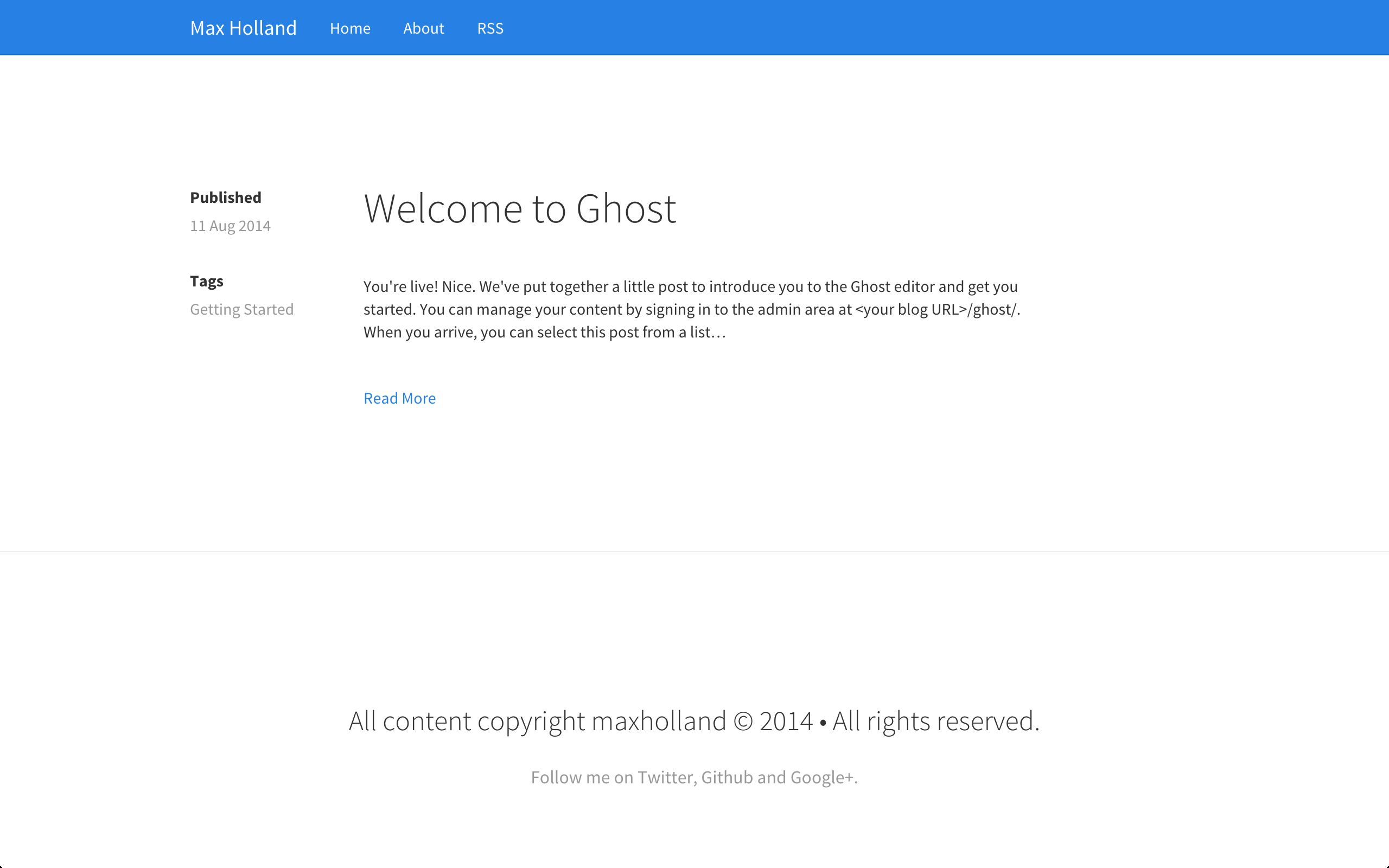
Built in [Boostrap 3](http://getbootstrap.com/) Mutiny is can be easily customized to meet your needs. You can add your own custom bootstrap theme to overwite the default boostrap stylesheet. Mutiny currently comes with the [bootswatch](http://bootswatch.com/) theme [cosmo](http://bootswatch.com/cosmo/) as default.

## Features
* Built in Boostrap 3
* Easily customizable
* Infinite scroll
* Custom tags page
* Google authorship
* Responsive design
* Image lightbox
* Disqus comment support
* [Structured data](http://www.google.com/webmasters/tools/richsnippets?q=maxholland.me)
## Installation
1. Download the theme by [clicking here](https://github.com/mholland1337/Mutiny/releases/latest).
2. Extract the .zip file.
3. Make the appropriate changes e.g. side bar links
4. Re-zip the file and upload to your ghost blog.
## Changing the boostrap theme
1. Go into the partials folder.
2. Open up **bootstrap-theme.hbs** in your text editor.
3. Replace the stylesheet link with your link.
4. You can find some great themes from [bootswatch here](http://www.bootstrapcdn.com/#bootswatch_tab)
Original:
``
Changed :
``
## Changing navbar links
1. Go into the partials folder.
2. Open up **navbar.hbs** in your text editor.
3. Replace the existing link **href** with your link.
## Adding navbar links
1. Go into the partials folder.
2. Open up **navbar.hbs** in your text editor.
3. Copy and paste the
tag and change it to be your link e.g.
Original:
`
`
## Changing social links
1. Go into the partials folder.
2. Open up **footer.hbs** in your text editor.
3. Replace the existing link **href** with your link.
#### Adding a new social link.
1. Follow steps 1. & 2. above.
2. Copy one the the lines of code under the links heading.
3. Change the href to be your link and the text to be your text.
## Adding Disqus comments
1. Go into the partials folder.
2. Open up **comments.hbs**.
3. Replace the disqus shortname with your disqus shortname (see example)
4. Save it.
5. Open up **post.hbs**.
6. Un-rem the comment code. Example below
Remmed out:
``
Un remmed:
`{{> comments}}`
## GooglePlus Authorship
1. Go into the partials folder.
2. Open up **google-authorship.hbs**.
3. Paste the link of your google plus profile into href="" (see example)