

# termwind **Repository Path**: mirrors/termwind ## Basic Information - **Project Name**: termwind - **Description**: Termwind 允许你使用 Tailwind CSS API,构建独特而漂亮的 PHP 命令行应用程序 - **Primary Language**: PHP - **License**: MIT - **Default Branch**: 2.x - **Homepage**: https://www.oschina.net/p/termwind - **GVP Project**: No ## Statistics - **Stars**: 2 - **Forks**: 0 - **Created**: 2021-10-15 - **Last Updated**: 2026-02-14 ## Categories & Tags **Categories**: Uncategorized **Tags**: None ## README

Termwind logo

Termwind

Termwind example

GitHub Workflow Status (master) Total Downloads Latest Version License

------ **Termwind** allows you to build unique and beautiful PHP command-line applications, using the **[Tailwind CSS](https://tailwindcss.com/)** API. In short, it's like Tailwind CSS, but for the PHP command-line applications. ## Installation > **Requires [PHP 8.0+](https://php.net/releases/)** Require Termwind using [Composer](https://getcomposer.org): ```bash composer require nunomaduro/termwind ``` ## Usage ```php use function Termwind\{render}; // single line html... render('
Termwind
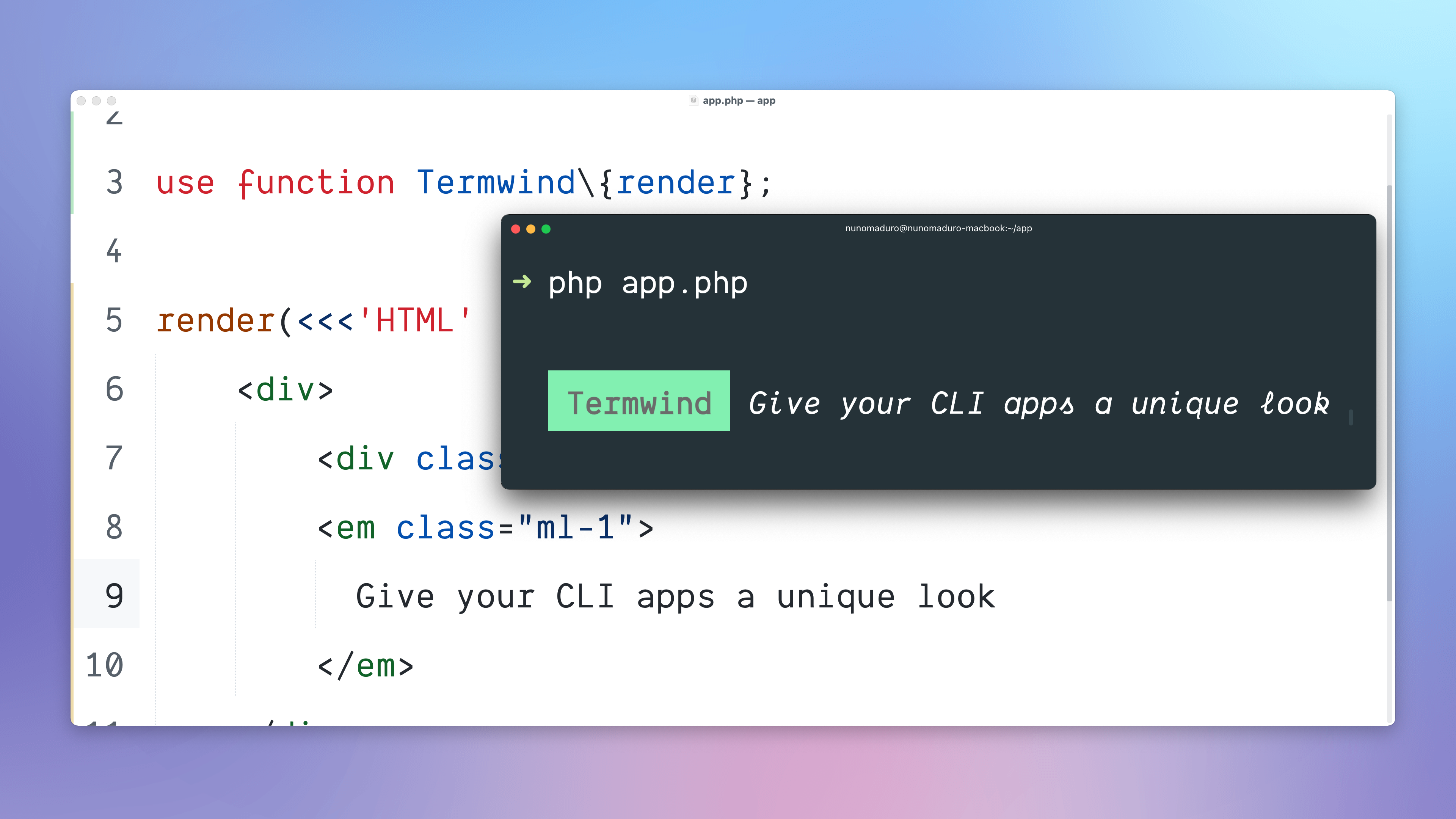
'); // multi-line html... render(<<<'HTML'
Termwind
Give your CLI apps a unique look
HTML); // Laravel or Symfony console commands... class UsersCommand extends Command { public function handle() { render( view('users.index', [ 'users' => User::all() ]) ); } } ``` ### `style()` The `style()` function may be used to add own custom styles and also update colors. ```php use function Termwind\{style}; style('green-300')->color('#bada55'); style('btn')->apply('p-4 bg-green-300 text-white'); render('
Click me
'); ``` ### `ask()` The `ask()` function may be used to prompt the user with a question. ```php use function Termwind\{ask}; $answer = ask(<< What is your name? HTML); ``` The `return` provided from the ask method will be the answer provided from the user. ### `terminal()` The `terminal()` function returns an instance of the [Terminal](https://github.com/nunomaduro/termwind/blob/master/src/Terminal.php) class, with the following methods: * `->width()`: Returns the full width of the terminal. * `->height()`: Returns the full height of the terminal. * `->clear()`: It clears the terminal screen. ## Classes Supported All the classes supported use exactly the same logic that is available on [tailwindcss.com/docs](https://tailwindcss.com/docs). * **[Background Color](https://tailwindcss.com/docs/background-color):** `bg-{color}-{variant}`. * **[Text Color](https://tailwindcss.com/docs/text-color):** `text-{color}-{variant}`. * **[Font Weight](https://tailwindcss.com/docs/font-weight#class-reference):** `font-bold`, `font-normal`. * **[Font Style](https://tailwindcss.com/docs/font-style#italics):** `italic`. * **[Text Decoration](https://tailwindcss.com/docs/text-decoration):** `underline`, `line-through`. * **[Text Transform](https://tailwindcss.com/docs/text-transform):** `uppercase`, `lowercase`, `capitalize`, `snakecase`. * **[Text Overflow](https://tailwindcss.com/docs/text-overflow):** `truncate`. * **[Text Alignment](https://tailwindcss.com/docs/text-align):** `text-left`, `text-center`, `text-right`. * **[Margin](https://tailwindcss.com/docs/margin):** `m-{margin}`, `ml-{leftMargin}`, `mr-{rightMargin}`, `mt-{topMargin}`, `mb-{bottomMargin}`, `mx-{horizontalMargin}`, `my-{verticalMargin}`. * **[Padding](https://tailwindcss.com/docs/padding):** `p-{padding}`, `pl-{leftPadding}`, `pr-{rightPadding}`, `pt-{topPadding}`, `pb-{bottomPadding}`, `px-{horizontalPadding}`, `py-{verticalPadding}`. * **[Space](https://tailwindcss.com/docs/space):** `space-y-{space}`, `space-x-{space}`. * **[Width](https://tailwindcss.com/docs/width):** `w-{width}`, `w-full`, `w-auto`. * **[Min Width](https://tailwindcss.com/docs/min-width):** `min-w-{width}`. * **[Max Width](https://tailwindcss.com/docs/max-width):** `max-w-{width}`. * **[Justify Content](https://tailwindcss.com/docs/justify-content):** `justify-between`, `justify-around`, `justify-evenly`, `justify-center`. * **[Visibility](https://tailwindcss.com/docs/visibility):** `invisible`. * **[Display](https://tailwindcss.com/docs/display):** `block`, `flex`, `hidden`. * **[Flex](https://tailwindcss.com/docs/flex):** `flex-1`. * **[List Style](https://tailwindcss.com/docs/list-style-type):** `list-disc`, `list-decimal`, `list-square`, `list-none`. * **[Content](https://tailwindcss.com/docs/content):** `content-repeat-['.']`. ## Responsive Design Like TailwindCSS we also support [Responsive Design](https://tailwindcss.com/docs/responsive-design#customizing-breakpoints) media queries and this are the breakpoints supported: * **`sm`**: 64 spaces (640px) * **`md`**: 76 spaces (768px) * **`lg`**: 102 spaces (1024px) * **`xl`**: 128 spaces (1280px) * **`2xl`**: 153 spaces (1536px) ```php render(<<<'HTML'
If bg is blue is sm, if red > than sm breakpoint.
HTML); ``` All the sizes for the CLI are based on Font Size 15. ## HTML Elements Supported All the elements have the capability to use the `class` attribute. ### `
` The `
` element can be used as a block type element. **Default Styles**: `block` ```php render(<<<'HTML'
This is a div element.
HTML); ``` ### `

` The `

` element can be used as a paragraph. **Default Styles**: `block` ```php render(<<<'HTML'

This is a paragraph.

HTML); ``` ### `` The `` element can be used as an inline text container. ```php render(<<<'HTML'

This is a CLI app built with Termwind.

HTML); ``` ### `` The `` element can be used as a hyperlink. It allows to use the `href` attribute to open the link when clicked. ```php render(<<<'HTML'

This is a CLI app built with Termwind. Click here to open

HTML); ``` ### `` and `` The ``and `` elements can be used to mark the text as **bold**. **Default Styles**: `font-bold` ```php render(<<<'HTML'

This is a CLI app built with Termwind.

HTML); ``` ### `` and `` The `` and `` elements can be used to mark the text as *italic*. **Default Styles**: `italic` ```php render(<<<'HTML'

This is a CLI app built with Termwind.

HTML); ``` ### `` The `` element can be used to add a ~~line through~~ the text. **Default Styles**: `line-through` ```php render(<<<'HTML'

This is a CLI app built with Termwind.

HTML); ``` ### `
` The `
` element can be used to do a line break. ```php render(<<<'HTML'

This is a CLI
app built with Termwind.

HTML); ``` ### `
    ` The `
      ` element can be used for an unordered list. It can only accept `
    • ` elements as childs, if there is another element provided it will throw an `InvalidChild` exception. **Default Styles**: `block`, `list-disc` ```php render(<<<'HTML'
      • Item 1
      • Item 2
      HTML); ``` ### `
        ` The `
          ` element can be used for an ordered list. It can only accept `
        1. ` elements as childs, if there is another element provided it will throw an `InvalidChild` exception. **Default Styles**: `block`, `list-decimal` ```php render(<<<'HTML'
          1. Item 1
          2. Item 2
          HTML); ``` ### `
        2. ` The `
        3. ` element can be used as a list item. It should only be used as a child of `
            ` and `
              ` elements. **Default Styles**: `block`, `list-decimal` ```php render(<<<'HTML'
              • Item 1
              HTML); ``` ### `
              ` The `
              ` element can be used for a description list. It can only accept `
              ` or `
              ` elements as childs, if there is another element provided it will throw an `InvalidChild` exception. **Default Styles**: `block` ```php render(<<<'HTML'
              🍃 Termwind
              Give your CLI apps a unique look
              HTML); ``` ### `
              ` The `
              ` element can be used as a description title. It should only be used as a child of `
              ` elements. **Default Styles**: `block`, `font-bold` ```php render(<<<'HTML'
              🍃 Termwind
              HTML); ``` ### `
              ` The `
              ` element can be used as a description title. It should only be used as a child of `
              ` elements. **Default Styles**: `block`, `ml-4` ```php render(<<<'HTML'
              Give your CLI apps a unique look
              HTML); ``` ### `
              ` The `
              ` element can be used as a horizontal line. ```php render(<<<'HTML'
              🍃 Termwind

              Give your CLI apps a unique look

              HTML); ``` ### `` The `
              ` element can have columns and rows. ```php render(<<<'HTML'
              Task Status
              Termwind ✓ Done
              HTML); ``` ### `
              `
              
              The `
              ` element can be used as preformatted text.
              
              ```php
              render(<<<'HTML'
                  
                      Text in a pre element
                      it preserves
                      both      spaces and
                      line breaks
                  
              HTML); ``` ### `` The `` element can be used as code highlighter. It accepts `line` and `start-line` attributes. ```php render(<<<'HTML' try { throw new \Exception('Something went wrong'); } catch (\Throwable $e) { report($e); } HTML); ``` --- Termwind is an open-sourced software licensed under the **[MIT license](https://opensource.org/licenses/MIT)**.