## Welcome to Garden!
Garden is a DevOps automation tool for developing and testing Kubernetes apps faster.
- Spin up **production-like environments** for development, testing, and CI **on demand**
- Use the **same configuration** and workflows for **every stage of software delivery**
- **Speed up builds and test runs** via smart caching.
## Getting Started
The fastest way to get started with Garden is by following our [quickstart guide](https://docs.garden.io/getting-started/quickstart).
## Demo
## Docs
For a thorough introduction to Garden and comprehensive documentation, visit our [docs](https://docs.garden.io).
## Usage Overview
Garden is configured via `garden.yml` files. For large projects you can split the files up and co-locate them with the relevant parts of your stack, even across multiple repositories.
A (simplified) Garden configuration for a web app looks like this:
```yaml
kind: Deploy
name: db
type: helm
spec:
chart:
name: postgres
repo: https://charts.bitnami.com/bitnami
---
kind: Build
name: api
type: container
source:
path: ./api
---
kind: Deploy
name: api
type: kubernetes
dependencies: [build.api, deploy.postgres]
spec:
manifestFiles: [./manifests/api/**/*]
---
kind: Test
name: integ
type: container
dependencies: [deploy.api]
spec:
args: [npm, run, test:integ]
```
You can build and deploy this project with:
```console
garden deploy
```
...and test it with:
```console
garden test
```
To create a preview environment on every pull request, you would add the following to your CI pipeline:
```console
garden deploy --env preview
```
Garden also has a special mode called "sync mode" which live reloads changes to your running services—ensuring **blazing fast feedback while developing**. To enable it, run:
```console
garden deploy --sync
```
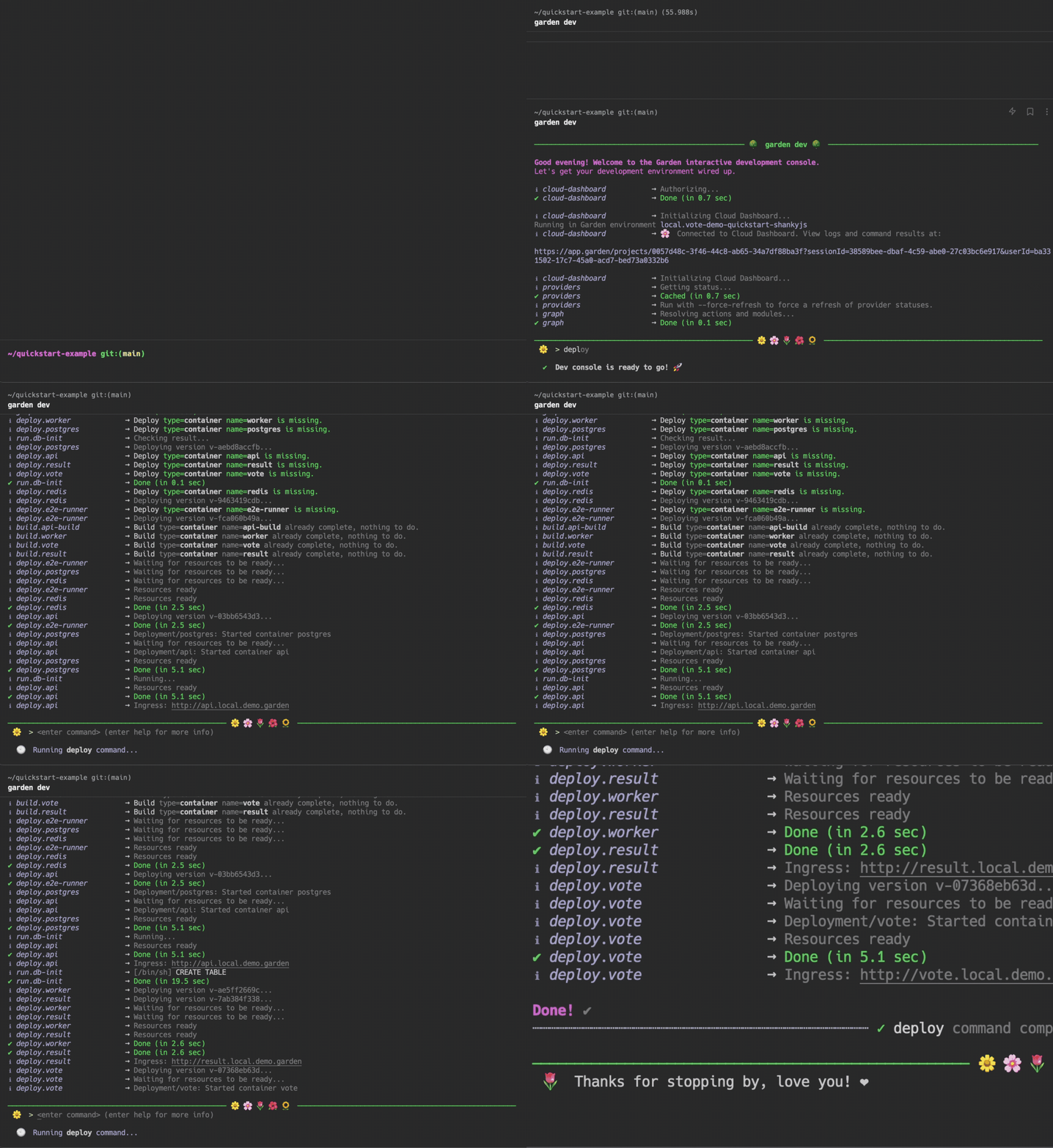
You can also start an interactive dev console (see screencap above) from which you can build, deploy, and test your project with:
```console
garden dev
```
## How Garden Works
Garden Core is a standalone binary that can run from CI or from a developer’s machine. Its configuration framework allows you to codify a complete description of your stack using intuitive YAML config—making your workflows reproducible and portable.
Garden's "action graph" allows you to declare the dependency structure of your project and track changes to avoid unnecessary builds, deploys and test runs. It's like CI/CD config that you can additionally use for development.
Check out the [How Garden Works](https://docs.garden.io/overview/how-garden-works) page of our docs to learn more.
## Plugins
Garden is _pluggable_: how actions are executed depends on the plugins used. Our Kubernetes plugin is currently the most popular, followed by our Terraform and Pulumi plugins. For a more thorough introduction to Garden and its plugins, visit our docs:
- [Kubernetes plugin](https://docs.garden.io/guides/remote-kubernetes)
- [Terraform plugin](https://docs.garden.io/terraform-plugin/about)
- [Pulumi plugin](https://docs.garden.io/pulumi-plugin/about)
## Community
Check out [Garden Discussions](https://github.com/garden-io/garden/discussions) to ask questions, give feedback or just say hi 🙂
## Contributing
Garden accepts contributions! Please see our [contributing guide](CONTRIBUTING.md) for more information.
## License
Garden is licensed according to [Mozilla Public License 2.0 (MPL-2.0)](https://github.com/garden-io/garden/blob/main/LICENSE.md).
