# labelbox
**Repository Path**: menguaaa/labelbox
## Basic Information
- **Project Name**: labelbox
- **Description**: No description available
- **Primary Language**: Unknown
- **License**: Apache-2.0
- **Default Branch**: master
- **Homepage**: None
- **GVP Project**: No
## Statistics
- **Stars**: 0
- **Forks**: 0
- **Created**: 2021-02-01
- **Last Updated**: 2021-02-01
## Categories & Tags
**Categories**: Uncategorized
**Tags**: None
## README
# Labelbox
[Labelbox](https://www.labelbox.com/) is the fastest way to annotate data to build and ship artificial intelligence applications. This github repository is about building custom interfaces on the Labelbox platform.
## Labelbox Platform
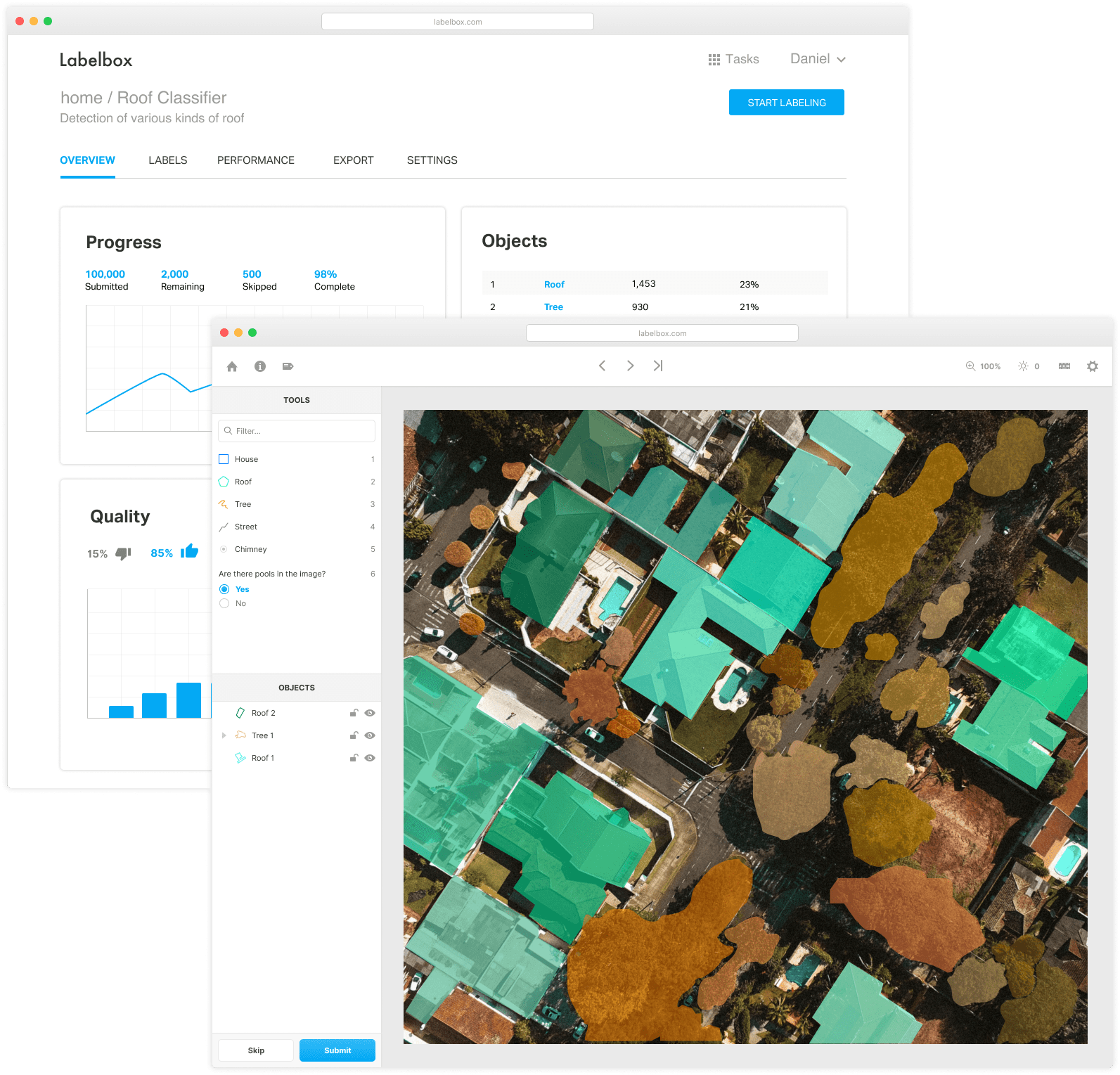
Table of Contents
=================
* [Full Documentation](#full-documentation)
* [Getting Started](#getting-started)
* [Creating Custom Labeling Interfaces](#creating-custom-labeling-interfaces)
* [A Minimal Example](#a-minimal-example)
* [Labelbox Pluggable Interface Architecture](#labelbox-pluggable-interface-architecture)
* [Using labeling-api.js](#using-labeling-apijs)
* [Hello World Example](#hello-world-example)
* [Full Example](#full-example)
* [Full API Reference](#full-api-reference)
* [Reference Interfaces](#reference-interfaces)
* [Local Development of Labeling Interfaces](#local-development-of-labeling-interfaces)
* [Installing a Labeling Frontend in labelbox.com](#installing-a-labeling-frontend-in-labelboxio)
* [Terms of use, privacy and content dispute policy](#terms-of-use-privacy-and-content-dispute-policy)
## [Full Documentation](https://support.labelbox.com/docs/getting-started)
## Creating Custom Labeling Interfaces
You can create custom labeling interfaces to suit the needs of your
labeling tasks. All of the pre-made labeling interfaces are open source.
### A Minimal Example
```html
```
### Labelbox Pluggable Interface Architecture
Labelbox allows the use of custom labeling interfaces. Custom labeling interfaces
minimally define a labeling ontology and optionally the look and feel of the
labeling interface. A minimal labeling interface imports `labeling-api.js` and
uses the `fetch` and `submit` functions to integrate with Labelbox. While
Labelbox makes it simple to do basic labeling of images and text, there are a
variety of other data types such as point clouds, maps, videos or medical DICOM
imagery that require bespoke labeling interfaces. With this in mind, Labelbox
is designed to facilitate the creation, installation, and maintenance of custom
labeling frontends.
 ### Using `labeling-api.js`
To develop a Labelbox frontend, import `labeling-api.js` and use the 2 APIs
described below to `fetch` the next data and then `submit` the label against the
data. Note that multiple data can be loaded in a single `fetch` if a row in the
CSV file contains an array of data pointers.
__Attach the Labelbox Client Side API__
```html
```
__Get a row to label__
```javascript
Labelbox.fetchNextAssetToLabel().then((dataToLabel) => {
// ... draw to screen for user to view and label
});
```
__Save the label for a row__
```javascript
Labelbox.setLabelForAsset(label); // labels the asset currently on the screen
```
### Hello World Example
[Try it in your browser](https://hello-world.labelbox.com)
(The project must be setup first)
### Full Example
```html
```
### [Full API Reference](docs/api-reference.md)
### Reference Interfaces
#### [Image/Video/Text classification interface source code](https://github.com/Labelbox/Labelbox/tree/master/custom-interfaces/text-video-images-classification)
### Using `labeling-api.js`
To develop a Labelbox frontend, import `labeling-api.js` and use the 2 APIs
described below to `fetch` the next data and then `submit` the label against the
data. Note that multiple data can be loaded in a single `fetch` if a row in the
CSV file contains an array of data pointers.
__Attach the Labelbox Client Side API__
```html
```
__Get a row to label__
```javascript
Labelbox.fetchNextAssetToLabel().then((dataToLabel) => {
// ... draw to screen for user to view and label
});
```
__Save the label for a row__
```javascript
Labelbox.setLabelForAsset(label); // labels the asset currently on the screen
```
### Hello World Example
[Try it in your browser](https://hello-world.labelbox.com)
(The project must be setup first)
### Full Example
```html
```
### [Full API Reference](docs/api-reference.md)
### Reference Interfaces
#### [Image/Video/Text classification interface source code](https://github.com/Labelbox/Labelbox/tree/master/custom-interfaces/text-video-images-classification)
 ### Local Development of Labeling Interfaces
Labeling interfaces are developed locally. Once the interface is ready to use,
it is installed in Labelbox by pointing to a hosted version of the interface.
**Run localhost server**
1. Start the localhost server in a directory containing your labeling frontend
files. For example, run the server inside `custom-interfaces/hello-world` to run the
hello world labeling interface locally.
```
python -m SimpleHTTPServer
```
2. Open your browser and navigate to the `localhost` endpoint provided by the
server.
3. Customize the labeling frontend by making changes to `index.html`. Restart the
server and refresh the browser to see the updates.

### Installing a Labeling Frontend in labelbox.com
When you are ready to use your custom labeling interface on
[Labelbox](https://www.labelbox.com), upload your `index.html` file to a cloud
service that exposes a URL for Labelbox to fetch the file. If you don't have a
hosting service on-hand, you can quickly get setup with
[Now](https://zeit.co/now) from **Zeit**.
**Custom Interface Hosting Quickstart with [Now](https://zeit.co/now)**
* Create an account at Zeit, download and install Now here: https://zeit.co/download
* With Now installed, navigate to the directory with your labeling interface
(where your `index.html` is located) and launch Now in your terminal by typing `now`. The
Now service will provide a link to your hosted labeling interface file.
* Within the *Labeling Interface* menu of the *Settings* tab of your
Labelbox project, choose *Custom* and paste the link in the *URL to
labeling frontend* field as shown in the video below.

## Legal
Here are our [Terms of Use, Privacy Notice, CCPA Notice, Cookie Notice, and Copyright Dispute Policy](https://labelbox.com/docs/legal)
### Local Development of Labeling Interfaces
Labeling interfaces are developed locally. Once the interface is ready to use,
it is installed in Labelbox by pointing to a hosted version of the interface.
**Run localhost server**
1. Start the localhost server in a directory containing your labeling frontend
files. For example, run the server inside `custom-interfaces/hello-world` to run the
hello world labeling interface locally.
```
python -m SimpleHTTPServer
```
2. Open your browser and navigate to the `localhost` endpoint provided by the
server.
3. Customize the labeling frontend by making changes to `index.html`. Restart the
server and refresh the browser to see the updates.

### Installing a Labeling Frontend in labelbox.com
When you are ready to use your custom labeling interface on
[Labelbox](https://www.labelbox.com), upload your `index.html` file to a cloud
service that exposes a URL for Labelbox to fetch the file. If you don't have a
hosting service on-hand, you can quickly get setup with
[Now](https://zeit.co/now) from **Zeit**.
**Custom Interface Hosting Quickstart with [Now](https://zeit.co/now)**
* Create an account at Zeit, download and install Now here: https://zeit.co/download
* With Now installed, navigate to the directory with your labeling interface
(where your `index.html` is located) and launch Now in your terminal by typing `now`. The
Now service will provide a link to your hosted labeling interface file.
* Within the *Labeling Interface* menu of the *Settings* tab of your
Labelbox project, choose *Custom* and paste the link in the *URL to
labeling frontend* field as shown in the video below.

## Legal
Here are our [Terms of Use, Privacy Notice, CCPA Notice, Cookie Notice, and Copyright Dispute Policy](https://labelbox.com/docs/legal)