# JDSP4Linux
**Repository Path**: mao-yaotang/JDSP4Linux
## Basic Information
- **Project Name**: JDSP4Linux
- **Description**: No description available
- **Primary Language**: Unknown
- **License**: GPL-3.0
- **Default Branch**: master
- **Homepage**: None
- **GVP Project**: No
## Statistics
- **Stars**: 0
- **Forks**: 0
- **Created**: 2025-09-06
- **Last Updated**: 2026-03-22
## Categories & Tags
**Categories**: Uncategorized
**Tags**: None
## README

JamesDSP for Linux
Open-source sound effects for PipeWire and PulseAudio



Features •
Installation •
Scripting/API •
Contributors •
License
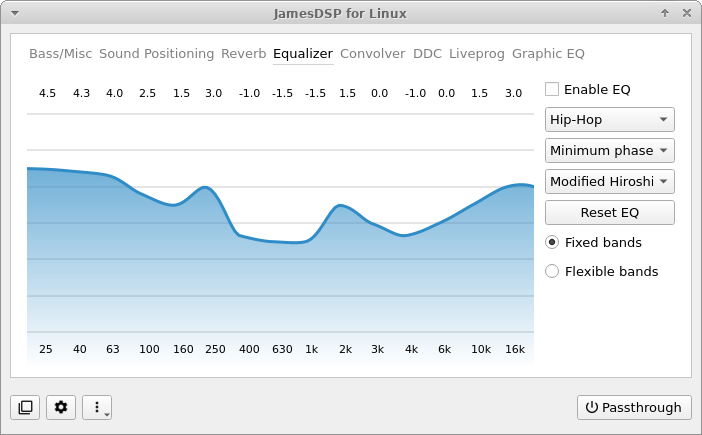
Linux port developed by Tim Schneeberger (@thepbone)
JamesDSP was initially published as an audio effects processor
for Android devices and is written by James Fung (@james34602).
Feel free to join our Telegram group for support and updates
____________

Please help us to translate this app on Crowdin!
## Features
* Automatic bass boost
* Frequency-detecting bass-boost. Automatically sets its own parameters, such as gain, bandwidth, and cut-off frequency, by analyzing the incoming audio stream
* Automatic dynamic range compressor
* A highly automated multiband dynamic range adjusting effect
* Complex reverberation IIR network (Progenitor 2)
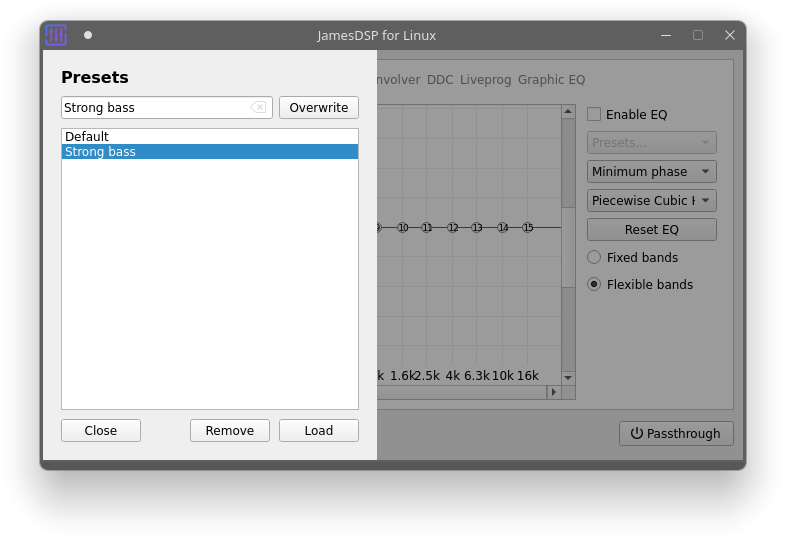
* Interpolated FIR equalizer with flexible bands
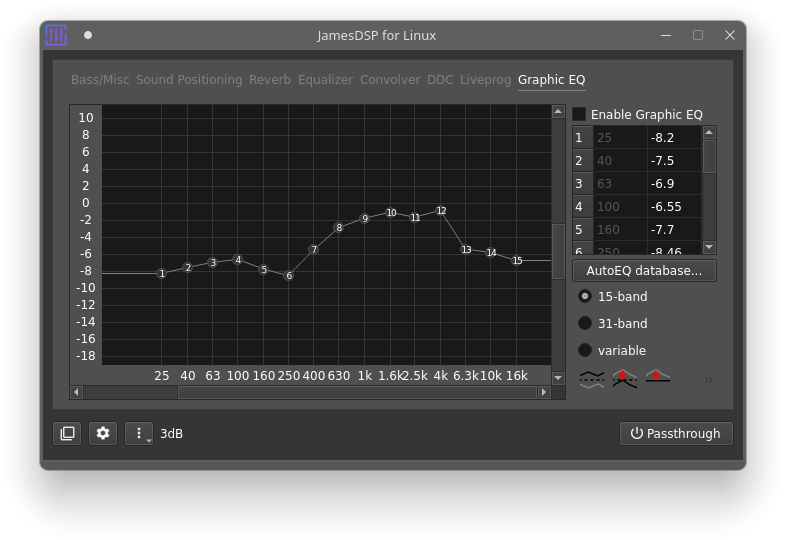
* Arbitrary response equalizer (also known as GraphicEQ from EqualizerAPO)
* AutoEQ database integration (requires network connection)
* Partitioned convolver (Auto segmenting convolution)
* Supports mono, stereo, full/true stereo (LL, LR, RL, RR) impulse response
* Crossfeed
* Realistic surround effects
* Soundstage wideness
* A multiband stereo wideness controller
* ViPER-DDC
* Perform parametric equalization on audio
* Create VDC input files using [thepbone/DDCToolbox](https://github.com/thepbone/DDCToolbox)
* Analog modeling
* An aliasing-free even harmonic generator
* Output limiter
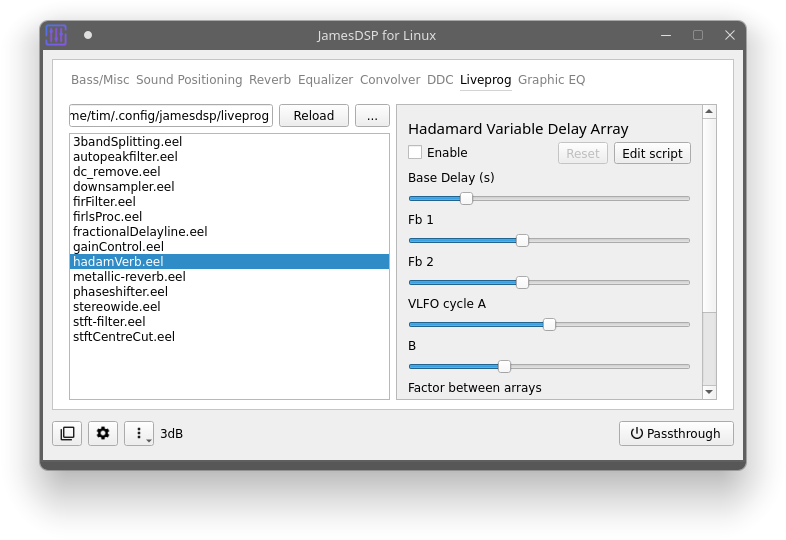
* **Scripting engine: Live programmable DSP**
* Write your own audio effects using the [EEL2 scripting language](https://github.com/james34602/EEL_CLI)
* Auto-generate a basic user interface for your script to modify specific parameters/constants without editing the actual code
* The scripting language has been extended using many DSP-related functions for easy access, for example, spectral processing, constant Q transform, multi-purpose FIR filter designer IIR sub-bands transformation, etc...
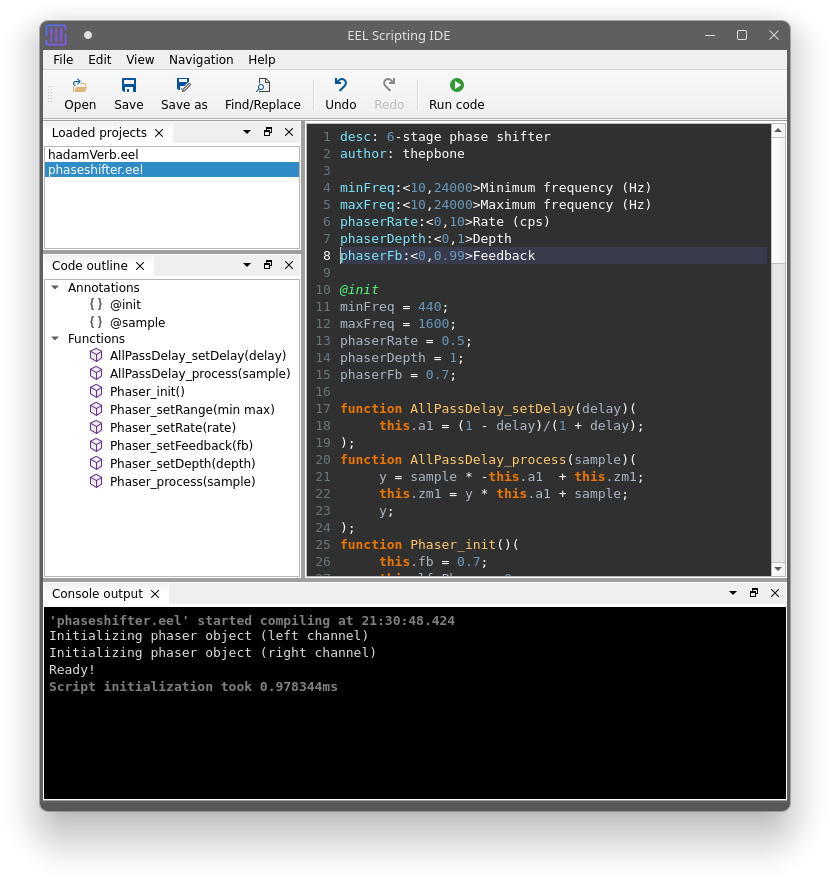
* **This app also includes a custom minimal scripting IDE**:
* Syntax highlighting
* Basic code completion
* Dynamic code outline window
* Console output support
* Detailed error messages with inline code highlighting
## PipeWire vs PulseAudio
**Designed for use with PipeWire. PulseAudio is only supported for backward compatibility.**
PipeWire has a much lower latency compared to PulseAudio when injecting audio effects processors into the audio pipeline.
I'm currently not planning to add more advanced support for PulseAudio clients. Features such as selective app exclusion, changing the target audio device, and similar features will only be available to PipeWire clients.
### Which one am I using?
Follow the instructions below if you don't know which one your Linux distribution is using. If you already know, skip to the 'Install dependencies' section.
Run `LC_ALL=C pactl info | grep "Server Name:"` in your terminal.
If you are using **Pipewire** the output should look similar to this:
```
Server Name: PulseAudio (on PipeWire 0.3.35)
```
If you are using **Pulseaudio** the output should look exactly like this:
```
Server Name: pulseaudio
```
## Installation
**Decide whether you need to install the PipeWire or PulseAudio version of this app!**
If you don't know which version fits your Linux setup, go to the [PipeWire vs PulseAudio section](#which-one-am-i-using) above.
It is recommended to switch to PipeWire, if possible. JamesDSP's audio backend for PulseAudio is in maintenance-mode; however, it will continue to receive UI-related feature updates.
The installation instructions for the PulseAudio version have been moved to a separate file: [INSTALL_PULSE.md](INSTALL_PULSE.md).
## Installation for PipeWire
This section is dedicated to systems using PipeWire as the audio server. If you are still using PulseAudio, please go [here](INSTALL_PULSE.md).
* [Flatpak](#flatpak)
* [Arch Linux (AUR)](#arch)
* [Fedora/openSUSE](#fedoraopensuse)
* [Build from sources](#build-from-sources)
### Flatpak
Universal binary packages for all distros.
The recommended **Pipewire version** is available for download on FlatHub: https://flathub.org/apps/me.timschneeberger.jdsp4linux
```
flatpak install me.timschneeberger.jdsp4linux
```
 If you are still using **PulseAudio**, you need to download the legacy package from my personal repository:
```
sudo flatpak remote-add --if-not-exists thepbones-repo https://raw.githubusercontent.com/ThePBone/flatpak-repo/main/thepbone.flatpakrepo
flatpak install me.timschneeberger.jdsp4linux.pulse
```
> [!IMPORTANT]
> Flatpaks are sandboxed. This application can only access `~/.var/app/me.timschneeberger.jdsp4linux/` by default.
### Arch
[AUR packages](https://aur.archlinux.org/packages/?O=0&K=jamesdsp) are available:
* Stable version
   
```
yay -S jamesdsp
```
* Development version
   
```
yay -S jamesdsp-git
```
### Fedora/openSUSE
Package maintained by [@theAeon](https://github.com/theAeon) on [Fedora COPR](https://copr.fedorainfracloud.org/coprs/arrobbins/JDSP4Linux/).
Built for Fedora 34/35/Rawhide and OpenSUSE Tumbleweed.
```
yum copr enable arrobbins/JDSP4Linux && yum update && yum install JamesDSP
```
If you are still using PulseAudio with your Fedora/openSUSE installation, refer to the '[Build from sources](#build-from-sources)' section below instead.
### Build from sources
Build instructions are available in the [BUILD.md](BUILD.md) file.
## Scripting & IPC APIs
Since version 2.5.0, this app supports IPC via D-Bus and is also configurable via a CLI.
### Remote control via CLI
You can list all supported commands using `jamesdsp --help`.
Currently, these commands for remote-controlling JamesDSP's audio engine are available:
```
--is-connected Check if JamesDSP service is active. Returns exit code 1 if not. (Remote)
--list-keys List available audio configuration keys (Remote)
--get Get audio configuration value (Remote)
--set Set audio configuration value (format: key=value) (Remote)
--load-preset Load preset by name (Remote)
--save-preset Save current settings as preset (Remote)
--delete-preset Delete preset by name (Remote)
--list-presets List presets (Remote)
--status Show status (Remote)
--list-devices List audio devices (Remote)
--list-preset-rules List preset rules (Remote)
--set-preset-rule Add/modify preset rule (Remote)
--delete-preset-rule Delete preset rule (Remote)
```
The options should be fairly self-explanatory. For example, `jamesdsp --set reverb_enable=true` would enable the reverberation setting. Have a look at the audio configuration file at `~/.config/jamesdsp/audio.conf` to learn more about possible setting keys and their syntax.
> [!NOTE]
> These commands try to connect to an active JamesDSP instance. If no instance is currently online, they will fall back to modifying the audio configuration file directly on disk. The `--is-connected` option can be used to check whether one is currently online.
### D-Bus IPC
This app also exposes a D-Bus service on the session bus, which can be used by other developers or users:
Service name: `me.timschneeberger.jdsp4linux`
* GUI-related interface:
* Path name: `/jdsp4linux/gui`
* Interface name: `me.timschneeberger.jdsp4linux.Gui`
* Audio service-related interface:
* Path name: `/jdsp4linux/service`
* Interface name: `me.timschneeberger.jdsp4linux.Service`
If you want to test it out, you can use an app like [D-Feet](https://wiki.gnome.org/Apps/DFeet) to interact with the D-Bus services.
The D-Bus introspection XML is available here: https://github.com/Audio4Linux/JDSP4Linux/blob/master/src/utils/dbus/manifest.xml.
## Troubleshooting
* JamesDSP is randomly killed by the kernel or closes by itself
* The processing thread of the app may have exceeded the maximum amount of CPU time allowed for a real-time thread on your system.
* To fix: install the `realtime-priorities` package, add your user to the `realtime` group, and re-login. (see [issue #155](https://github.com/Audio4Linux/JDSP4Linux/issues/155#issuecomment-1835866017))
* My volume control is not working anymore
* Don't set the virtual JamesDSP device as the default audio output device. The virtual device has no audio volume controls and should never be used directly. Please set your actual speakers/headphones as the default output device instead.
* Crackling audio
* Your CPU may be too slow to process the audio sample in time; try to disable some effects (especially resource-hungry ones like the convolver)
* Set JamesDSP's process to real-time or high priority using a task manager of your choice
* [Pipewire] Try out the workaround mentioned in [issue #47](https://github.com/Audio4Linux/JDSP4Linux/issues/47)
## Screenshots
If you are still using **PulseAudio**, you need to download the legacy package from my personal repository:
```
sudo flatpak remote-add --if-not-exists thepbones-repo https://raw.githubusercontent.com/ThePBone/flatpak-repo/main/thepbone.flatpakrepo
flatpak install me.timschneeberger.jdsp4linux.pulse
```
> [!IMPORTANT]
> Flatpaks are sandboxed. This application can only access `~/.var/app/me.timschneeberger.jdsp4linux/` by default.
### Arch
[AUR packages](https://aur.archlinux.org/packages/?O=0&K=jamesdsp) are available:
* Stable version
   
```
yay -S jamesdsp
```
* Development version
   
```
yay -S jamesdsp-git
```
### Fedora/openSUSE
Package maintained by [@theAeon](https://github.com/theAeon) on [Fedora COPR](https://copr.fedorainfracloud.org/coprs/arrobbins/JDSP4Linux/).
Built for Fedora 34/35/Rawhide and OpenSUSE Tumbleweed.
```
yum copr enable arrobbins/JDSP4Linux && yum update && yum install JamesDSP
```
If you are still using PulseAudio with your Fedora/openSUSE installation, refer to the '[Build from sources](#build-from-sources)' section below instead.
### Build from sources
Build instructions are available in the [BUILD.md](BUILD.md) file.
## Scripting & IPC APIs
Since version 2.5.0, this app supports IPC via D-Bus and is also configurable via a CLI.
### Remote control via CLI
You can list all supported commands using `jamesdsp --help`.
Currently, these commands for remote-controlling JamesDSP's audio engine are available:
```
--is-connected Check if JamesDSP service is active. Returns exit code 1 if not. (Remote)
--list-keys List available audio configuration keys (Remote)
--get Get audio configuration value (Remote)
--set Set audio configuration value (format: key=value) (Remote)
--load-preset Load preset by name (Remote)
--save-preset Save current settings as preset (Remote)
--delete-preset Delete preset by name (Remote)
--list-presets List presets (Remote)
--status Show status (Remote)
--list-devices List audio devices (Remote)
--list-preset-rules List preset rules (Remote)
--set-preset-rule Add/modify preset rule (Remote)
--delete-preset-rule Delete preset rule (Remote)
```
The options should be fairly self-explanatory. For example, `jamesdsp --set reverb_enable=true` would enable the reverberation setting. Have a look at the audio configuration file at `~/.config/jamesdsp/audio.conf` to learn more about possible setting keys and their syntax.
> [!NOTE]
> These commands try to connect to an active JamesDSP instance. If no instance is currently online, they will fall back to modifying the audio configuration file directly on disk. The `--is-connected` option can be used to check whether one is currently online.
### D-Bus IPC
This app also exposes a D-Bus service on the session bus, which can be used by other developers or users:
Service name: `me.timschneeberger.jdsp4linux`
* GUI-related interface:
* Path name: `/jdsp4linux/gui`
* Interface name: `me.timschneeberger.jdsp4linux.Gui`
* Audio service-related interface:
* Path name: `/jdsp4linux/service`
* Interface name: `me.timschneeberger.jdsp4linux.Service`
If you want to test it out, you can use an app like [D-Feet](https://wiki.gnome.org/Apps/DFeet) to interact with the D-Bus services.
The D-Bus introspection XML is available here: https://github.com/Audio4Linux/JDSP4Linux/blob/master/src/utils/dbus/manifest.xml.
## Troubleshooting
* JamesDSP is randomly killed by the kernel or closes by itself
* The processing thread of the app may have exceeded the maximum amount of CPU time allowed for a real-time thread on your system.
* To fix: install the `realtime-priorities` package, add your user to the `realtime` group, and re-login. (see [issue #155](https://github.com/Audio4Linux/JDSP4Linux/issues/155#issuecomment-1835866017))
* My volume control is not working anymore
* Don't set the virtual JamesDSP device as the default audio output device. The virtual device has no audio volume controls and should never be used directly. Please set your actual speakers/headphones as the default output device instead.
* Crackling audio
* Your CPU may be too slow to process the audio sample in time; try to disable some effects (especially resource-hungry ones like the convolver)
* Set JamesDSP's process to real-time or high priority using a task manager of your choice
* [Pipewire] Try out the workaround mentioned in [issue #47](https://github.com/Audio4Linux/JDSP4Linux/issues/47)
## Screenshots
## Contributors
* [James Fung](https://github.com/james34602) - Developer of the core library ['libjamesdsp'](https://github.com/james34602/JamesDSPManager/tree/master/Main)
* [yochananmarqos](https://github.com/yochananmarqos) - AUR packages
* [theAeon](https://github.com/theAeon) - RPM packages
* PipeWire/Pulse implementation based on [EasyEffects](https://github.com/wwmm/EasyEffects) by [Wellington Wallace](https://github.com/wwmm)
### Translators
Translate in Crowdin 🚀
## License
This project is licensed under [GPLv3](LICENSE).
The project makes use of [Papirus icons](https://github.com/PapirusDevelopmentTeam/papirus-icon-theme) licensed under [GPLv3](LICENSE).
```
THE SOFTWARE IS PROVIDED "AS IS", WITHOUT WARRANTY OF ANY KIND, EXPRESS OR IMPLIED,
INCLUDING BUT NOT LIMITED TO THE WARRANTIES OF MERCHANTABILITY, FITNESS FOR A PARTICULAR PURPOSE AND NONINFRINGEMENT.
IN NO EVENT SHALL THE AUTHORS OR COPYRIGHT HOLDERS BE LIABLE FOR ANY CLAIM, DAMAGES OR OTHER LIABILITY,
WHETHER IN AN ACTION OF CONTRACT, TORT OR OTHERWISE, ARISING FROM, OUT OF OR IN CONNECTION WITH THE SOFTWARE OR
THE USE OR OTHER DEALINGS IN THE SOFTWARE.
``` 


