# autocomplete
**Repository Path**: l1cardo/autocomplete
## Basic Information
- **Project Name**: autocomplete
- **Description**: No description available
- **Primary Language**: Unknown
- **License**: MIT
- **Default Branch**: master
- **Homepage**: None
- **GVP Project**: No
## Statistics
- **Stars**: 0
- **Forks**: 0
- **Created**: 2021-10-23
- **Last Updated**: 2021-10-23
## Categories & Tags
**Categories**: Uncategorized
**Tags**: None
## README

---

[](https://fig.io?ref=github_autocomplete)
[](https://fig.io/docs/)
[](#Contributors)

[](https://twitter.com/intent/follow?screen_name=fig)
**[Fig](https://fig.io?ref=github_autocomplete) adds autocomplete to your terminal.**
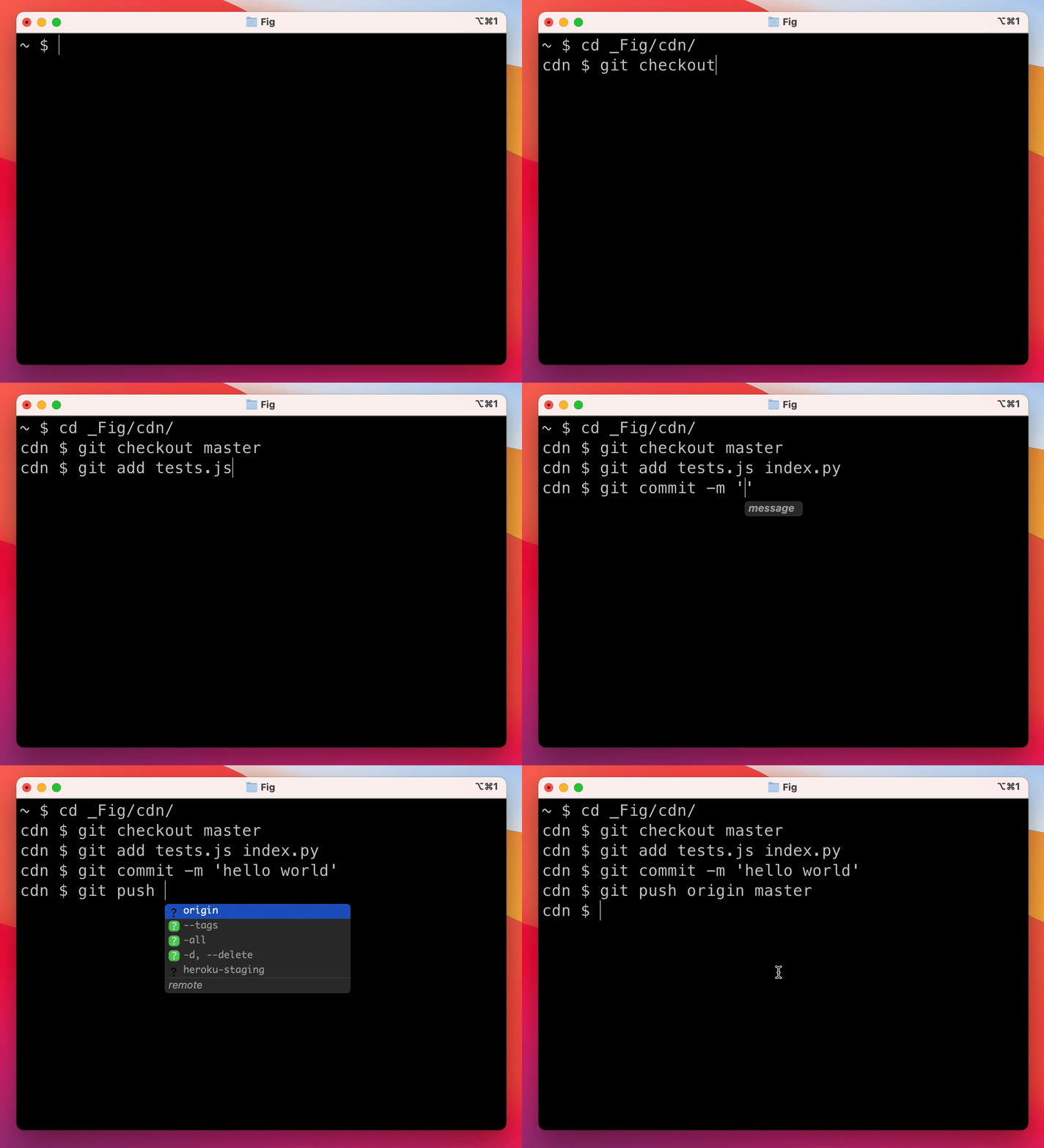
As you type, Fig pops up subcommands, options, and contextually relevant arguments in your existing terminal on macOS.
## 👋 Add a completion spec for a CLI tool
Want to add autocomplete to a CLI tool (or make changes to an existing autocomplete spec)? We welcome contributions!
Completion specs are defined in a _declarative_ schema that specifies `subcommands`, `options` and `arguments`. Suggestions are generated from information in the spec or can be generated dynamically by running shell commands or reading local files.
**For documentation and tutorials**, visit [fig.io/docs](https://fig.io/docs)
**To request autocomplete for a CLI tool**, open an [issue](https://github.com/withfig/autocomplete/issues/new/choose).
## 😎 Get Started
Build your first spec in 3 min or less: [fig.io/docs/getting-started](https://fig.io/docs/getting-started)
**Prerequisites:**
- Early access to the Fig macOS app.
> If you don't have access yet, sign up for the [waitlist](https://fig.io) and say you're interested in building completions!
- Node and NPM (or Yarn).
**Setup:**
1. Click [here](https://GitHub.com/withfig/autocomplete/fork/) to fork this repo.
2. Clone your forked repo and create an example spec
```bash
# Replace `YOUR_GITHUB_USERNAME` with your own github username
git clone https://github.com/YOUR_GITHUB_USERNAME/autocomplete.git fig-autocomplete
cd fig-autocomplete
# Add withfig/autocomplete as a remote
git remote add upstream https://github.com/withfig/autocomplete.git
# Install packages
npm install
# Create an example spec (call it "abc")
npm run create-example
# Turn on "dev mode"
npm run dev
```
3. Now go to your terminal and type `abc[space]`. Your example spec will appear. 😊
#### Other things to know
- Edit your spec in typescript in the `dev/` folder
- On save, specs are compiled to the `specs/` folder
- In **dev mode** specs are read from the `specs` folders. Otherwise they are read from `~/.fig/autocomplete`
## 📦 Other available package.json commands
```bash
# Create a new spec from a boilerplate template
npm run create-boilerplate
# Typecheck all specs in the dev/ folder
npm test
# Compile typescripts specs from dev/ folder to specs/ folder
npm run build
# Copy all specs from the specs/ folder to the ~/.fig/autocomplete folder
npm run copy:all
# Copy an individual spec from the specs/ folder to the ~/.fig/autocomplete folder
npm run copy
```
## 😊 Need Help?
Join our community

## 🙋♀️ FAQ
#### What terminals does Fig work with?
Fig works with iTerm, the native MacOS Terminal app, Hyper and the integrated terminal in VSCode.
#### How does Fig work?
Fig uses the Accessibility API on Mac to position the window, insert text on your behalf, and read what you've typed in your terminal.
#### Does Fig work on Windows or Linux?
Currently, Fig is only available on MacOS.
#### How can I get access?
Sign up for the waitlist at [fig.io](https://fig.io?ref=github-autocomplete). Fig is currently in a private beta. We are onboarding batches of new users each week.
#### Can I use Fig to build autocomplete for my team's internal scripts and CLI tools?
Yes! Check out our guide on how to [get started building autocomplete specs](https://fig.io/docs/getting-started).
#### Did we miss something?
Get in touch at hello@fig.io or chat with us in [Discord](https://fig.io/community).
## ✨ Contributors