# panda_quantflow
**Repository Path**: janl/panda_quantflow
## Basic Information
- **Project Name**: panda_quantflow
- **Description**: No description available
- **Primary Language**: Unknown
- **License**: AGPL-3.0
- **Default Branch**: main
- **Homepage**: None
- **GVP Project**: No
## Statistics
- **Stars**: 0
- **Forks**: 0
- **Created**: 2025-11-03
- **Last Updated**: 2025-11-03
## Categories & Tags
**Categories**: Uncategorized
**Tags**: None
## README
# PandaAI Quantflow 量化工作流平台
## 概述
**PandaAI QuantFlow** 是一个集成的量化交易和机器学习工作流平台,旨在为量化研究人员提供完整的端到端解决方案,降低AI门槛,打破传统量化高门槛壁垒,让主观交易者、学生乃至普通投资者都能参与策略研发。
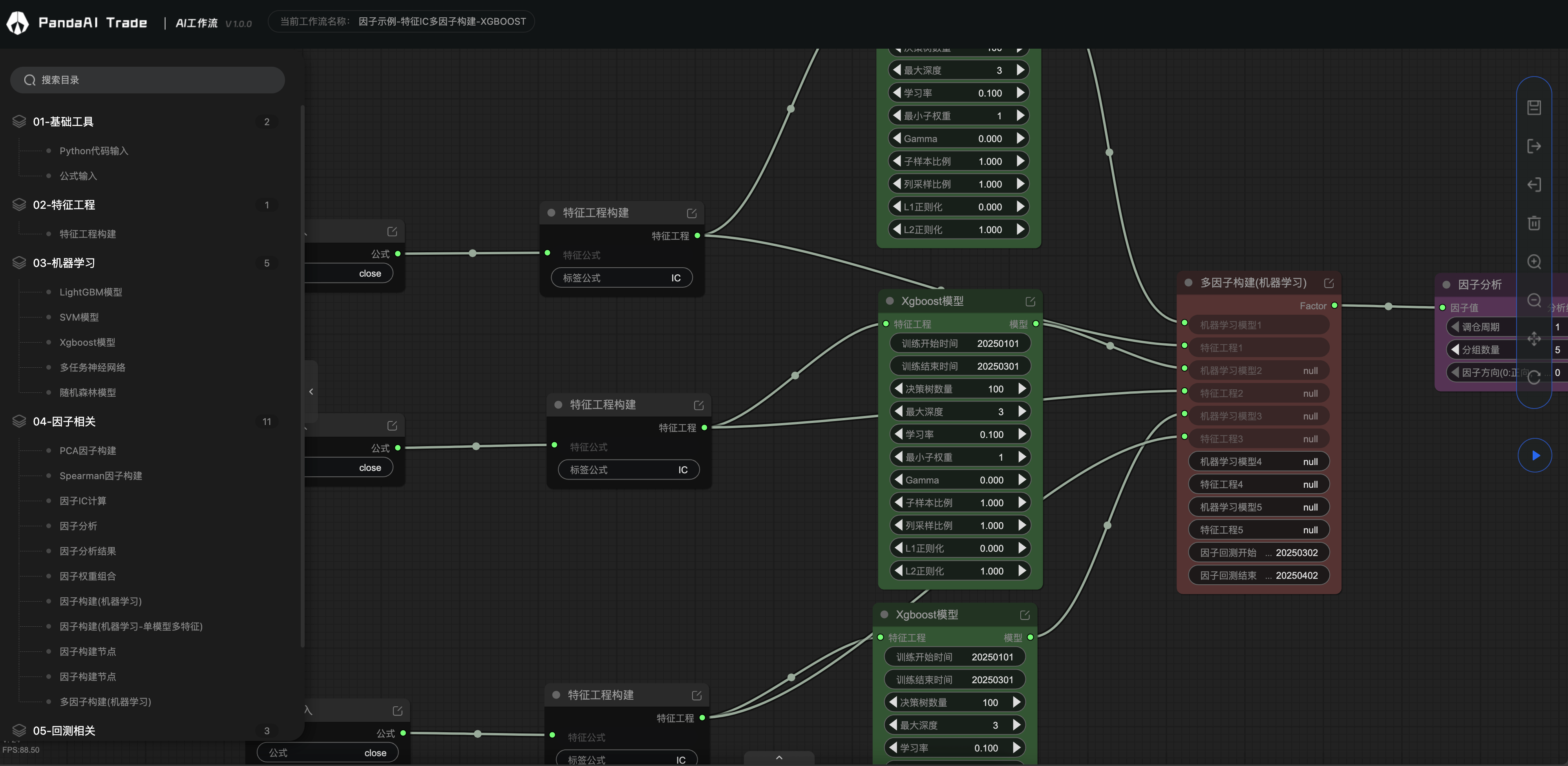
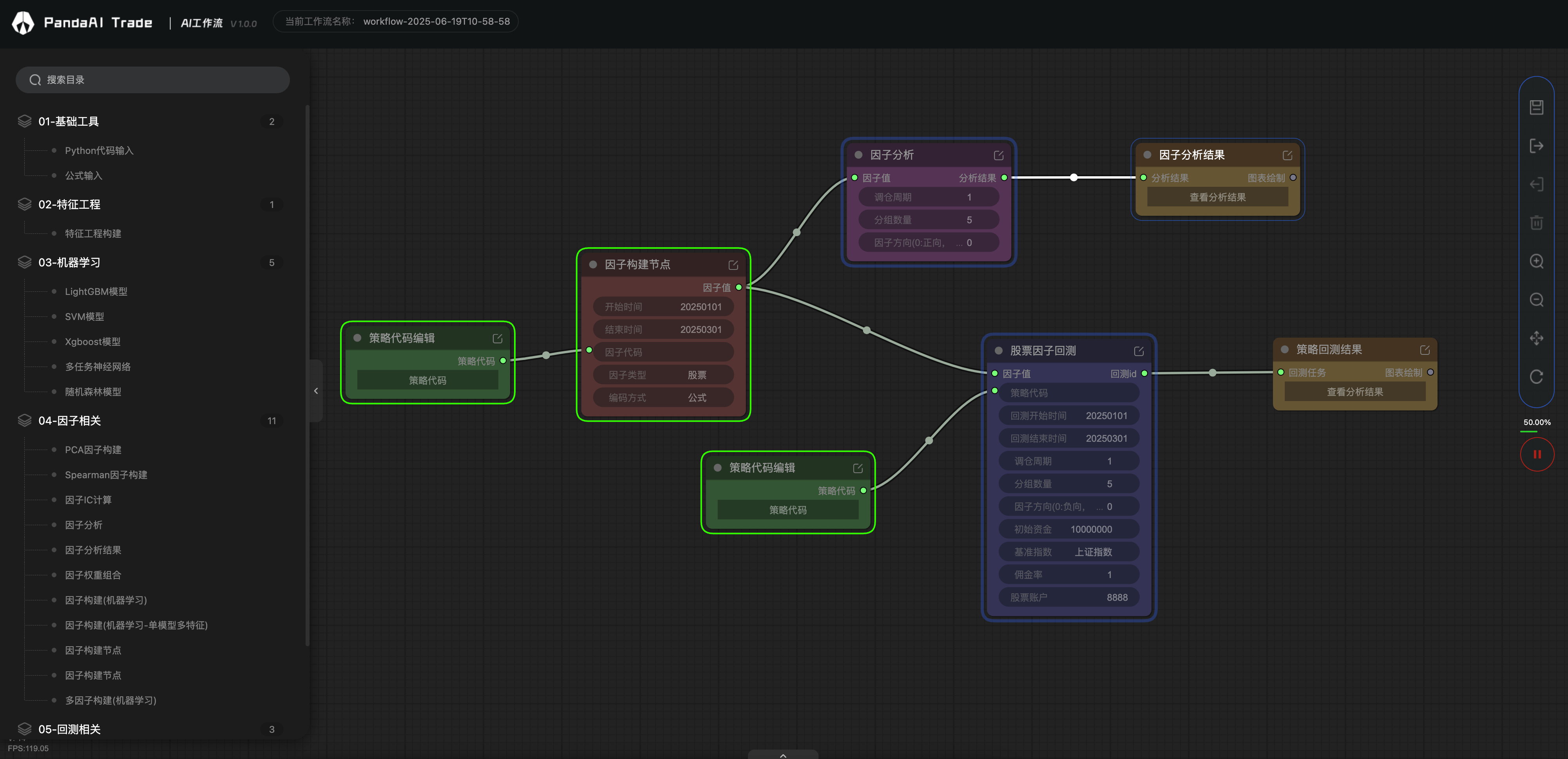
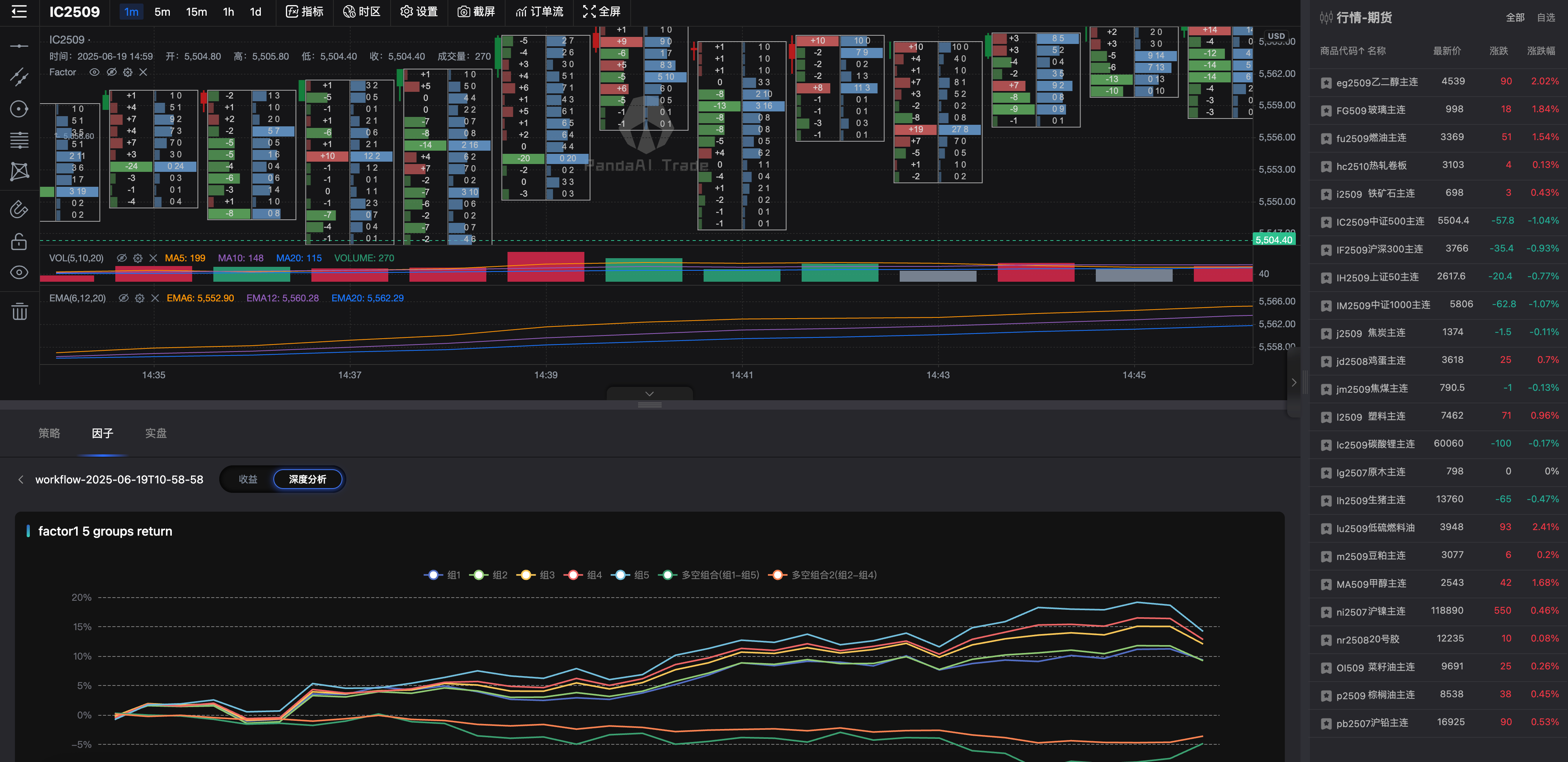
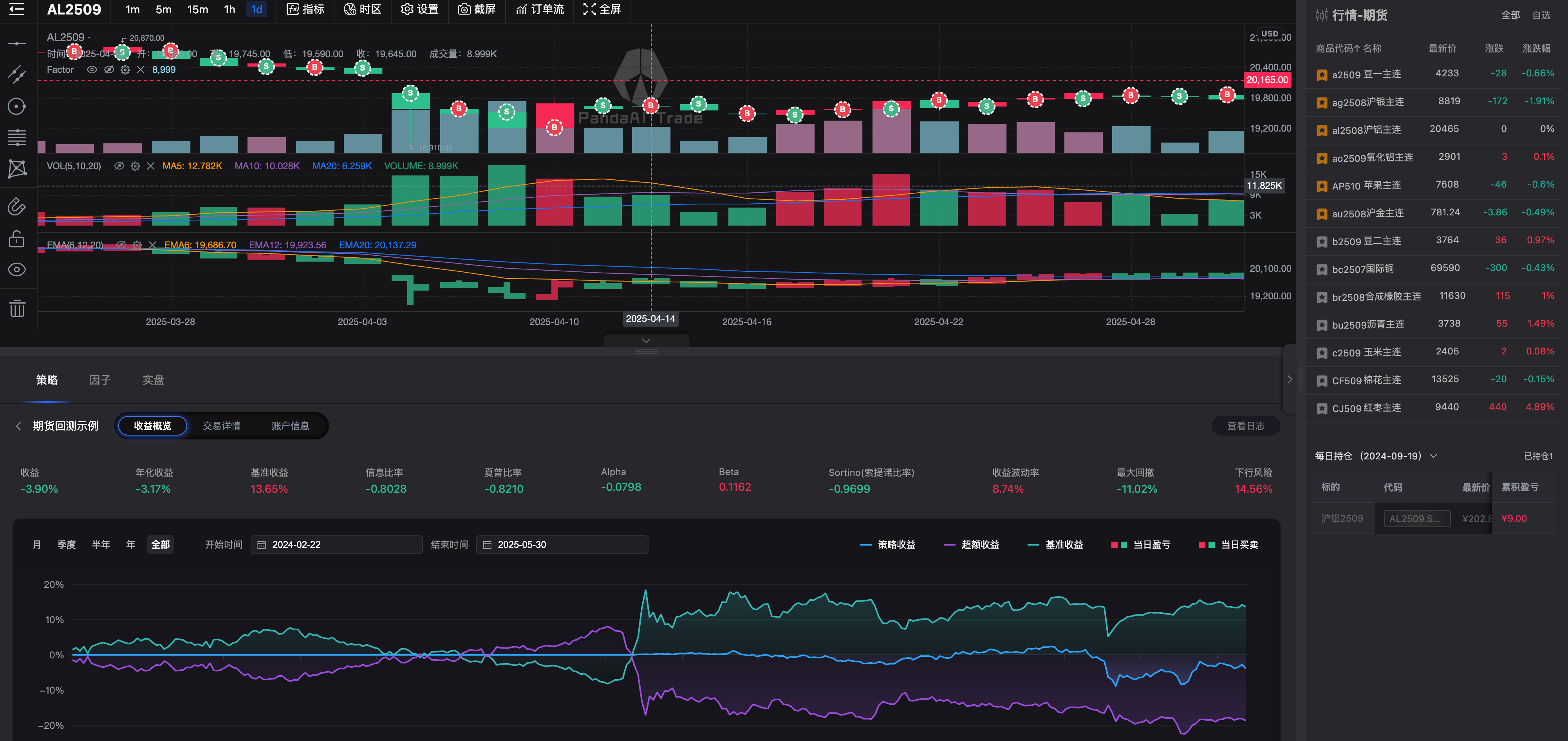
### 🚀 核心功能
**🔧 可视化工作流编排**
- 基于节点的可视化工作流设计器,支持拖拽式构建复杂的量化研究和交易策略流程
- 丰富的内置工作节点,涵盖数据处理、特征工程、机器学习、因子分析和回测等各个环节
- 灵活的插件系统,支持自定义工作节点开发和扩展
**🤖 机器学习集成**
- 支持主流机器学习算法:XGBoost、LightGBM、RandomForest、SVM、神经网络等
- 提供多任务学习(MTL)和深度学习解决方案
- 自动化模型训练、验证和预测流程
**📈 因子分析与回测策略验证**
- 高性能回测引擎,支持股票、期货
- 完整的事件驱动架构,精确模拟真实交易环境
- 兼容PandaFactor分析框架
**🌐 企业级服务架构**
- 基于FastAPI的高性能REST API服务
- 支持多用户工作流管理和权限控制
- 分布式任务执行,支持云端和本地部署
- 完善的日志系统和实时监控
### 🎯 适用场景
- **量化研究**:因子挖掘、策略开发、模型验证
- **算法交易**:策略回测、实盘验证、风险管理
- **金融数据分析**:市场研究、投资组合优化
- **机器学习应用**:金融预测模型、智能投顾
### 💡 技术特色
- **微服务架构**:模块化设计,易于扩展和维护
- **插件化设计**:通过 `@work_node` 装饰器轻松开发自定义节点
- **工作流支持json导入导出**:通过json文件快速传播和复现工作流
- **容器化部署**:支持Docker和Docker Compose快速部署
## 已规划功能,欢迎加群内测
LLM支持
API代码式调用工作流
CTP实盘交易
QMT实盘交易
数字货币支持
## 服务安装与运行
### 安装包方式 (简单,快速体验)
- 若是您不想花时间搭环境,可以用我们打包好的客户端,一键解压,可直接运行,因为内置数据库和行情数据,文件略大。
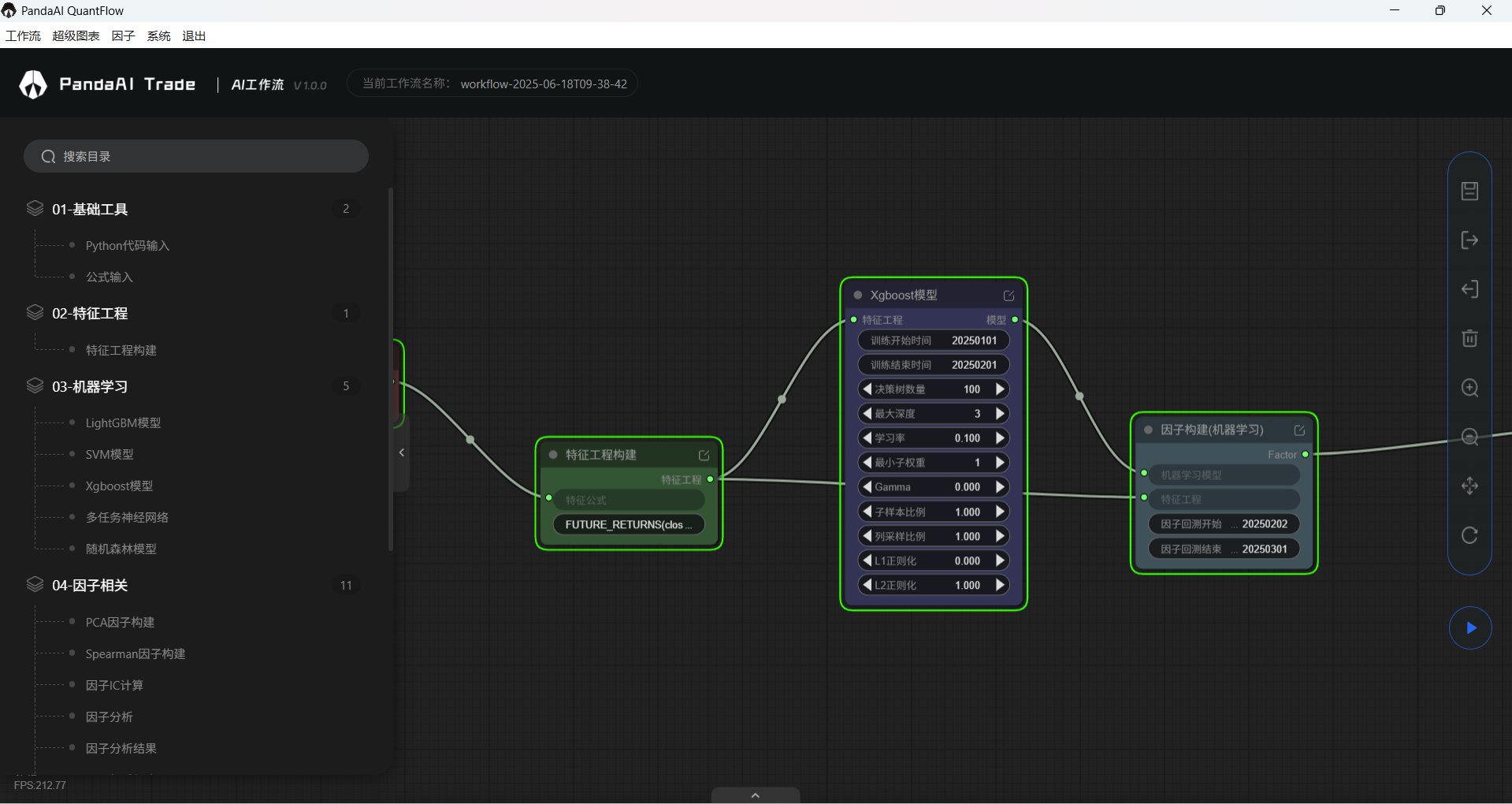
内含工作流、超级图表、因子模块。
- **MacOS 系统**: [准备中]
- **Windows 系统**: [下载 Windows 安装包](https://github.com/PandaAI-Tech/panda_quantflow/releases)(因为文件大小限制,做了分包,请下载全部文件再解压)
### 从源码安装(高度自定义,适合二次开发)
#### 前置条件
1. 安装 ANACONDA 环境 ([官网下载](https://www.anaconda.com/download))
2. 下载并启动PandaAI提供的数据库(含有行情数据)
请联系小助理从网盘下载最新的数据库
- **MacOS 系统**: 下载并解压后运行
`chmod 600 conf/mongo.key`
`bin/mongod -replSet rs0 --dbpath data/db --keyFile conf/mongo.key --port 27017 --quiet --auth`
- **Windows 系统**: 下载并解压后运行 `bin\mongod.exe --replSet rs0 --dbpath data\db --keyFile conf\mongo.key --port 27017 --quiet --auth`
3. 安装 panda_factor 相关依赖,并且启动factor服务
```bash
git clone https://github.com/PandaAI-Tech/panda_factor.git
cd panda_factor
pip install -r requirements.txt
pip install -e ./panda_common ./panda_factor ./panda_data ./panda_data_hub ./panda_llm ./panda_factor_server
python ./panda_factor_server/panda_factor_server/__main__.py
```
panda_factor还有若干功能,例如数据自动更新等,具体请查看([PandaFactor](https://github.com/PandaAI-Tech/panda_factor))
#### 安装流程
1. 安装 panda_quantflow
```bash
git clone https://github.com/PandaAI-Tech/panda_quantflow.git
cd panda_quantflow
pip install -e .
```
2. 启动 panda_quantflow 服务
```bash
python src/panda_server/main.py
```
3. 打开 UI 图形界面
```bash
超级图表:http://127.0.0.1:8000/charts/
工作流:http://127.0.0.1:8000/quantflow/
```
## 编写自定义插件
- 开发者可以在项目目录`.src/panda_plugins/custom/`中编写自定义插件, 以在工作流中使用
- 自定义插件需要继承 `BaseWorkNode` 并实现 `input_model`, `output_model` 和 `run` 3 个方法
- 自定义插件示例 (更多示例在`.src/panda_plugins/custom/examples/`中)
```python
from typing import Optional, Type
from panda_plugins.base import BaseWorkNode, work_node
from pydantic import BaseModel
class InputModel(BaseModel):
"""
Define the input model for the node.
Use pydantic to define, which is a library for data validation and parsing.
Reference: https://pydantic-docs.helpmanual.io
为工作节点定义输入模型.
使用 Pydantic 定义, Pydantic 是一个用于数据验证和解析的库.
参考文档: https://pydantic-docs.helpmanual.io
"""
number1: int
number2: int
class OutputModel(BaseModel):
"""
Define the output model for the node.
Use pydantic to define, which is a library for data validation and parsing.
Reference: https://pydantic-docs.helpmanual.io
为工作节点定义输出模型.
使用 Pydantic 定义, Pydantic 是一个用于数据验证和解析的库.
参考文档: https://pydantic-docs.helpmanual.io
"""
result: int
@work_node(name="示例-两数求和", group="测试节点")
class ExamplePluginAddition(BaseWorkNode):
"""
Implement a example node, which can add two numbers and return the result.
实现一个示例节点, 完成一个简单的加法运算, 输入 2 个数值, 输出 2 个数值的和.
"""
# Return the input model
# 返回输入模型
@classmethod
def input_model(cls) -> Optional[Type[BaseModel]]:
return InputModel
# Return the output model
# 返回输出模型
@classmethod
def output_model(cls) -> Optional[Type[BaseModel]]:
return OutputModel
# Node running logic
# 节点运行逻辑
def run(self, input: BaseModel) -> BaseModel:
result = input.number1 + input.number2
return OutputModel(result=result)
if __name__ == "__main__":
node = ExamplePluginAddition()
input = InputModel(number1=1, number2=2)
print(node.run(input))
```
**我们欢迎每一位用户加入节点贡献行列,共同点燃量化开源的火焰🔥**
**如果有新的节点需求,也欢迎进群告诉我们,只要有助于项目发展,我们都愿意免费支持开发。**
## 项目结构**
```
panda_workflow/
├── src/ # 所有源代码
│ ├── common/ # 通用工具和配置
│ ├── panda_ml/ # 机器学习组件
│ ├── panda_plugins/ # 插件系统
│ ├── panda_server/ # API服务
│ ├── panda_backtest/ # 回测系统
│ └── panda_trading/ # 交易执行系统
├── tests/ # 测试目录
├── pyproject.toml # 项目配置和依赖
├── Dockerfile # Docker配置
└── docker-compose.yml # Docker Compose配置
```
## 加群答疑(备注【开源】更快通过)

## 贡献
欢迎贡献代码、提出 Issue 或 PR:
- Fork 本项目
- 新建功能分支 git checkout -b feature/AmazingFeature
- 提交更改 git commit -m 'Add some AmazingFeature'
- 推送分支 git push origin feature/AmazingFeature
- 发起 Pull Request
## 致谢
感谢量化李不白的粉丝们对我们的支持
感谢所有开源社区的贡献者
## 许可证
本项目采用 GPLV3 许可证