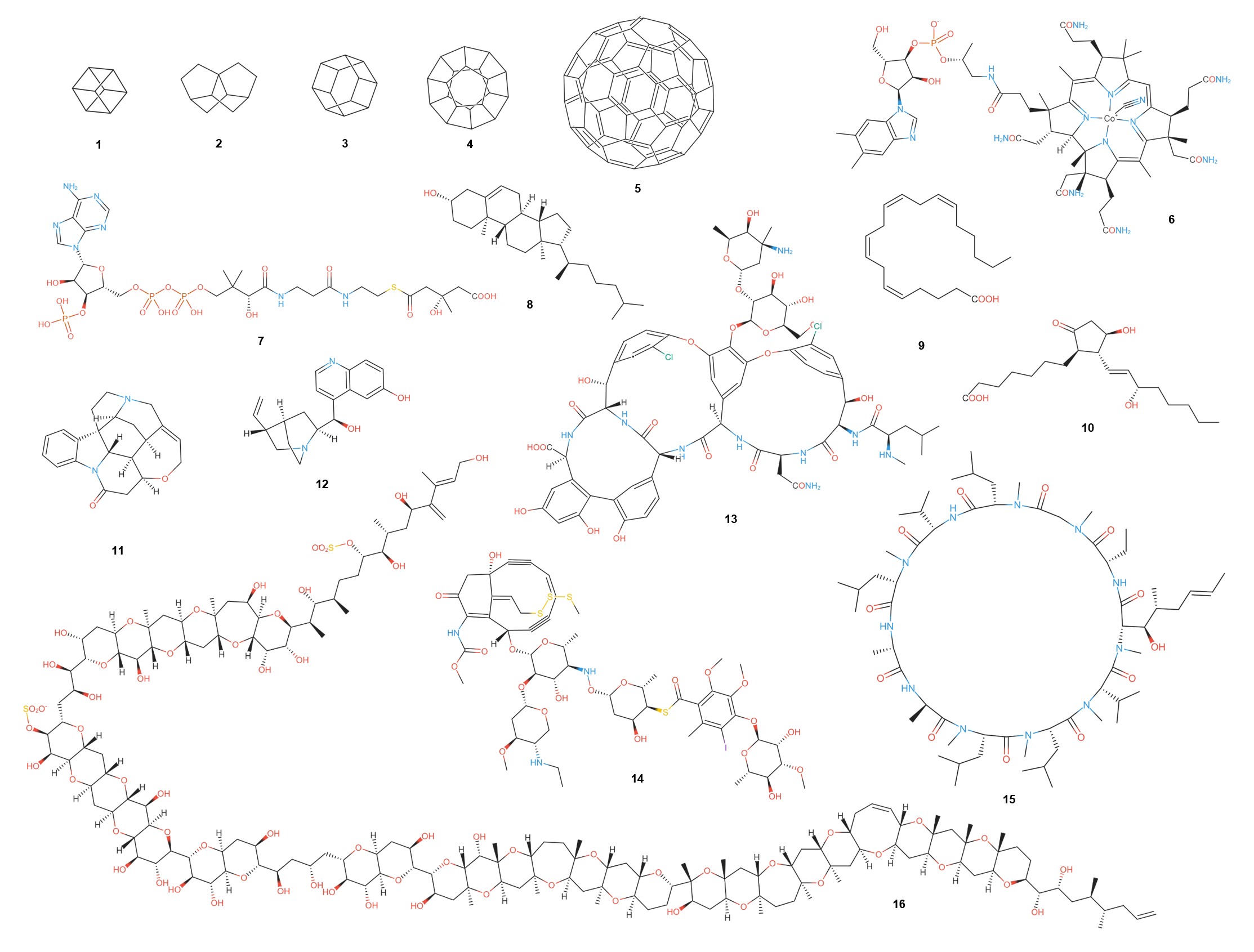
# smilesDrawer
**Repository Path**: dot23/smilesDrawer
## Basic Information
- **Project Name**: smilesDrawer
- **Description**: A small, highly performant JavaScript component for parsing and drawing SMILES strings. Released under the MIT license.
- **Primary Language**: Unknown
- **License**: MIT
- **Default Branch**: master
- **Homepage**: None
- **GVP Project**: No
## Statistics
- **Stars**: 1
- **Forks**: 0
- **Created**: 2021-07-23
- **Last Updated**: 2022-01-14
## Categories & Tags
**Categories**: Uncategorized
**Tags**: None
## README

# Smiles Drawer
Current Version: 1.2.0 ([Rumble](https://www.youtube.com/watch?v=ucTg6rZJCu4))
If you use this code or application, please cite the original paper published by the Journal of Chemical Information and Modeling: [10.1021/acs.jcim.7b00425](http://dx.doi.org/10.1021/acs.jcim.7b00425)
### Compatibility
All the current versions of the major browsers are supported and the application has been tested on the following browsers (versions):
- Chrome (68.0.3440.106)
- Firefox (61.0.1)
- Edge (42.17134.167.0)
- Internet Explorer 11
- Safari (10.1.2)
SmilesDrawer should also run on older versions of all of these browsers, if you experience any problems on older browsers, please open an issue and it will be tested.
### Examples
An example using the light theme can be found [here](http://doc.gdb.tools/smilesDrawer/sd/example/index_light.html), while one using the dark theme can be found [here](http://doc.gdb.tools/smilesDrawer/sd/example/index.html) . The colors of SmilesDrawer are completely configurable.
Examples showing molecules from different databases:
- [Drugbank](http://doc.gdb.tools/smilesDrawer/sd/test/browser.html?set=drugbank)
- [GDB-17](http://doc.gdb.tools/smilesDrawer/sd/test/browser.html?set=gdb17)
- [FDB-17](http://doc.gdb.tools/smilesDrawer/sd/test/browser.html?set=fdb)
- [SureChEMBL](http://doc.gdb.tools/smilesDrawer/sd/test/browser.html?set=schembl)
- [ChEMBL](http://doc.gdb.tools/smilesDrawer/sd/test/browser.html?set=chembl)
A very simple JSFiddle example can be found [here](https://jsfiddle.net/zjdtkL57/1/). This example shows the `SmilesDrawer.apply()` functionality which draws the structure for every `canvas` element with a `data-smiles` attribute. E.g. ``
### Experimental Features
If you experience problems with the drawing of complex ring systems (including very long bonds), please enable experimental features (see options).
### "Installation"
SmilesDrawer is available from the unpkg content delivery network:
```
https://unpkg.com/smiles-drawer@1.2.0/dist/smiles-drawer.min.js
```
You can easily get smiles-drawer using yarn:
```
yarn add smiles-drawer
```
or you can just download the files from here.
### Building Smiles Drawer
If you decide not to use the ready-to-go scripts in `dist`, you can (edit and) build the project by running:
```bash
npm install
gulp
```
### Getting Started
To get a simple input box which lets the user enter a SMILES and then display it in a canvas, the following minimal example is sufficient.
In order to have nice consistent font rendering you have to include the droid sans font from google fonts.
```html
Smiles Drawer Example
```
See the example folder for a more complete example.
### Options
The options are supplied to the constructor as shown in the example above.
```javascript
let options = { ... };
let smilesDrawer = new SmilesDrawer(options);
```
The following options are available:
| Option | Identifier | Data Type | Default Value |
| --------------------------------------------------------------- | --------------------------- | ----------------------------------- | ------------- |
| Drawing width | width | number | 500 |
| Drawing height | height | number | 500 |
| Bond thickness | bondThickness | number | 0.6 |
| Bond length | bondLength | number | 15 |
| Short bond length (e.g. double bonds) in percent of bond length | shortBondLength | number | 0.85 |
| Bond spacing (e.g. space between double bonds) | bondSpacing | number | 0.18 \* 15 |
| Atom Visualization | atomVisualization | string ['default', 'balls', 'none'] | 'default' |
| Large Font Size (in pt for elements) | fontSizeLarge | number | 6 |
| Small Font Size (in pt for numbers) | fontSizeSmall | number | 4 |
| Padding | padding | number | 20.0 |
| Use experimental features | experimental | boolean | false |
| Show Terminal Carbons (CH3) | terminalCarbons | boolean | false |
| Show explicit hydrogens | explicitHydrogens | boolean | false |
| Overlap sensitivity | overlapSensitivity | number | 0.42 |
| # of overlap resolution iterations | overlapResolutionIterations | number | 1 |
| Draw concatenated terminals and pseudo elements | compactDrawing | boolean | true |
| Draw isometric SMILES if available | isometric | boolean | true |
| Debug (draw debug information to canvas) | debug | boolean | false |
| Color themes | themes | object | see below |
The default options are defined as follows:
```javascript
{
width: 500,
height: 500,
bondThickness: 0.6,
bondLength: 15,
shortBondLength: 0.85,
bondSpacing: 0.18 * 15,
atomVisualization: 'default',
isomeric: true,
debug: false,
terminalCarbons: false,
explicitHydrogens: false,
overlapSensitivity: 0.42,
overlapResolutionIterations: 1,
compactDrawing: true,
fontSizeLarge: 5,
fontSizeSmall: 3,
padding: 20.0,
experimental: false,
themes: {
dark: {
C: '#fff',
O: '#e74c3c',
N: '#3498db',
F: '#27ae60',
CL: '#16a085',
BR: '#d35400',
I: '#8e44ad',
P: '#d35400',
S: '#f1c40f',
B: '#e67e22',
SI: '#e67e22',
H: '#fff',
BACKGROUND: '#141414'
},
light: {
C: '#222',
O: '#e74c3c',
N: '#3498db',
F: '#27ae60',
CL: '#16a085',
BR: '#d35400',
I: '#8e44ad',
P: '#d35400',
S: '#f1c40f',
B: '#e67e22',
SI: '#e67e22',
H: '#222',
BACKGROUND: '#fff'
}
}
};
```
### Usage
An instance of SmilesDrawer is able to draw to multiple targets. Initialize SmilesDrawer once for each set of options (you would initialize two different objects if you were to draw in two different sizes).
```javascript
let smilesDrawer = new SmilesDrawer.Drawer({ width: 250, height: 250 });
```
In order to depict a SMILES string it has to be parsed using SmilesDrawer's SMILES parser, which is encapsulated in the static function `SmilesDrawer.parse()` where the first argument is the SMILES string and the second argument a callback for a successfull parsing. The third argument provides a way to handle errors using a callback.
```javascript
SmilesDrawer.parse('C1CCCCC1', function (tree) {
smilesDrawer.draw(tree, 'output-canvas', 'light', false);
}, function (err) {
console.log(err);
}
```
The function `smilesDrawer.draw()` requires two and accepts up to four arguments. The first argument is the parse tree returned by the parse function (through the callback), the second is the `id` of a HTML canvas element on which the structure will be drawn. The two optional arguments are whether to use the light or dark theme (defaults to `'light'`) and whether to only compute properties such as ring count, hac, etc. and not depict the structure (defaults to `false`).
### API
The SmilesDrawer object exposes methods that can be used for purposes other than drawing chemical structures.
| Method | Description | Returns |
| ----------------------- | -------------------------------------------------------------------------------- | -------- |
| `getMolecularFormula()` | Returns the molcular formula, eg. C22H30N6O4S, of the currently loaded molecule. | `String` |
### Bridged Rings
Bridged rings are positioned using the Kamada–Kawai algorithm. If there is a bridged ring in the molecule, explicitly defined aromatic rings are not drawn with a circle inside the ring, but with dashed gray lines where double bonds would be.
### Contributors
Thank you for contributing:
SRI International's CSE group (For the excellent SVG support)
[ohardy](https://github.com/ohardy)