# nunuStudio
**Repository Path**: dext7r/nunuStudio
## Basic Information
- **Project Name**: nunuStudio
- **Description**: No description available
- **Primary Language**: Unknown
- **License**: MIT
- **Default Branch**: master
- **Homepage**: None
- **GVP Project**: No
## Statistics
- **Stars**: 0
- **Forks**: 0
- **Created**: 2024-04-16
- **Last Updated**: 2025-09-15
## Categories & Tags
**Categories**: Uncategorized
**Tags**: None
## README
 [](https://badge.fury.io/gh/tentone%2FnunuStudio)[](https://badge.fury.io/js/nunu-studio)[](https://github.com/tentone/nunuStudio/issues) [](https://github.com/tentone/nunuStudio/stargazers)
[](https://app.fossa.com/projects/git%2Bgithub.com%2Ftentone%2FnunuStudio?ref=badge_shield)
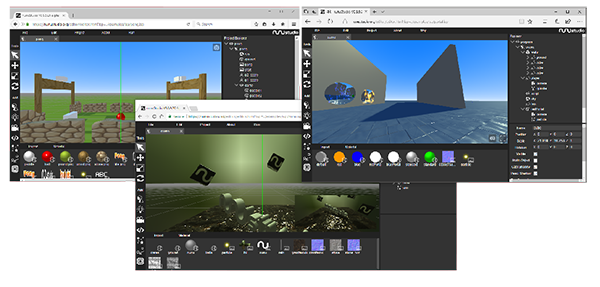
- nunuStudio is an open source game engine for the web it allows designers and web developers to easily develop 3D experiences for the web.
- Powered by [three.js](https://github.com/mrdoob/three.js) can run directly in the web or be exported as desktop application trough [nwjs.io](https://nwjs.io).
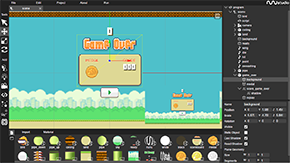
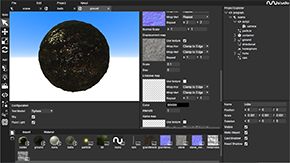
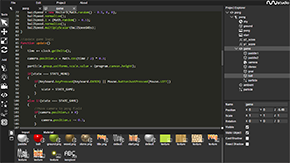
- Fully featured visual editor, supports a wide range of file formats, the tools are open source and completely free to use for both personal and commercial usage.
- Visual scene editor, code editor, visual tools to edit textures, materials, particle emitters and a powerful scripting API that allows the creation of complex applications using [JavaScript](https://www.javascript.com/) or [Python](https://www.python.org/).
- Fully featured [web version](https://www.nunustudio.org/build/editor/index.html) of the editor is available on the project page.
- The web version is tested with [Firefox](https://www.mozilla.org/en-US/firefox/new/), [Chrome](https://www.google.com/chrome/) and [Microsoft Edge](https://www.microsoft.com/en-us/edge), mobile browsers are supported as well.
[](https://badge.fury.io/gh/tentone%2FnunuStudio)[](https://badge.fury.io/js/nunu-studio)[](https://github.com/tentone/nunuStudio/issues) [](https://github.com/tentone/nunuStudio/stargazers)
[](https://app.fossa.com/projects/git%2Bgithub.com%2Ftentone%2FnunuStudio?ref=badge_shield)
- nunuStudio is an open source game engine for the web it allows designers and web developers to easily develop 3D experiences for the web.
- Powered by [three.js](https://github.com/mrdoob/three.js) can run directly in the web or be exported as desktop application trough [nwjs.io](https://nwjs.io).
- Fully featured visual editor, supports a wide range of file formats, the tools are open source and completely free to use for both personal and commercial usage.
- Visual scene editor, code editor, visual tools to edit textures, materials, particle emitters and a powerful scripting API that allows the creation of complex applications using [JavaScript](https://www.javascript.com/) or [Python](https://www.python.org/).
- Fully featured [web version](https://www.nunustudio.org/build/editor/index.html) of the editor is available on the project page.
- The web version is tested with [Firefox](https://www.mozilla.org/en-US/firefox/new/), [Chrome](https://www.google.com/chrome/) and [Microsoft Edge](https://www.microsoft.com/en-us/edge), mobile browsers are supported as well.
 - [API Documentation](https://nunustudio.org/docs) with full details about the inner working of every module are available. These can also be generated from the project source code by running `npm run docs`.
- Basic tutorials are available on the [project page](https://www.nunustudio.org/learn). The basic tutorials explain step-by-step how to use the editor.
- To build the project first install [Node.js LTS](https://nodejs.org/en/) and NPM:
- The building system generates minified builds for the runtime and for the editor
- Documentation generation uses [YuiDocs](https://yui.github.io/yuidoc/)
- Install dependencies from npm by running `npm install --legacy-peer-deps`
- Build editor, runtime and documentation, run `npm run build`
- Webpage of the project is built using [Angular](https://angular.io/) and is hosted on [GitHub Pages](https://pages.github.com/)
## Screenshots
- [API Documentation](https://nunustudio.org/docs) with full details about the inner working of every module are available. These can also be generated from the project source code by running `npm run docs`.
- Basic tutorials are available on the [project page](https://www.nunustudio.org/learn). The basic tutorials explain step-by-step how to use the editor.
- To build the project first install [Node.js LTS](https://nodejs.org/en/) and NPM:
- The building system generates minified builds for the runtime and for the editor
- Documentation generation uses [YuiDocs](https://yui.github.io/yuidoc/)
- Install dependencies from npm by running `npm install --legacy-peer-deps`
- Build editor, runtime and documentation, run `npm run build`
- Webpage of the project is built using [Angular](https://angular.io/) and is hosted on [GitHub Pages](https://pages.github.com/)
## Screenshots
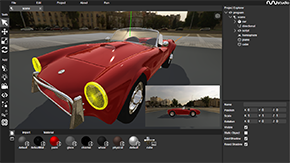
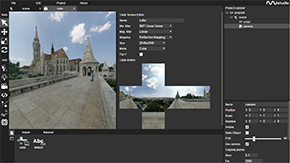
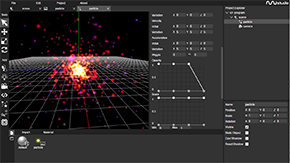 ## Features
- Visual application editor
- Drag and drop files directly into the project (images, video, models, ...)
- Manage project resources.
- Edit material, textures, shaders, code, ...
- Built on [three.js](https://threejs.org/) library w/ physics by [cannon.js](https://schteppe.github.io/cannon.js/)
- Real time lighting and shadow map support
- three.js libraries can be imported into the editor
- Wide range of file formats supported (gltf, dae, obj, fbx, 3ds, ...)
- [NW.js](https://nwjs.io/) and [Cordova](https://cordova.apache.org/) exports for desktop and mobile deployment
- Compatible with [WebXR](https://www.w3.org/TR/webxr/) for Virtual Reality and Augmented Reality
## Build
The project uses [Webpack](https://webpack.js.org/) to build and bundle its code base.
- The building system generates minified builds for the runtime and for the editor
- JavaScript is optimized and minified using [Uglify](https://www.npmjs.com/package/uglify-js)
- Documentation generation uses [YuiDocs](https://yui.github.io/yuidoc/)
Steps needed to build the project:
1. To build the project first install [Java](https://www.oracle.com/java/technologies/javase-jdk8-downloads.html), [Node.js](https://nodejs.org/en/) and NPM and ensure that java command is working properly.
2. Install dependencies from npm by running `npm install`.
1. If running on Node >=16 run `npm install --legacy-peer-deps` instead
3. Install the dependencies for the project webpage running `cd source/page && npm install`
4. Building/running
1. Building: to build editor, runtime and documentation, run `npm run build`
2. Running: To start the editor locally for development and testing run `npm run start`
## Embedding Application
- Application developed with can be embedded into already existing web pages, and are compatible with frameworks like [Angular](https://angular.io/) or [React](https://reactjs.org/).
- To embed applications in HTML pages the following code can be used, the application is bootstrapped using the `loadApp(file, id)` method.
```html
```
## Vue.js with Nuxtjs
- Build `nunu.min.js` and place into `static/js` folder of your nuxt instance
- Place canvas element into your `template` area where you want it, for example:
```vue
## Features
- Visual application editor
- Drag and drop files directly into the project (images, video, models, ...)
- Manage project resources.
- Edit material, textures, shaders, code, ...
- Built on [three.js](https://threejs.org/) library w/ physics by [cannon.js](https://schteppe.github.io/cannon.js/)
- Real time lighting and shadow map support
- three.js libraries can be imported into the editor
- Wide range of file formats supported (gltf, dae, obj, fbx, 3ds, ...)
- [NW.js](https://nwjs.io/) and [Cordova](https://cordova.apache.org/) exports for desktop and mobile deployment
- Compatible with [WebXR](https://www.w3.org/TR/webxr/) for Virtual Reality and Augmented Reality
## Build
The project uses [Webpack](https://webpack.js.org/) to build and bundle its code base.
- The building system generates minified builds for the runtime and for the editor
- JavaScript is optimized and minified using [Uglify](https://www.npmjs.com/package/uglify-js)
- Documentation generation uses [YuiDocs](https://yui.github.io/yuidoc/)
Steps needed to build the project:
1. To build the project first install [Java](https://www.oracle.com/java/technologies/javase-jdk8-downloads.html), [Node.js](https://nodejs.org/en/) and NPM and ensure that java command is working properly.
2. Install dependencies from npm by running `npm install`.
1. If running on Node >=16 run `npm install --legacy-peer-deps` instead
3. Install the dependencies for the project webpage running `cd source/page && npm install`
4. Building/running
1. Building: to build editor, runtime and documentation, run `npm run build`
2. Running: To start the editor locally for development and testing run `npm run start`
## Embedding Application
- Application developed with can be embedded into already existing web pages, and are compatible with frameworks like [Angular](https://angular.io/) or [React](https://reactjs.org/).
- To embed applications in HTML pages the following code can be used, the application is bootstrapped using the `loadApp(file, id)` method.
```html
```
## Vue.js with Nuxtjs
- Build `nunu.min.js` and place into `static/js` folder of your nuxt instance
- Place canvas element into your `template` area where you want it, for example:
```vue
```
- Add the script to your head function of the page you want the 3D integration on (or place is into your global head)
```js
head() {
return {
script: [
{
hid: 'Nunu',
src: 'assets/js/nunu.min.js',
defer: true,
callback: () => {
Nunu.App.loadApp('assets/file.nsp', 'canvas') //add file to load in here
},
},
],
},
}
```
- You are now able to address `Nunu` as usual within the app.
## License
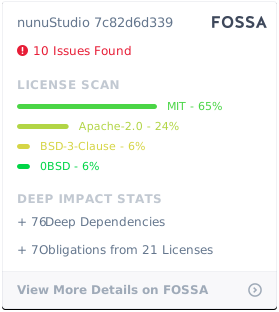
- The project is distributed under a MIT license that allow for commercial usage of the platform without any cost.
- The license is available on the project GitHub page
[](https://app.fossa.com/projects/git%2Bgithub.com%2Ftentone%2FnunuStudio?ref=badge_large)