# cz-message-helper
**Repository Path**: dext7r/cz-message-helper
## Basic Information
- **Project Name**: cz-message-helper
- **Description**: No description available
- **Primary Language**: Unknown
- **License**: MIT
- **Default Branch**: dependabot/npm_and_yarn/rollup-4.22.4
- **Homepage**: None
- **GVP Project**: No
## Statistics
- **Stars**: 0
- **Forks**: 0
- **Created**: 2025-09-15
- **Last Updated**: 2025-09-15
## Categories & Tags
**Categories**: Uncategorized
**Tags**: None
## README
# Commit message helper for commitizen





> `Committezen` 插件的提交消息助手
> 注意,您可以实现一致的提交消息
> 注意,您可以自定义提交消息模版
# 英文 README.md
> https://github.com/linpengteng/cz-message-helper/blob/main/README.en.md
# 安装
> 因为cz-message-helper是committen的插件, 所以您需要安装以下依赖项
> + [commitizen](https://github.com/commitizen/cz-cli) ------------------------- 规范你的提交消息
> + [@commitlint/cli](https://github.com/conventional-changelog/commitlint) --------------------- `commitizen` `cli` 工具
> + [@commitlint/config-conventional](https://github.com/conventional-changelog/commitlint) ---- 提交消息规范规则
> + [husky](https://github.com/typicode/husky) ------------------------------- 用于 git 提交前对 message 进行 `commitlint` 校验
```bash
# commitizen
pnpm add commitizen -g
yarn global add commitizen
# @commitlint/cli @commitlint/config-conventional
pnpm add @commitlint/cli @commitlint/config-conventional -D
yarn add @commitlint/cli @commitlint/config-conventional -D
# husky
pnpm add husky -D
yarn add husky -D
# cz-message-helper
pnpm add cz-message-helper -D
yarn add cz-message-helper -D
```
# 如何使用
1. 在package.json中添加commitizen配置
```json
{
"config": {
"cz-message-helper": {
"config": ".cz-message.cjs"
},
"commitizen": {
"path": "node_modules/cz-message-helper"
}
}
}
```
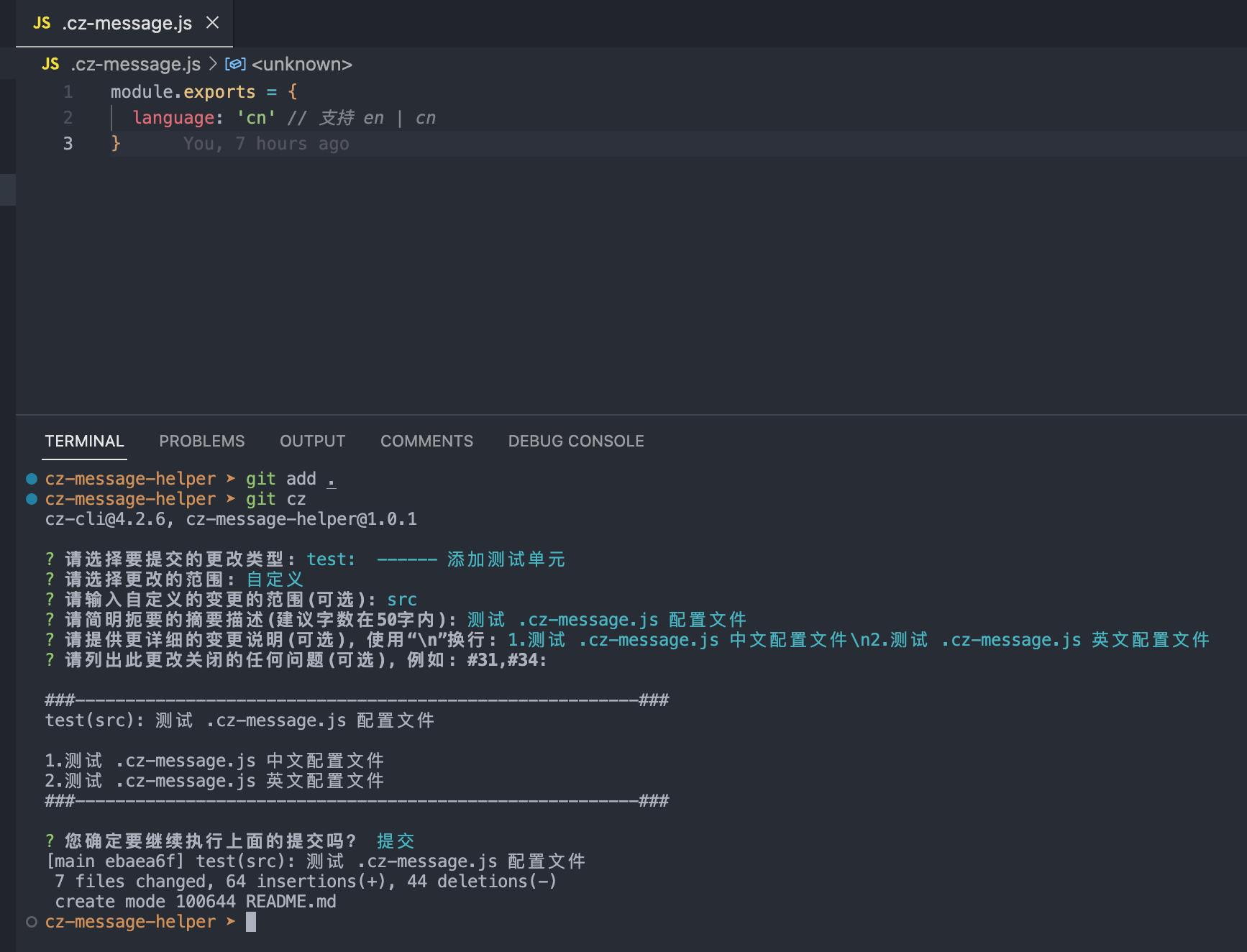
2. 在项目根目录下创建 `.cz-message.cjs` 配置文件
```js
module.exports = {
language: 'cn' // 选项: en | cn
}
```
3. 在项目根目录下创建 `commitlint.config.js` 配置文件
```js
module.exports = {
extends: ['@commitlint/config-conventional'],
rules: {
'type-enum': [
2,
'always',
[
'fix',
'feat',
'begin',
'docs',
'style',
'refactor',
'chore',
'perf',
'test',
'merge',
'revert',
'wip'
]
],
'type-case': [0],
'scope-case': [0],
'subject-case': [0],
'header-case': [0],
'body-case': [0],
'type-empty': [2, 'never'],
'scope-empty': [0],
'subject-empty': [2, 'never'],
'body-empty': [0],
'subject-full-stop': [0],
'header-full-stop': [0],
'body-full-stop': [0],
'header-max-length': [2, 'always', 100],
'body-leading-blank': [2, 'always'],
'footer-leading-blank': [2, 'always']
}
}
```
4. husky 初始化安装 和 添加 `git` `commit-msg` 钩子
```bash
# step1
npx husky install
# step2
npx husky add .husky/commit-msg 'npx --no-install commitlint --edit $1'
npx husky add .husky/pre-commit 'npx lint-staged'
```
5. Good, 接下来你能通过 `git add .` 和 `git cz` 进行使用
6. 有关其他一些问题
- 当 package.json 中 type: "module" 时, 需在根目录下创建 `.cz-message.cjs` 配置文件
- 当 package.json 中 type: "module" 时, 后缀需改成 .cjs, 例 "config": ".cz-message.cjs"
# 更多配置选项 -- `.cz-message.cjs`
```js
module.exports = {
questions: [
{
type: 'list',
name: 'type',
message: '请选择要提交的更改类型:',
choices: [
{ value: 'fix', name: 'fix: -------- 修复BUG' },
{ value: 'feat', name: 'feat: ------- 新功能' },
{ value: 'begin', name: 'begin: ------ 创建新存储库' },
{ value: 'docs', name: 'docs: ------- 仅文档更改' },
{ value: 'style', name: 'style: ------ 不影响代码运行的更改(调整空白、格式、缺少分号等)' },
{ value: 'chore', name: 'chore: ------ 对构建过程或辅助工具的更改以及文档生成等库' },
{ value: 'refactor', name: 'refactor: --- 重构架构或代码' },
{ value: 'perf', name: 'perf: ------ 改进性能的代码更改' },
{ value: 'test', name: 'test: ------ 添加测试单元' },
{ value: 'revert', name: 'revert: ----- 回退至某一个版本' },
{ value: 'merge', name: 'merge: ------ 合并一个分支, 解决冲突分支' },
{ value: 'wip', name: 'wip: -------- 正在进行中的工作' }
]
},
{
type: 'list',
name: 'scope',
message: '请选择更改的范围:',
choices() {
return [
{ name: '无', value: false },
{ name: '自定义', value: 'custom' }
]
},
filter(value, answers) {
return value || ''
}
},
{
type: 'input',
name: 'customScope',
message: '请输入自定义的变更的范围(可选):',
when(answers) {
return answers.scope === 'custom'
},
filter(value, answers) {
answers.scope = value || ''
return value || ''
}
},
{
type: 'input',
name: 'subject',
message: '请简明扼要的摘要描述(建议字数在72字内):',
validate(value) {
if (!value.trim()) {
return '描述内容不可为空'
}
return value.length > 72
? `描述内容字数不能超过72`
: true
}
},
{
type: 'input',
name: 'body',
message: '请提供更详细的变更说明(可选), 使用“\\n”换行:'
},
{
type: 'input',
name: 'breaking',
message: '请列出任何重大变化(可选)',
when(answers) {
return /^(\:[a-z0-9A-Z_-]+(\:)(\s*))?(feat|fix)(\2\s*)?$/.test(answers.type.toLowerCase())
}
},
{
type: 'input',
name: 'footer',
message: '请列出此更改关闭的任何问题(可选), 例如: #31,#34:'
}
],
templater: (answers, wrap) => {
let template = ''
template += answers.type ? `${answers.type}` : ``
template += answers.scope ? `(${answers.scope})` : ``
template += answers.subject ? `: ${answers.subject}` : ``
template += answers.body ? `\n\n${wrap(answers.body)}` : ``
template += answers.breaking ? `\n\nBREAKING CHANGE: ${wrap(answers.breaking)}` : ``
template += answers.footer ? `\n\nISSUES CLOSED: ${wrap(answers.footer)}` : ``
return template
},
language: 'cn'
}
```
> 说明
> 1. templater --- 指定生成消息的模板
> 2. questions --- 关于问题选项和描述, 请看 [Inquirer#Question](https://github.com/SBoudrias/Inquirer.js#Question)
> 3. language ---- 预设选项仅支持中文和英文,自定义 `questions` 时无效
# Licence
> MIT