# About
A new generation of project scaffolding tool to make your development process more effective with half the effort.
## Installation
Install `Cheese` by dotnet tool:
```shell
dotnet tool install cheese --global
```
Update `Cheese` by dotnet tool:
```shell
dotnet tool update cheese --global
```
## Usage
### Initialize (In Design)
Verb: `init`
You can use `init` command from `Cheese` to clone a repo and setup it.
For example:
```shell
cheese init Crequency/KitX.github
# We use protocol suffix including "github", "gitlab", "gitee"
# The default protocol is github, so you can execute: `cheese init Crequency/KitX`
```
This command will clone `Crequency/KitX` repo from GitHub, and check if there is `.cheese` folder.
With `.cheese` folder exists, the init action will be executed automatically.
> In any folder, execute pure `cheese init` will only create `.cheese` folder.
### Setup
Verb: `setup`
- `--reference` `[bool]`: include this argument to set up reference
- `cheese setup --reference` = `cheese reference --setup`
### Reference
Verb: `reference`, Alias: [ `refer`, `ref` ]
- `--status` `[bool]`: use this to show references status
- `--update` `[bool]`: use this to update references
- `--fetch` `[bool]`: include this to fetch remote
- `--setup` `[bool]`: use this to set up references
- `--convert-ssl-link-to-https-link` `[bool]`: include this to clone with `https` styled link
Cheese will run `.cheese/references.cs` to get references list.
### ToDo Commands
- commit
- doctor
- test
- docs
- config
## Update your project
Your repo should have a `.cheese` folder in the root directory like:
```text
+ project
+ .cheese
+ scripts
\ references.cs
+ src
+ docs
README.md
LICENSE
```
You can create this folder by `cheese init` command.
## Contributors
[](https://github.com/Crequency/Cheese/graphs/contributors)
# Star History
[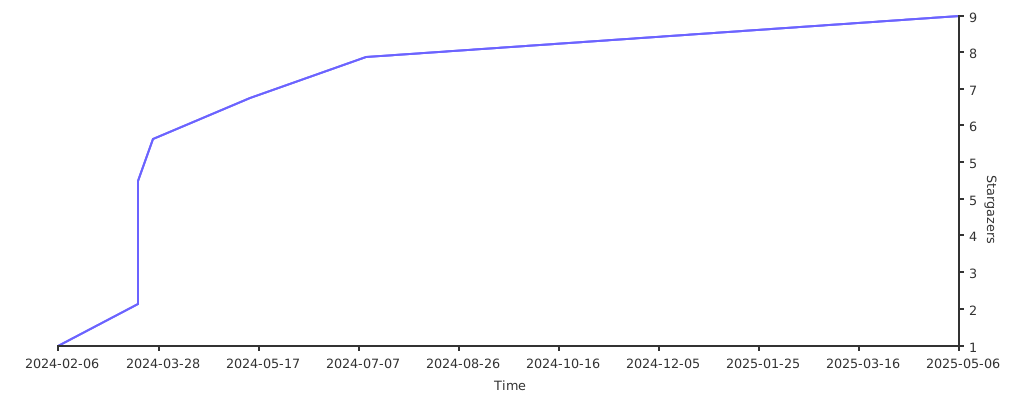](https://starchart.cc/Crequency/Cheese)
# Thanks to
Thanks to the great tools from JetBrains, we can turn our ideas into reality.