# ezcomm
**Repository Path**: bon-ami/ezcomm
## Basic Information
- **Project Name**: ezcomm
- **Description**: mirror from github
- **Primary Language**: Go
- **License**: Apache-2.0
- **Default Branch**: main
- **Homepage**: https://ezproject.sourceforge.io/
- **GVP Project**: No
## Statistics
- **Stars**: 0
- **Forks**: 0
- **Created**: 2023-04-20
- **Last Updated**: 2024-12-26
## Categories & Tags
**Categories**: Uncategorized
**Tags**: None
## README
# EZComm
TCP/UDP/http, client & server all-in-one, with GUI or flow script.
README in other language(-s): [简体中文](README_zhCN.md)
[Home page of EZ project](https://ezproject.sourceforge.io/)
## Getting started
- Go to [Sourceforge](https://sourceforge.net/projects/ezproject/files/EZ%20Comm/) for releases of prebuilt binaries.
- Go to [GitLab](https://gitlab.com/bon-ami/ezcomm/-/releases) for releases of source code.
### GUI
- Steps 1-4 as an http server.
- Steps 3,5-7 as a TCP/UDP client/server.
- Steps 8-9 are configuration and script related.
1. LAN shows all local interfaces with HTTP port we are listening on.
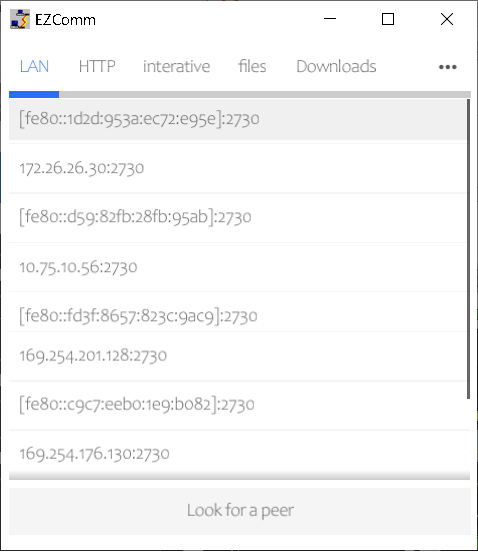
2. Click one item to copy it and open clipboard as address in a web browser. You can read readme or other info of this app with links then, exchange texts between browser server and clients, or view app's files.
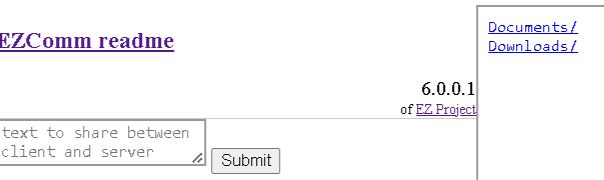
3. To interact between two devices within same network, use either LAN/HTTP or interactive/files/TCP/UDP mode. To ease discovery of each other, click "Look for a peer" to show its address and port on the other. Choosing the item on the other device will copy the IP to remote address in interactive and files tab.
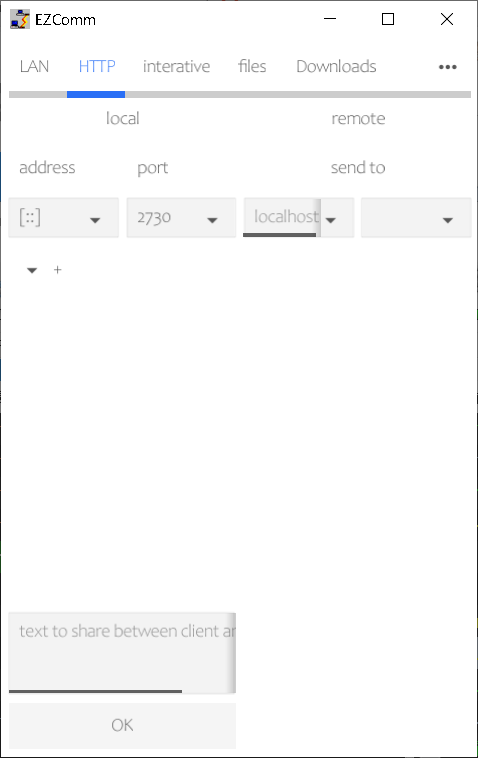
4. HTTP shows the server created as in LAN.
5. interactive mixes TCP/UDP client and server and sends/receives text.
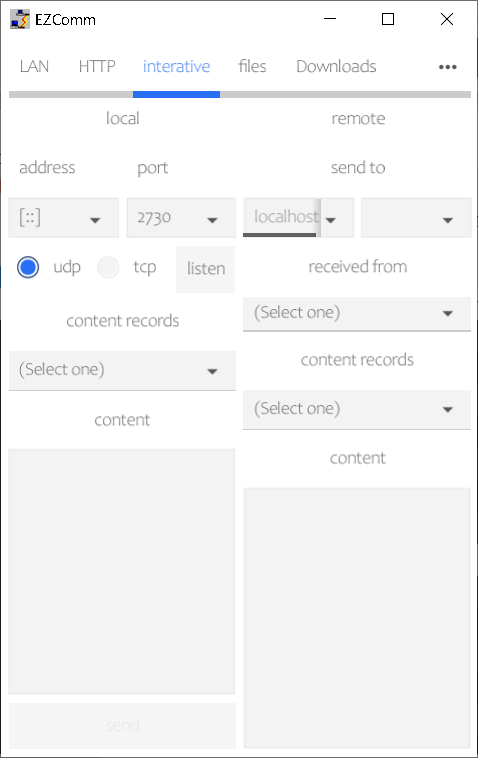
5.1. choose udp or tcp.
5.2. input local/remote address & port as needed. Local IP defaults to all interfaces and port defaults a system-chosen one.
5.3. choose listen to run as a server or send as a client.
6. files sends/receives files between TCP/UDP client and server.
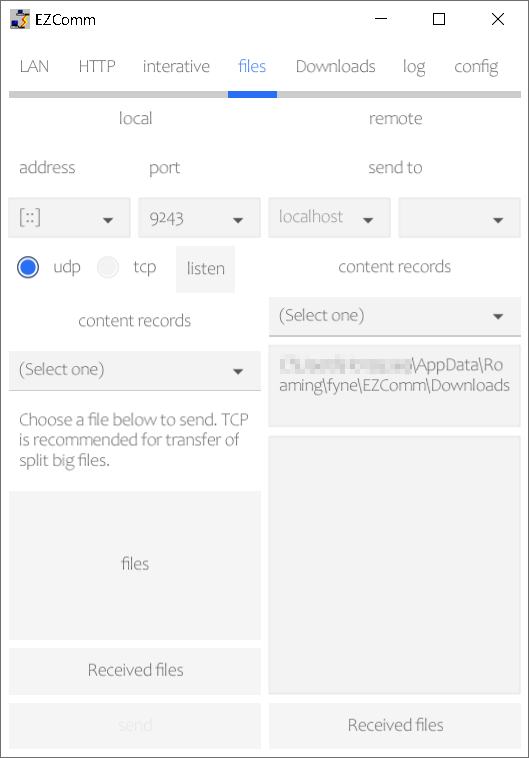
7. Downloads shows files in app's directory for files.
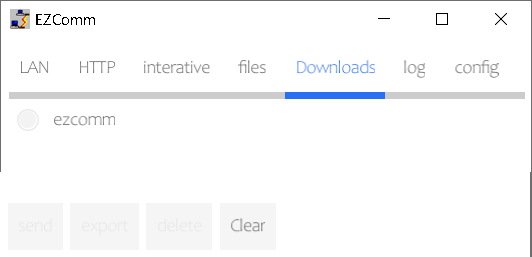
8. log shows logging for assistance.
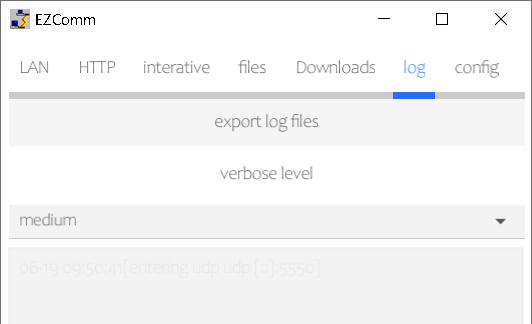
9. config contains anti-attack, language/font settings and flow switch.
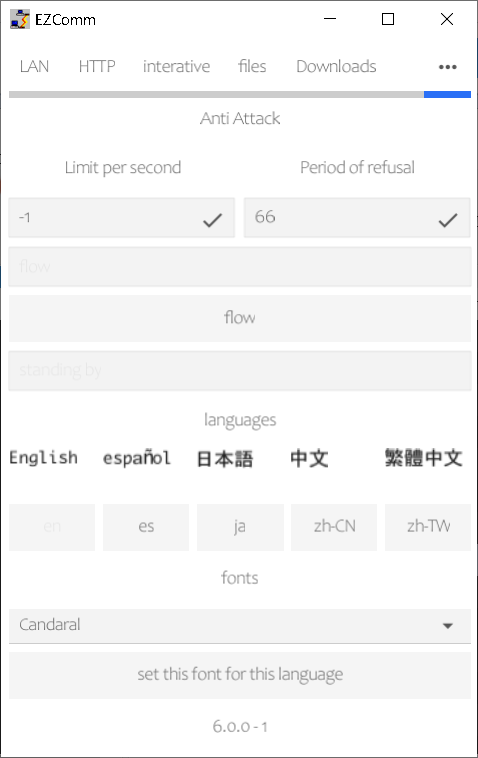
Source code under guiFyne directory uses [Fyne](https://fyne.io/) for graphical UI to support cross-platforms.
#### Features
- TCP/UDP/HTTP
- client/server. send to different clients with different text as a server.
- flow script to automatically listen, accept, receive and send messages or files.
- file transfer. files or pieces are encapsulated to avoid confusion with text messages.
- peer discovery in LAN
- incoming/outgoing message history
- anti-flood to neglect frequent incoming traffic from same IP
- customizable and in-built fonts
- multilingual interface. Current languages (mainly translated by [Bing Translator](https://cn.bing.com/translator) from English and Chinese Simplified):
- English
- Spanish
- Japanese
- Chinese simplified (CN)
- Chinese traditional (TW)
### command line
source code under cmd directory. only flow mode supported.
- Run it with "-h" to show command line parameters.
- Run it with "-flow" parameter with flow file name to run with no graphical UI but the script only. Refer to sample*.xml to check how to write a flow script.
## Code Building
For requirement on version of Go, refer to go.mod under root directory, and guiFyne, if GUI is needed.
### CMD builds
Run `build.sh` or `build.bat` under cmd directory, on Linux or Windows, respectively.
Both EZComm_cmd for Linux and EZComm_cmd.exe for Windows will be generated with `build.sh`.
A parameter is version number in form of X.X.X, which defaults to 0.0.0. This is optional for `build.sh`.
If it exists, another optional parameter is build number. It defaults to current date for `build.sh`.
### GUI builds
Refer to [Fyne](https://docs.fyne.io/) for more details on this GUI solution.
Prequisites
- GCC is required. Refer to [Prerequisites of Fyne](https://docs.fyne.io/started/) for different platforms.
- Run `go install fyne.io/fyne/v2/cmd/fyne@latest`
- Run `go install github.com/fyne-io/fyne-cross@latest` if cross compiling is needed.
Build script
- Run `build.sh` under guiFyne directory.
### batch build for GUI on Windows, Liunx and Android, and CMD on Windows and Linux
Run `build.sh` under root directory. If a version in form of X.X.X is provided as a parameter, it will be used and it will be retail build, otherwise, it is a debug buid by default. In case a version is provided, a build number can be provided furthermore.
### WEB builds
Though it does not function, it can also run in a browser with `fyne serve` or `fyne package -os web`. Details are in [Fyne declares to support web builds](https://docs.fyne.io/started/webapp).
This needs bon-ami/go-findfonts to build, so I "replace" flopp/go-findfonts in module settings. These libraries are same in other aspects.
## Issues, Security & Tests
Tracked by [Issues on GitLab](https://gitlab.com/bon-ami/ezcomm/-/issues)
Tested and auto-built on [GitLab](https://gitlab.com/bon-ami/ezcomm/-/pipelines)
[](https://www.murphysec.com/console/report/1701444496843735040/1701444498127192064) (not real-time)
## Requirements and milestones
[Requirements](https://gitlab.com/bon-ami/ezcomm/-/requirements_management/requirements)
[Milestones](https://gitlab.com/bon-ami/ezcomm/-/milestones)
## EULA, License
Refer to [COPYRIGHT](COPYRIGHT) for Explicit Distribution Declaration in addition to [Apache V2.0](LICENSE.txt).
Most translations by [Bing](https://www.bing.com/translator)
Built-in fonts are from following sites.
- ja: Japanese. osaka.ttf [cooltext.com](https://cooltext.com/)
- zhCN: Chinese Simplified. YRDZST Medium.ttf [chinesefonts.org](https://chinesefonts.org/)
- zhTW: Chinese Traditional. YanKai.ttf [cooltext.com](https://cooltext.com/)
# similar project(s)
- [LocalSend](https://localsend.org/#/) for msg/file exchanging, developed with flutter