# dbhub
**Repository Path**: bear-vic/dbhub
## Basic Information
- **Project Name**: dbhub
- **Description**: No description available
- **Primary Language**: Unknown
- **License**: MIT
- **Default Branch**: main
- **Homepage**: None
- **GVP Project**: No
## Statistics
- **Stars**: 0
- **Forks**: 0
- **Created**: 2026-01-08
- **Last Updated**: 2026-01-08
## Categories & Tags
**Categories**: Uncategorized
**Tags**: None
## README
> [!NOTE]
> Brought to you by [Bytebase](https://www.bytebase.com/), open-source database DevSecOps platform.
```bash
+------------------+ +--------------+ +------------------+
| | | | | |
| | | | | |
| Claude Desktop +--->+ +--->+ PostgreSQL |
| | | | | |
| Claude Code +--->+ +--->+ SQL Server |
| | | | | |
| Cursor +--->+ DBHub +--->+ SQLite |
| | | | | |
| VS Code +--->+ +--->+ MySQL |
| | | | | |
| Other Clients +--->+ +--->+ MariaDB |
| | | | | |
| | | | | |
+------------------+ +--------------+ +------------------+
MCP Clients MCP Server Databases
```
DBHub is a zero-dependency, token efficient MCP server implementing the Model Context Protocol (MCP) server interface. This lightweight gateway allows MCP-compatible clients to connect to and explore different databases:
- **Local Development First**: Zero dependency, token efficient with just two MCP tools to maximize context window
- **Multi-Database**: PostgreSQL, MySQL, MariaDB, SQL Server, and SQLite through a single interface
- **Multi-Connection**: Connect to multiple databases simultaneously with TOML configuration
- **Guardrails**: Read-only mode, row limiting, and query timeout to prevent runaway operations
- **Secure Access**: SSH tunneling and SSL/TLS encryption
## Supported Databases
PostgreSQL, MySQL, SQL Server, MariaDB, and SQLite.
## MCP Tools
DBHub implements MCP tools for database operations:
- **[execute_sql](https://dbhub.ai/tools/execute-sql)**: Execute SQL queries with transaction support and safety controls
- **[search_objects](https://dbhub.ai/tools/search-objects)**: Search and explore database schemas, tables, columns, indexes, and procedures with progressive disclosure
- **[Custom Tools](https://dbhub.ai/tools/custom-tools)**: Define reusable, parameterized SQL operations in your `dbhub.toml` configuration file
## Workbench
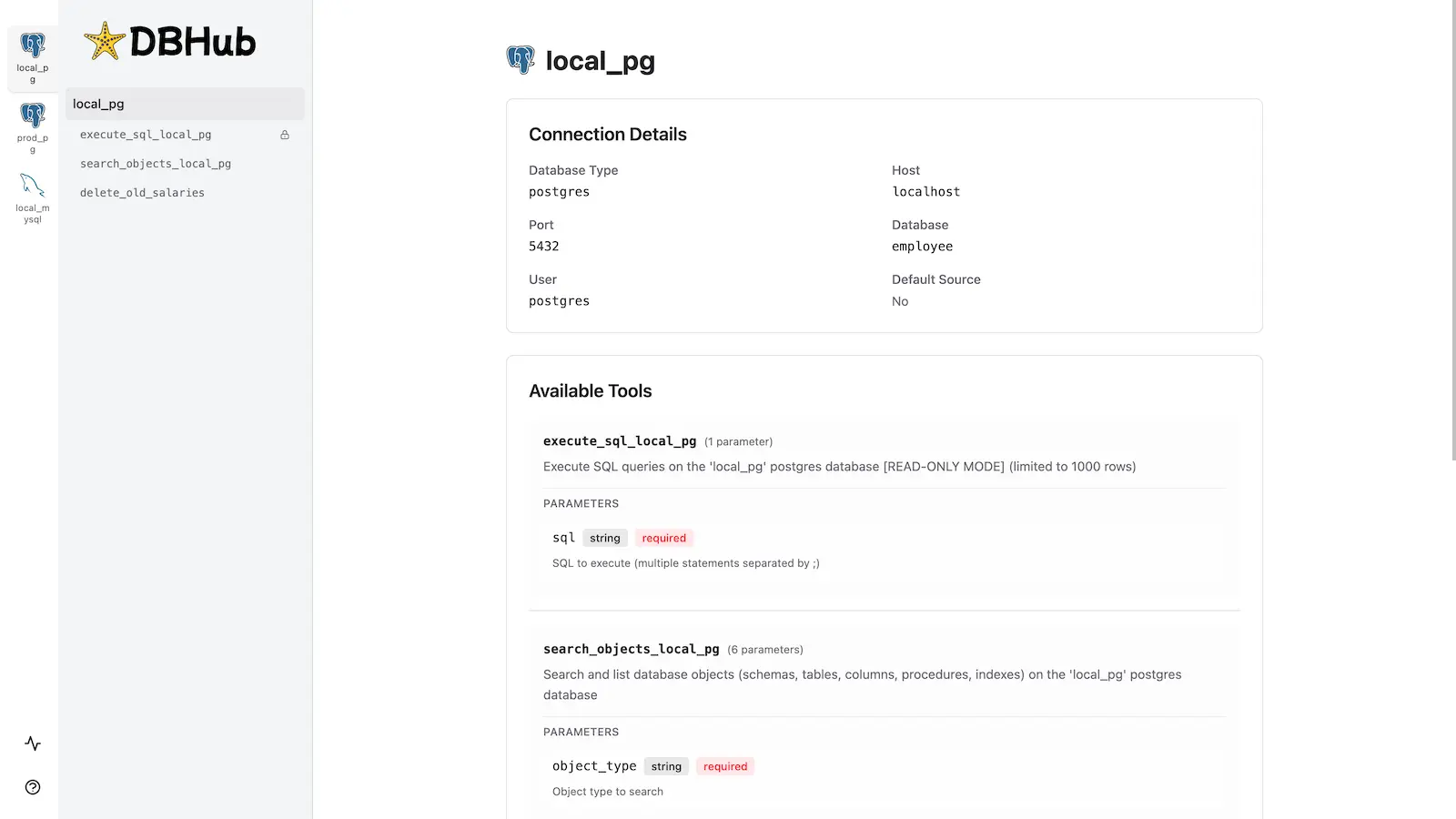
DBHub includes a [built-in web interface](https://dbhub.ai/workbench/overview) for interacting with your database tools. It provides a visual way to execute queries, run custom tools, and view request traces without requiring an MCP client.
## Installation
See the full [Installation Guide](https://dbhub.ai/installation) for detailed instructions.
### Quick Start
**Docker:**
```bash
docker run --rm --init \
--name dbhub \
--publish 8080:8080 \
bytebase/dbhub \
--transport http \
--port 8080 \
--dsn "postgres://user:password@localhost:5432/dbname?sslmode=disable"
```
**NPM:**
```bash
npx @bytebase/dbhub@latest --transport http --port 8080 --dsn "postgres://user:password@localhost:5432/dbname?sslmode=disable"
```
**Demo Mode:**
```bash
npx @bytebase/dbhub@latest --transport http --port 8080 --demo
```
See [Command-Line Options](https://dbhub.ai/config/command-line) for all available parameters.
### Multi-Database Setup
Connect to multiple databases simultaneously using TOML configuration files. Perfect for managing production, staging, and development databases from a single DBHub instance.
See [Multi-Database Configuration](https://dbhub.ai/config/toml) for complete setup instructions.
## Development
```bash
# Install dependencies
pnpm install
# Run in development mode
pnpm dev
# Build and run for production
pnpm build && pnpm start --transport stdio --dsn "postgres://user:password@localhost:5432/dbname"
```
See [Testing](.claude/skills/testing/SKILL.md) and [Debug](https://dbhub.ai/config/debug).
## Contributors
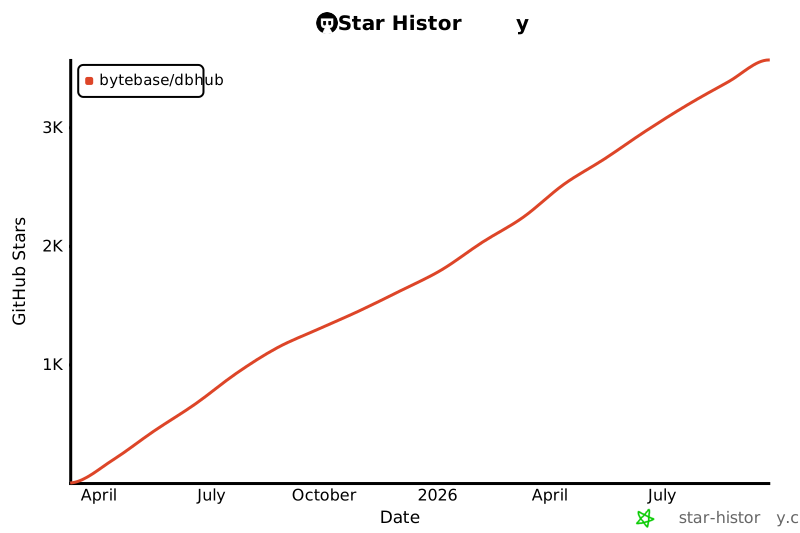
## Star History