# Streamlit-Authenticator
**Repository Path**: andyjjz/Streamlit-Authenticator
## Basic Information
- **Project Name**: Streamlit-Authenticator
- **Description**: No description available
- **Primary Language**: Unknown
- **License**: Apache-2.0
- **Default Branch**: cloud_dev
- **Homepage**: None
- **GVP Project**: No
## Statistics
- **Stars**: 0
- **Forks**: 0
- **Created**: 2024-12-05
- **Last Updated**: 2024-12-05
## Categories & Tags
**Categories**: Uncategorized
**Tags**: None
## README
 **A secure authentication module to validate user credentials in a Streamlit application.**
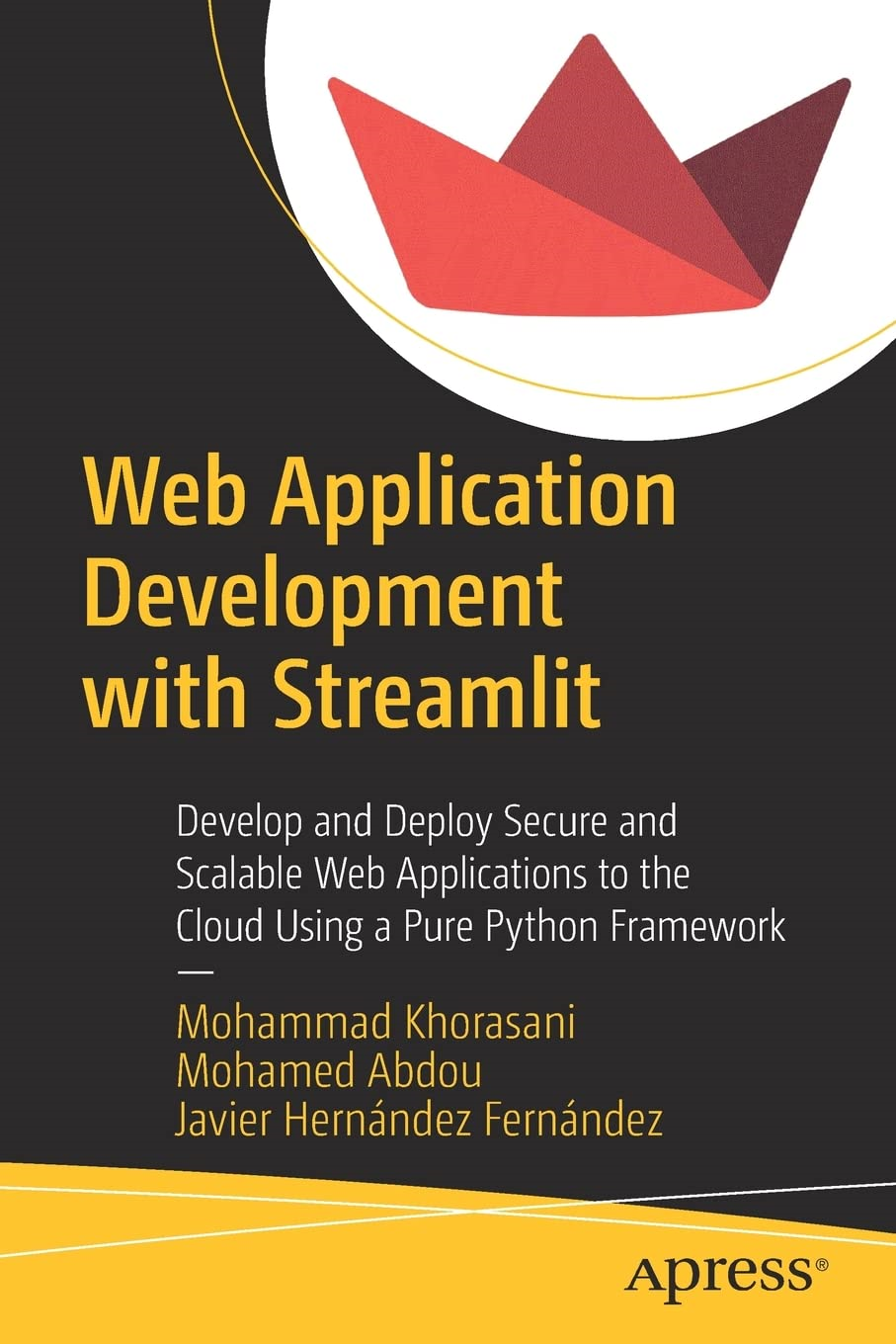 ###### _To learn more please refer to my book [Web Application Development with Streamlit](https://amzn.to/3eQwEEn)._
## Installation
Streamlit-Authenticator is distributed via [PyPI](https://pypi.org/project/streamlit-authenticator/):
```python
pip install streamlit-authenticator
```
## Example
Using Streamlit-Authenticator is as simple as importing the module and calling it to verify your predefined users' credentials.
```python
import streamlit as st
import streamlit_authenticator as stauth
```
### 1. Hashing passwords
* Initially create a YAML configuration file and define your users' credentials (names, usernames, and placeholders for the hashed passwords). In addition, enter a name, random key, and number of days to expiry for a JWT cookie that will be stored on the client's browser to enable passwordless reauthentication. If you do not require reauthentication, you may set the number of days to expiry to 0. Finally, define a list of preauthorized emails of users who can register and add their credentials to the configuration file with the use of the **register_user** widget.
```python
credentials:
usernames:
jsmith:
email: jsmith@gmail.com
name: John Smith
password: # Placeholder for hashed password of 'abc'
rbriggs:
email: rbriggs@gmail.com
name: Rebecca Briggs
password: # Placeholder for hashed password of 'def'
cookie:
expiry_days: 30
key: some_signature_key # Must be string
name: some_cookie_name
preauthorized:
emails:
- melsby@gmail.com
```
* Then use the Hasher module to convert the plain text passwords into hashed passwords.
```python
hashed_passwords = stauth.Hasher(['abc', 'def']).generate()
```
* Finally place the hashed passwords in the corresponding placeholders in the configuration file.
### 2. Creating a login widget
* Subsequently import the configuration file into your script and create an authentication object.
```python
import yaml
from yaml.loader import SafeLoader
with open('../config.yaml') as file:
config = yaml.load(file, Loader=SafeLoader)
authenticator = stauth.Authenticate(
config['credentials'],
config['cookie']['name'],
config['cookie']['key'],
config['cookie']['expiry_days'],
config['preauthorized']
)
```
* Then finally render the login module as follows. Here you will need to provide a name for the login form, and specify where the form should be located i.e. main body or sidebar (will default to main body).
```python
authenticator.login('Login', 'main')
```

### 3. Authenticating users
* You can then retrieve the name, authentication status, and username from Streamlit's session state using **st.session_state["name"]**, **st.session_state["authentication_status"]**, and **st.session_state["username"]** to allow a verified user to proceed to any restricted content.
* In addition, you may include an optional logout button at any location on your main body or sidebar (will default to main body). The optional **key** parameter for the logout widget should be used with multipage applications to prevent Streamlit from throwing duplicate key errors.
```python
if st.session_state["authentication_status"]:
authenticator.logout('Logout', 'main', key='unique_key')
st.write(f'Welcome *{st.session_state["name"]}*')
st.title('Some content')
elif st.session_state["authentication_status"] is False:
st.error('Username/password is incorrect')
elif st.session_state["authentication_status"] is None:
st.warning('Please enter your username and password')
```

* Or prompt an unverified user to enter a correct username and password.

* Please note that logging out will revert the authentication status to **None** and will delete the associated reauthentication cookie as well.
### 4. Creating a password reset widget
* You may use the **reset_password** widget to allow a logged in user to modify their password as shown below.
```python
if st.session_state["authentication_status"]:
try:
if authenticator.reset_password(st.session_state["username"], 'Reset password'):
st.success('Password modified successfully')
except Exception as e:
st.error(e)
```

_Please remember to update the config file (as shown in step 9) after you use this widget._
### 5. Creating a new user registration widget
* You may use the **register_user** widget to allow a user to sign up to your application as shown below. If you require the user to be preauthorized, set the **preauthorization** argument to True and add their email to the **preauthorized** list in the configuration file. Once they have registered, their email will be automatically removed from the **preauthorized** list in the configuration file. Alternatively, to allow anyone to sign up, set the **preauthorization** argument to False.
```python
try:
if authenticator.register_user('Register user', preauthorization=False):
st.success('User registered successfully')
except Exception as e:
st.error(e)
```

_Please remember to update the config file (as shown in step 9) after you use this widget._
### 6. Creating a forgot password widget
* You may use the **forgot_password** widget to allow a user to generate a new random password. This password will be automatically hashed and saved in the configuration file. The widget will return the username, email, and new random password of the user which should then be transferred to them securely.
```python
try:
username_of_forgotten_password, email_of_forgotten_password, new_random_password = authenticator.forgot_password('Forgot password')
if username_of_forgotten_password:
st.success('New password to be sent securely')
# Random password should be transferred to user securely
else:
st.error('Username not found')
except Exception as e:
st.error(e)
```

_Please remember to update the config file (as shown in step 9) after you use this widget._
### 7. Creating a forgot username widget
* You may use the **forgot_username** widget to allow a user to retrieve their forgotten username. The widget will return the username and email of the user which should then be transferred to them securely.
```python
try:
username_of_forgotten_username, email_of_forgotten_username = authenticator.forgot_username('Forgot username')
if username_of_forgotten_username:
st.success('Username to be sent securely')
# Username should be transferred to user securely
else:
st.error('Email not found')
except Exception as e:
st.error(e)
```

### 8. Creating an update user details widget
* You may use the **update_user_details** widget to allow a logged in user to update their name and/or email. The widget will automatically save the updated details in both the configuration file and reauthentication cookie.
```python
if st.session_state["authentication_status"]:
try:
if authenticator.update_user_details(st.session_state["username"], 'Update user details'):
st.success('Entries updated successfully')
except Exception as e:
st.error(e)
```

_Please remember to update the config file (as shown in step 9) after you use this widget._
### 9. Updating the configuration file
* Please ensure that the configuration file is resaved anytime the credentials are updated or whenever the **reset_password**, **register_user**, **forgot_password**, or **update_user_details** widgets are used.
```python
with open('../config.yaml', 'w') as file:
yaml.dump(config, file, default_flow_style=False)
```
## Credits
- Mohamed Abdou for the highly versatile cookie manager in [Extra-Streamlit-Components](https://github.com/Mohamed-512/Extra-Streamlit-Components).
###### _To learn more please refer to my book [Web Application Development with Streamlit](https://amzn.to/3eQwEEn)._
## Installation
Streamlit-Authenticator is distributed via [PyPI](https://pypi.org/project/streamlit-authenticator/):
```python
pip install streamlit-authenticator
```
## Example
Using Streamlit-Authenticator is as simple as importing the module and calling it to verify your predefined users' credentials.
```python
import streamlit as st
import streamlit_authenticator as stauth
```
### 1. Hashing passwords
* Initially create a YAML configuration file and define your users' credentials (names, usernames, and placeholders for the hashed passwords). In addition, enter a name, random key, and number of days to expiry for a JWT cookie that will be stored on the client's browser to enable passwordless reauthentication. If you do not require reauthentication, you may set the number of days to expiry to 0. Finally, define a list of preauthorized emails of users who can register and add their credentials to the configuration file with the use of the **register_user** widget.
```python
credentials:
usernames:
jsmith:
email: jsmith@gmail.com
name: John Smith
password: # Placeholder for hashed password of 'abc'
rbriggs:
email: rbriggs@gmail.com
name: Rebecca Briggs
password: # Placeholder for hashed password of 'def'
cookie:
expiry_days: 30
key: some_signature_key # Must be string
name: some_cookie_name
preauthorized:
emails:
- melsby@gmail.com
```
* Then use the Hasher module to convert the plain text passwords into hashed passwords.
```python
hashed_passwords = stauth.Hasher(['abc', 'def']).generate()
```
* Finally place the hashed passwords in the corresponding placeholders in the configuration file.
### 2. Creating a login widget
* Subsequently import the configuration file into your script and create an authentication object.
```python
import yaml
from yaml.loader import SafeLoader
with open('../config.yaml') as file:
config = yaml.load(file, Loader=SafeLoader)
authenticator = stauth.Authenticate(
config['credentials'],
config['cookie']['name'],
config['cookie']['key'],
config['cookie']['expiry_days'],
config['preauthorized']
)
```
* Then finally render the login module as follows. Here you will need to provide a name for the login form, and specify where the form should be located i.e. main body or sidebar (will default to main body).
```python
authenticator.login('Login', 'main')
```

### 3. Authenticating users
* You can then retrieve the name, authentication status, and username from Streamlit's session state using **st.session_state["name"]**, **st.session_state["authentication_status"]**, and **st.session_state["username"]** to allow a verified user to proceed to any restricted content.
* In addition, you may include an optional logout button at any location on your main body or sidebar (will default to main body). The optional **key** parameter for the logout widget should be used with multipage applications to prevent Streamlit from throwing duplicate key errors.
```python
if st.session_state["authentication_status"]:
authenticator.logout('Logout', 'main', key='unique_key')
st.write(f'Welcome *{st.session_state["name"]}*')
st.title('Some content')
elif st.session_state["authentication_status"] is False:
st.error('Username/password is incorrect')
elif st.session_state["authentication_status"] is None:
st.warning('Please enter your username and password')
```

* Or prompt an unverified user to enter a correct username and password.

* Please note that logging out will revert the authentication status to **None** and will delete the associated reauthentication cookie as well.
### 4. Creating a password reset widget
* You may use the **reset_password** widget to allow a logged in user to modify their password as shown below.
```python
if st.session_state["authentication_status"]:
try:
if authenticator.reset_password(st.session_state["username"], 'Reset password'):
st.success('Password modified successfully')
except Exception as e:
st.error(e)
```

_Please remember to update the config file (as shown in step 9) after you use this widget._
### 5. Creating a new user registration widget
* You may use the **register_user** widget to allow a user to sign up to your application as shown below. If you require the user to be preauthorized, set the **preauthorization** argument to True and add their email to the **preauthorized** list in the configuration file. Once they have registered, their email will be automatically removed from the **preauthorized** list in the configuration file. Alternatively, to allow anyone to sign up, set the **preauthorization** argument to False.
```python
try:
if authenticator.register_user('Register user', preauthorization=False):
st.success('User registered successfully')
except Exception as e:
st.error(e)
```

_Please remember to update the config file (as shown in step 9) after you use this widget._
### 6. Creating a forgot password widget
* You may use the **forgot_password** widget to allow a user to generate a new random password. This password will be automatically hashed and saved in the configuration file. The widget will return the username, email, and new random password of the user which should then be transferred to them securely.
```python
try:
username_of_forgotten_password, email_of_forgotten_password, new_random_password = authenticator.forgot_password('Forgot password')
if username_of_forgotten_password:
st.success('New password to be sent securely')
# Random password should be transferred to user securely
else:
st.error('Username not found')
except Exception as e:
st.error(e)
```

_Please remember to update the config file (as shown in step 9) after you use this widget._
### 7. Creating a forgot username widget
* You may use the **forgot_username** widget to allow a user to retrieve their forgotten username. The widget will return the username and email of the user which should then be transferred to them securely.
```python
try:
username_of_forgotten_username, email_of_forgotten_username = authenticator.forgot_username('Forgot username')
if username_of_forgotten_username:
st.success('Username to be sent securely')
# Username should be transferred to user securely
else:
st.error('Email not found')
except Exception as e:
st.error(e)
```

### 8. Creating an update user details widget
* You may use the **update_user_details** widget to allow a logged in user to update their name and/or email. The widget will automatically save the updated details in both the configuration file and reauthentication cookie.
```python
if st.session_state["authentication_status"]:
try:
if authenticator.update_user_details(st.session_state["username"], 'Update user details'):
st.success('Entries updated successfully')
except Exception as e:
st.error(e)
```

_Please remember to update the config file (as shown in step 9) after you use this widget._
### 9. Updating the configuration file
* Please ensure that the configuration file is resaved anytime the credentials are updated or whenever the **reset_password**, **register_user**, **forgot_password**, or **update_user_details** widgets are used.
```python
with open('../config.yaml', 'w') as file:
yaml.dump(config, file, default_flow_style=False)
```
## Credits
- Mohamed Abdou for the highly versatile cookie manager in [Extra-Streamlit-Components](https://github.com/Mohamed-512/Extra-Streamlit-Components).