# Rotatable
**Repository Path**: agonimaple/Rotatable
## Basic Information
- **Project Name**: Rotatable
- **Description**: No description available
- **Primary Language**: Unknown
- **License**: Not specified
- **Default Branch**: master
- **Homepage**: None
- **GVP Project**: No
## Statistics
- **Stars**: 0
- **Forks**: 0
- **Created**: 2021-03-22
- **Last Updated**: 2021-11-29
## Categories & Tags
**Categories**: Uncategorized
**Tags**: None
## README
Rotatable
=========






 This is a helper class actually, it simplifies having a view as rotatable by setting touch events and handling a lot of boilerplate works! So if you need a component that needs to be able to rotate by touch, you do not have to deal with all these stuff.
Sample Video
============
[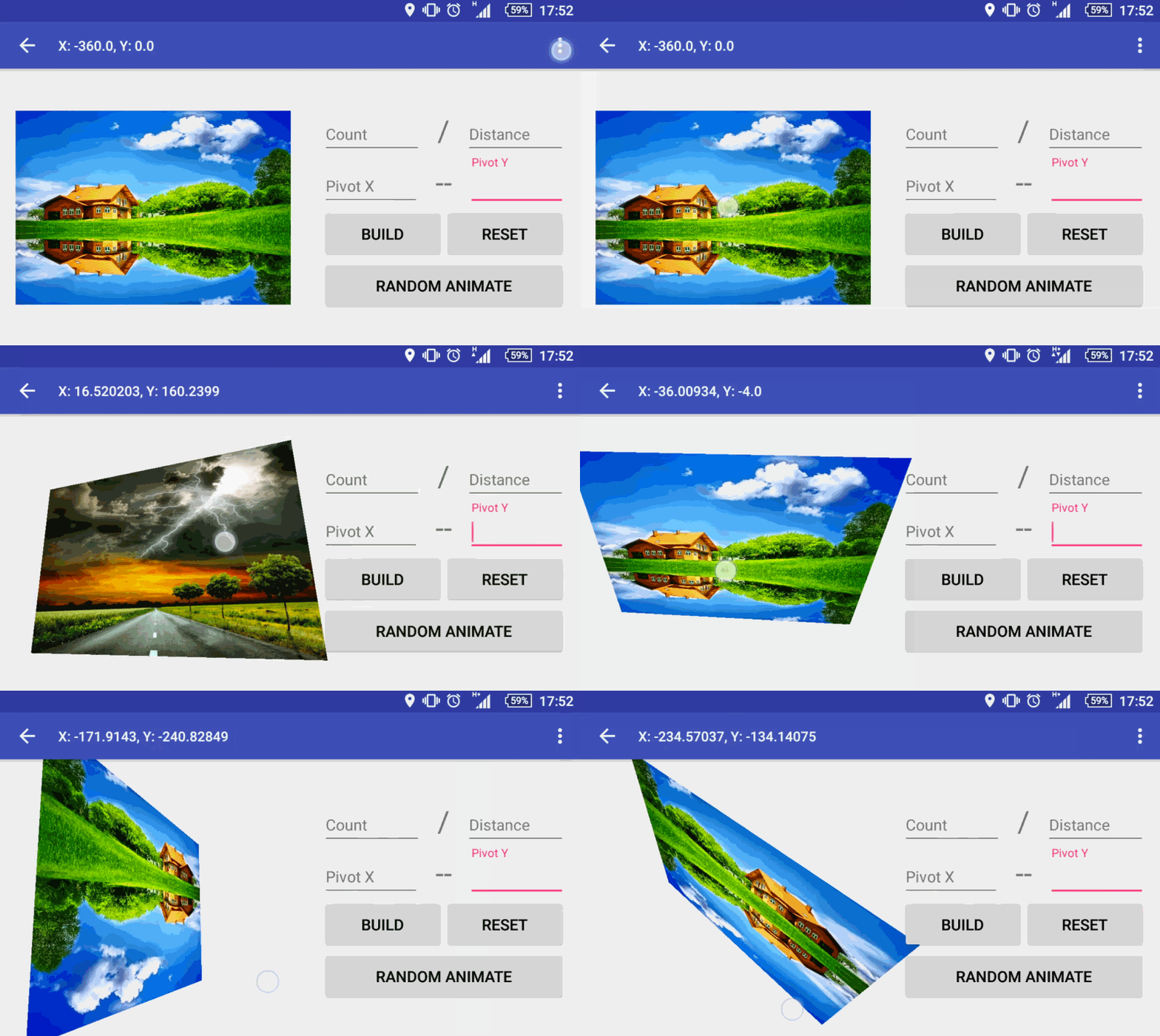](https://www.youtube.com/watch?v=Gkd9QpAZmU8)
# Usage
You can apply this rotatable class to any view in your xml, just need to pass the required view into Rotatable builder and configure up to your needs.
```java
Rotatable rotatable = new Rotatable.Builder(findViewById(R.id.targetView))
.sides(R.id.frontView, R.id.backView)
.direction(Rotatable.ROTATE_X)
.listener(rotationListener)
.rotationCount(floatValue)
.rotataionDistance(floatValue)
.pivotX(intValue)
.pivotY(intValue)
.build();
```
**Rotatable.Builder**
```java
sides(int frontViewResId, int backViewResId)
```
This is a helper class actually, it simplifies having a view as rotatable by setting touch events and handling a lot of boilerplate works! So if you need a component that needs to be able to rotate by touch, you do not have to deal with all these stuff.
Sample Video
============
[](https://www.youtube.com/watch?v=Gkd9QpAZmU8)
# Usage
You can apply this rotatable class to any view in your xml, just need to pass the required view into Rotatable builder and configure up to your needs.
```java
Rotatable rotatable = new Rotatable.Builder(findViewById(R.id.targetView))
.sides(R.id.frontView, R.id.backView)
.direction(Rotatable.ROTATE_X)
.listener(rotationListener)
.rotationCount(floatValue)
.rotataionDistance(floatValue)
.pivotX(intValue)
.pivotY(intValue)
.build();
```
**Rotatable.Builder**
```java
sides(int frontViewResId, int backViewResId)
```
- is optional, if you need your view to be rotated and display another view, you simply tell the library which one is front and which one is back -assuming that these two views are already in your rootView, otherwise it will crash- and library will swap them smoothly whenever it suppossed to.
```java
rotationCount(float count)
```
-
Let's assume that you don't want user to swap over and over again your card so you can simply set how many times user can swap the view and library will calculate its maximum distance up to screen's width and height by user's touch and it will be limited to your selected count.
```java
rotataionDistance(float distance)
```
-
You can also specify distance manually, but be aware of multi screen resolution and calculate carefully if you really need to do it. And important thing is that you cannot have both `rotationCount` and `rotationDistance` defined in your builder, because they have different calculations, so it will crash if you defined both.
```java
pivotX(int pivotXValue)
pivotY(int pivotYValue)
// or
pivot(int pivotXValue, int pivotYValue)
```
-
You may need to change pivot position somehow to do it, you can use above methods or .pivot(intXValue, intYValue) to change both in once.
But test it carefully! Because this can cause view not being drawn. How? & Why? Ok, Let's assume that you have a view with width matches screen's and you set pivotX as beginning, while rotating that will cause view's rotated width exceed screen's border and view will not be drawn until you get a point it can be fit to screen and drawn again.
**Rotatable Object**
We have built into Rotatable object, but why do we need that? Rotatable object has some useful methods that you may need to change some of configurations or notify rotatable on configuration changes. Such as:
```java
rotatable.rotate(int direction, float degree, int duration, Animator.AnimatorListener listener)
```
-
Since you have this library implemented, and a rootView already defined into Rotatable object, why bother to create and ObjectAnimator and do your own animation? Simply call this method and library will do it. It has multiple rotate methods with different parameters, so you can call whichever works for you. You do not need to specify duration or listener.
```java
rotatable.setTouchEnable(boolean enable)
rotatable.isTouchEnable()
```
-
You can enable / disable touch events or check whether touch is enable on rotatable object or not at anytime.
```java
rotatable.setDirection(int direction)
```
-
Possible to change rotation direction at runtime as well, but only with defined direction values in Rotatable class otherwise it will crash, so ensure that it is not possible to pass this method any other values except ROTATE_X - ROTATE_Y - ROTATE_BOTH
```java
rotatable.orientationChanged(int newOrientation)
```
-
If your rotatable object needs to calculate its rotationCount or rotationDistance, then it might be tricky while user rotates screen and change orientation. So prevent this, you can listen orientationChanges and notify rotatable object about it, so it can rearrange itself. To do it so, you need to declare `configChanges` in your AndroidManifest.xml as `orientation` but as it is described [here][1] after Android v3.0 it is also required `screenSize` to capture this orientationChange events.
```java
rotatable.drop()
```
-
This method is quite important, especially when you changed any pivot value of the rootView and you wanted to change some configurations of rotatable. So call drop method first, then you rebuild your rotatable object with same view but different configurations.
```java
rotatable.takeAttention()
```
-
This is actually just for fun :) You can call this method where you want user to realize that he/she can move this component around :)
## Download
Add library dependency to your `build.gradle` file:
```groovy
dependencies {
compile 'com.yayandroid:Rotatable:1.1.2'
}
```
## License
```
The MIT License (MIT)
Copyright (c) 2015 yayandroid
Permission is hereby granted, free of charge, to any person obtaining a copy
of this software and associated documentation files (the "Software"), to deal
in the Software without restriction, including without limitation the rights
to use, copy, modify, merge, publish, distribute, sublicense, and/or sell
copies of the Software, and to permit persons to whom the Software is
furnished to do so, subject to the following conditions:
The above copyright notice and this permission notice shall be included in
all copies or substantial portions of the Software.
THE SOFTWARE IS PROVIDED "AS IS", WITHOUT WARRANTY OF ANY KIND, EXPRESS OR
IMPLIED, INCLUDING BUT NOT LIMITED TO THE WARRANTIES OF MERCHANTABILITY,
FITNESS FOR A PARTICULAR PURPOSE AND NONINFRINGEMENT. IN NO EVENT SHALL THE
AUTHORS OR COPYRIGHT HOLDERS BE LIABLE FOR ANY CLAIM, DAMAGES OR OTHER
LIABILITY, WHETHER IN AN ACTION OF CONTRACT, TORT OR OTHERWISE, ARISING FROM,
OUT OF OR IN CONNECTION WITH THE SOFTWARE OR THE USE OR OTHER DEALINGS IN
THE SOFTWARE.
```
[1]: http://stackoverflow.com/a/7366101/1171484