# QuickOpener-NetBeans
**Repository Path**: Sevenvvv/QuickOpener-NetBeans
## Basic Information
- **Project Name**: QuickOpener-NetBeans
- **Description**: Sometimes while programming in NetBeans you want to explore a particular file that you are editing on the file system browser, or maybe launch a command in a terminal to do something with it.
- **Primary Language**: Unknown
- **License**: Not specified
- **Default Branch**: master
- **Homepage**: None
- **GVP Project**: No
## Statistics
- **Stars**: 0
- **Forks**: 0
- **Created**: 2021-10-07
- **Last Updated**: 2021-10-07
## Categories & Tags
**Categories**: Uncategorized
**Tags**: None
## README
This project is DEAD and NOT SUPPORTED anymore by its former developer.
Please fork it and create a new plugin from it. I can guide you through the process (as time allows), but I won't write code, accept pull-requests nor put updates to the NetBeans plugins center.
QuickOpener-NetBeans
====================
* [Wiki](https://github.com/dzsessona/QuickOpener-NetBeans/wiki/Home)
* [Download from plugin center, < NB8.1 ](http://plugins.netbeans.org/plugin/43217/quickopener)
* [Download from plugin center, ≥ NB8.1](http://plugins.netbeans.org/plugin/62668/?show=true)
Sometimes while programming in NetBeans you want to explore a particular file that you are editing on the file system browser, or maybe launch a command in a terminal to do something with it.

This plugins brings to your NetBeans six action, three of them always available and three of them available when the selected node has a file assiociated with it. In particular:
_When the selection has a valid file:_
* **Open the default OS shell** on the location of the file (or its folder) selected.

* **Open the file system browser** on the location of the file (or its folder) selected.
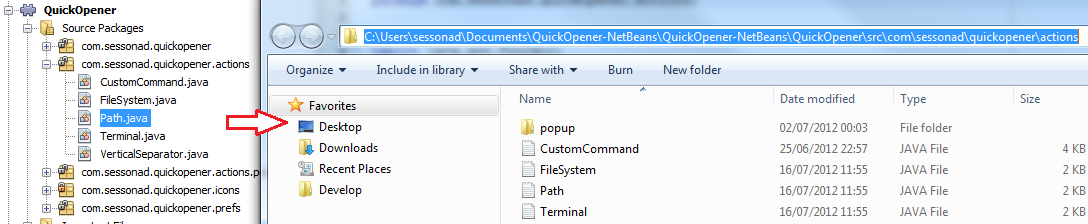
* **Copy to the clipboard** the path of the file selected.

_Always enabled:_
* **Launch a shell command** (with parameters, customizable on preferences) 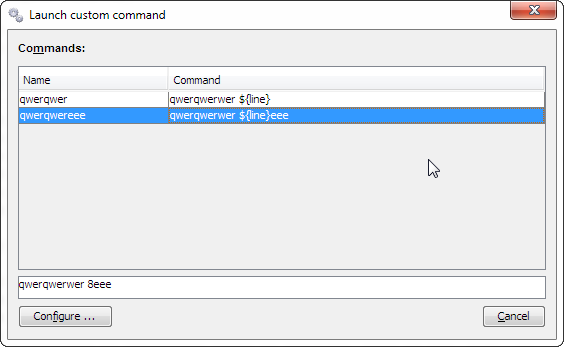
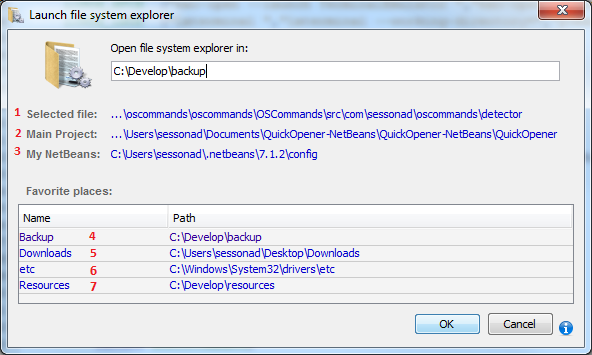
* **FileSystem browser on any location** (favorites, customizable on preferences)
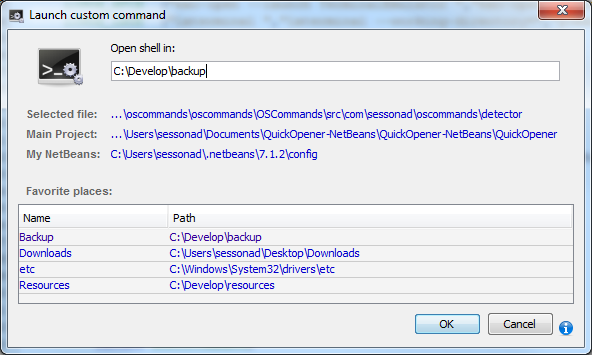
* **Open a shell on any location** (favorites, customizable on preferences)
Updates
1.2.0:
- [Feature 86]: Support Mate-terminal and Caja-/Space-file manager via configurator (Ubuntu Mate) (PR by javatlacati)
- [Task 84]: Fix line-endings and update to JDK7 (PR by javatlacati)
1.1.0:
- [Feature 66]: Refactor run custom dialog: simplify, add keyboard-only support
- [Feature 33]: Support for project folder replacement variable ${projectFolder}/${mainProjectFolder}
- [Feature 67]: More patterns - see details
- [Feature 30]: Support favorites nodes
- [Feature 64]: Support lookups with java.io.File
- [Bugfix 65]: Missing mnemonics in dialogs and options
- [Bugfix 69]: "Launch custom command..." should be available if there is no selected file
- [Bugfix 77]: Fix GUI detection for Ubuntu 16.04
1.0.4:
- [Bugfix 63]: File manager opens twice (KDE)
- [Bugfix 62]: java.lang.NoSuchMethodError: java.lang.Process.waitFor running NB @ JDK7
1.0.3:
- [Task 56]: Provide a 8.1 version for the plugin center
- [Task 60]: Include new version of oscommands
- [Task 61]: Convert to maven-project for better maintainence
- [Bugfix 51]: [Windows] Open in FileManager should select the file/dir
- [Bugfix 49]: [Linux] Crash in options when running "LinuxUnknown" and KDE not detected
The project is hosted on github, click here to report a bug or make a suggestion...
Enjoy, Diego+Benno.