# onvifviewer
**Repository Path**: SearchSource/onvifviewer
## Basic Information
- **Project Name**: onvifviewer
- **Description**: No description available
- **Primary Language**: Unknown
- **License**: Not specified
- **Default Branch**: master
- **Homepage**: None
- **GVP Project**: No
## Statistics
- **Stars**: 0
- **Forks**: 0
- **Created**: 2020-11-23
- **Last Updated**: 2020-12-19
## Categories & Tags
**Categories**: Uncategorized
**Tags**: None
## README
# ONVIFViewer
**ONVIF camera viewer for Plasma Mobile and Linux desktop**
The goal of this project is to replace the proprietary app that was needed to configure and view my IP camera. The ONVIF protocol can be used to view and configure many types of camera's and is a open standard that can be implemented using standard SOAP libraries. Using Qt5 for the back-end and Kirigami UI framework makes this application a cross-platform solution. The primary focus is Plasma mobile and the Linux desktop, but an Android build is also available.
This project was started as part of the [ONVIF Open Source Spotlight Challange](https://onvif-spotlight.bemyapp.com/#/projects/5ae0bbf7f98fde00047f0605) and the application finished in [fourth place](https://www.onvif.org/blog/2018/07/onvif-challenge-announces-top-10/) (out of 37 submissions).
Before this project started, there was no open-source application for viewing ONVIF cameras for Plasma Mobile and Linux desktop. Neither is there a simple to use open-source C++ library to communicate with ONVIF cameras. The communication with the camera is implemented from scratch (using KDSoap) and modular designed, so that it can be separated into a reusable library at a later stage.
## Flatpak
On most Linux desktops you can install the application using Flatpak.
1) First install Flatpak itself using the instructions on their [website](https://www.flatpak.org/setup/).
2) Then you can install the application from the [ONVIFViewer flathub page](https://flathub.org/apps/details/net.meijn.onvifviewer).
[ ](https://flathub.org/apps/details/net.meijn.onvifviewer)
## Translations
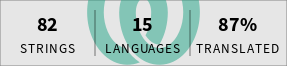
You can help translating this application using [Weblate](https://hosted.weblate.org/engage/onvifviewer/). You can login on the website and translate the texts to your language. The translations will be included in the next release.
[
](https://flathub.org/apps/details/net.meijn.onvifviewer)
## Translations
You can help translating this application using [Weblate](https://hosted.weblate.org/engage/onvifviewer/). You can login on the website and translate the texts to your language. The translations will be included in the next release.
[ ](https://hosted.weblate.org/engage/onvifviewer/?utm_source=widget)
## Donations
You can donate via Bitcoin at [15PerwiiGxPf27AxVTYq7hGYJ52WfM9EWo](bitcoin:15PerwiiGxPf27AxVTYq7hGYJ52WfM9EWo).
You can donate via PayPal via: [
](https://hosted.weblate.org/engage/onvifviewer/?utm_source=widget)
## Donations
You can donate via Bitcoin at [15PerwiiGxPf27AxVTYq7hGYJ52WfM9EWo](bitcoin:15PerwiiGxPf27AxVTYq7hGYJ52WfM9EWo).
You can donate via PayPal via: [ ](https://www.paypal.com/cgi-bin/webscr?cmd=_s-xclick&hosted_button_id=RNGGP3C6J84QU)
You can donate via LiberaPay via: [
](https://www.paypal.com/cgi-bin/webscr?cmd=_s-xclick&hosted_button_id=RNGGP3C6J84QU)
You can donate via LiberaPay via: [ ](https://liberapay.com/caspermeijn/donate)
## Building from source
It is also possible to build the application yourself. This requires a recent Qt5, KDSoap and KDE libraries to be installed. Then build ONVIFViewer using CMake:
git clone https://gitlab.com/caspermeijn/onvifviewer.git
mkdir build-onvifviewer
cd build-onvifviewer
cmake -DCMAKE_BUILD_TYPE=Release ../onvifviewer
make
sudo make install
cd ..
## Attribution
Google Play and the Google Play logo are trademarks of Google LLC.
](https://liberapay.com/caspermeijn/donate)
## Building from source
It is also possible to build the application yourself. This requires a recent Qt5, KDSoap and KDE libraries to be installed. Then build ONVIFViewer using CMake:
git clone https://gitlab.com/caspermeijn/onvifviewer.git
mkdir build-onvifviewer
cd build-onvifviewer
cmake -DCMAKE_BUILD_TYPE=Release ../onvifviewer
make
sudo make install
cd ..
## Attribution
Google Play and the Google Play logo are trademarks of Google LLC.