# AvalonDock
**Repository Path**: LinRaise/AvalonDock
## Basic Information
- **Project Name**: AvalonDock
- **Description**: My own development branch of the well known WPF document docking library
- **Primary Language**: C#
- **License**: MIT
- **Default Branch**: master
- **Homepage**: None
- **GVP Project**: No
## Statistics
- **Stars**: 1
- **Forks**: 1
- **Created**: 2019-03-18
- **Last Updated**: 2022-04-24
## Categories & Tags
**Categories**: Uncategorized
**Tags**: None
## README
| | Project |
| ------------------------------------------------------------------------------------------------------------------------------------------------------- | --------------------------------- |
| [](http://nuget.org/packages/Dirkster.AvalonDock) | AvalonDock |
| [](http://nuget.org/packages/Dirkster.AvalonDock.Themes.Expression) | AvalonDock.Themes.Expression |
| [](http://nuget.org/packages/Dirkster.AvalonDock.Themes.Metro) | AvalonDock.Themes.Metro |
| [](http://nuget.org/packages/Dirkster.AvalonDock.Themes.VS2013) | Dirkster.AvalonDock.Themes.VS2013 |
## Master Branch
[](https://ci.appveyor.com/project/Dirkster99/avalondock/branch/master)[](https://github.com/Dirkster99/avalondock/releases/latest) [Continues Integration](https://ci.appveyor.com/project/Dirkster99/AvalonDock/build/artifacts)
# AvalonDock
Support this project with a :star: -report an issue, or even better, place a pull request :mailbox: :blush:
My IDE called Edi is powered by this project.
AvalonDock is a WPF Document and Tool Window layout container that is used to arrange documents
and tool windows in similar ways than many well known IDEs, such as, Eclipse, Visual Studio,
PhotoShop and so forth. Here are some CodeProject articles:
* [AvalonDock [2.0] Tutorial Part 1 - Adding a Tool Window](https://www.codeproject.com/Articles/483507/AvalonDock-Tutorial-Part-Adding-a-Tool-Windo)
* [AvalonDock [2.0] Tutorial Part 2 - Adding a Start Page](https://www.codeproject.com/Articles/483533/AvalonDock-Tutorial-Part-Adding-a-Start-Page)
* [AvalonDock [2.0] Tutorial Part 3 - AvalonEdit in AvalonDock](https://www.codeproject.com/Articles/570313/AvalonDock-Tutorial-Part-AvalonEdit-in-Avalo)
* [AvalonDock [2.0] Tutorial Part 4 - Integrating AvalonEdit Options](https://www.codeproject.com/Articles/570324/AvalonDock-Tutorial-Part-Integrating-AvalonE)
* [AvalonDock [2.0] Tutorial Part 5 - Load/Save Layout with De-Referenced DockingManager](https://www.codeproject.com/Articles/719143/AvalonDock-Tutorial-Part-Load-Save-Layout)
This repository contains **additional bug fixes and a feature added** fork from:
https://github.com/xceedsoftware/wpftoolkit
Be sure to checkout the Wiki for more details. The repository also contains a Log4Net branch for debugging interactive issues with a close enough branch. There are also Log4Net demo executables in the 3.4.01 (or later) realease for additional debugging fun.
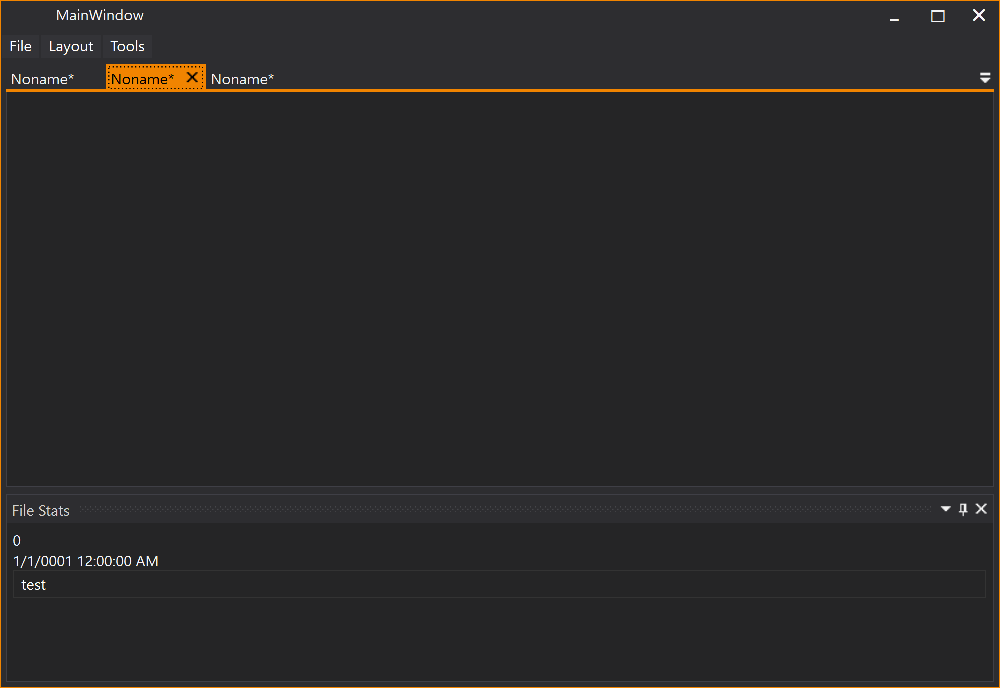
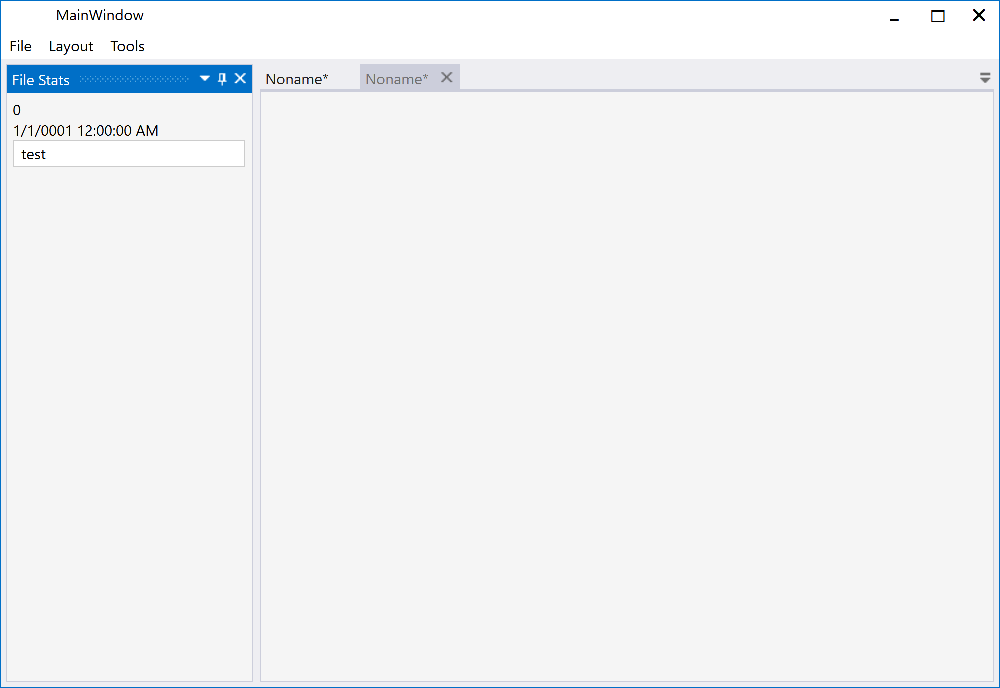
# Feature Added - Dark and Light VS 2013 Theme
Please review the Project Wiki to see more demo screenshots.
All screenshots below are from the MLib based VS 2013 Dark (Accent Color Gold)/Light (Accent Color Blue) theme on Windows 10. Similar theming results should be possible with other theming libraries since the implementation follow these guidelines.
The Docking Buttons are [defined in XAML](https://github.com/Dirkster99/AvalonDock/wiki/OverlayWindow), which ensures a good looking image on all resolutions, even 4K or 8K, and enables us to color theme consistently with the Window 10 Accent Color.
| Description |
Dark |
Light |
| Dock Document |
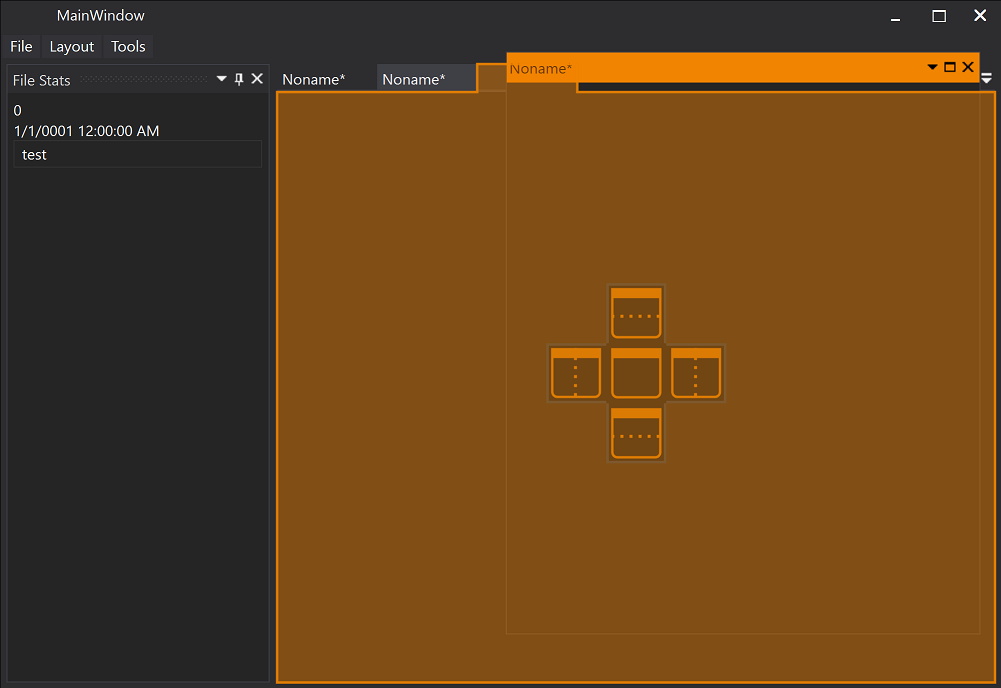 |
 |
| Dock Document |
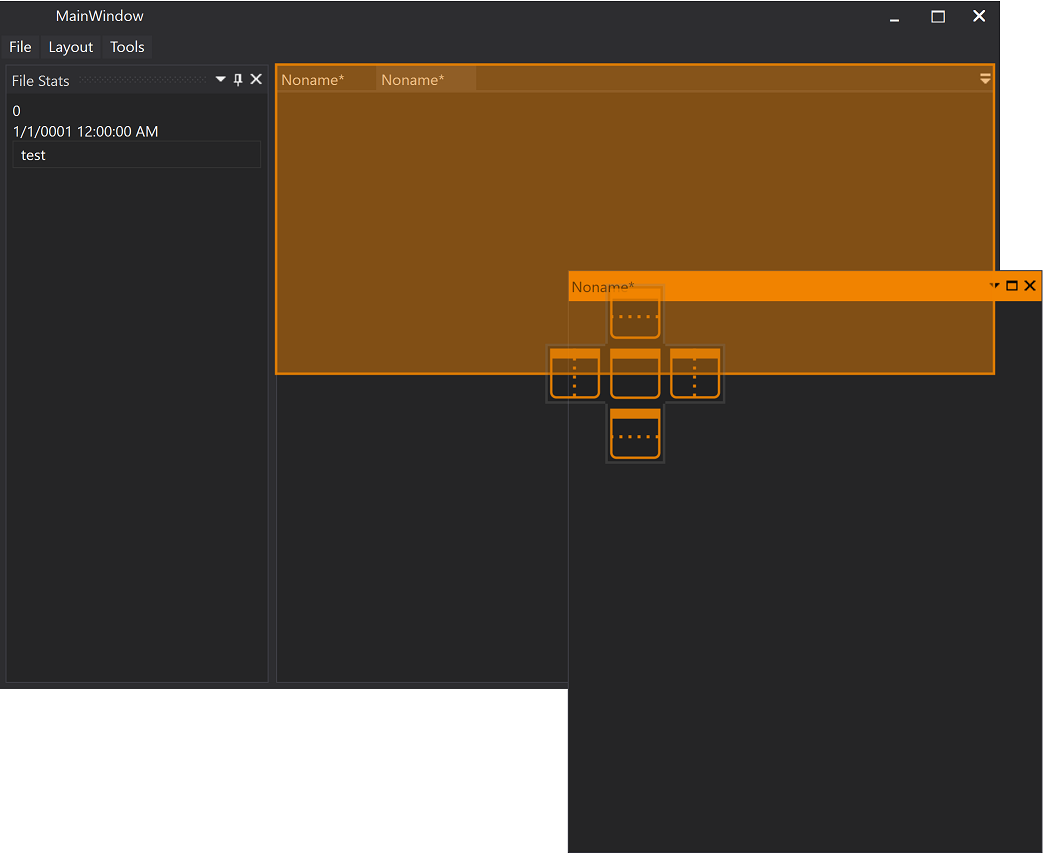 |
 |
| Dock Tool Window |
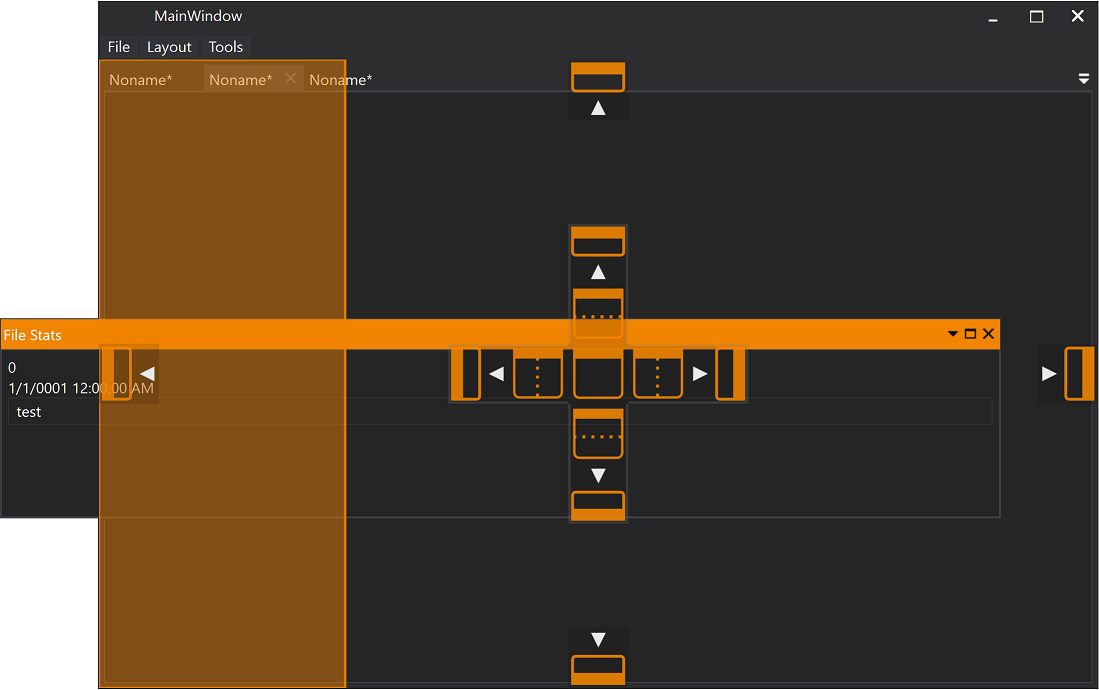 |
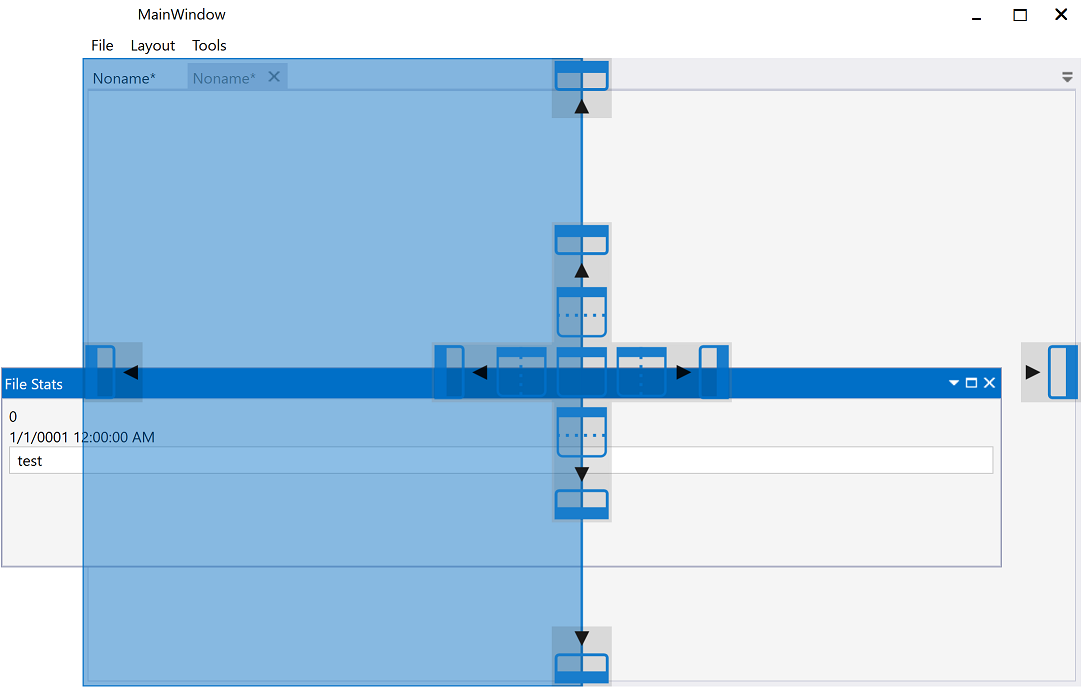 |
| Document |
 |
 |
| Tool Window |
 |
 |
## Theming
Using the *Xceed.Wpf.AvalonDock.Themes.VS2013* theme is very easy with *Dark* and *Light* themes.
Just load *Light* or *Dark* brush resources in you resource dictionary to take advantage of existing definitions.
```XAML
```
```XAML
```
These definitions do not theme all controls used within this library. You should use a standard theming library, such as:
- [MahApps.Metro](https://github.com/MahApps/MahApps.Metro),
- [MLib](https://github.com/Dirkster99/MLib), or
- [MUI](https://github.com/firstfloorsoftware/mui)
to also theme standard elements, such as, button and textblock etc.
# Mile Stone History
## Patch History for AvalonDock Version 3.5
### Fixed Issue about PanesTemplateSelector being ignored
- #1440
- @Dirkster99
Also Increased to Version 3.5.2.
### Increased to Version 3.5.1
- @Dirkster99
### Fixed Close Button Position in Generic Theme
- #1184
- @Dirkster99
### DockingManager: ModelChange event happens before new LayoutDocumentItem is added
- #1430
- @Dirkster99
### Added resource file for AvalonDock for nl-BE
- #1424
- @Dirkster99
### Fixed Crash while loading FLOATING DOCUMENT
Fixed Crash while loading (Deserialize) a layout with FLOATING DOCUMENT window.
NullReferenceException in LayoutDocumentFloatingWindowControl.OnInitialized:
Initialization in 2nd constructor was missing:
_model = model;
UpdateThemeResources();
- Issue/Resolution is similar to #1442
- @Dirkster99
### Removed unused private field in LayoutAutoHideWindowControl
- @Dirkster99
- @Dirkster99
### Prevent crash from setting negative size
- RecursiveNerd/wpftoolkit
- @Dirkster99
### Fix for issue #1379 as suggested by RecursiveNerd
- #1379
- @Dirkster99
### Update zh-Hans translation #1383
- #1383
- @Dirkster99
### AvalonDock czech localization #1396
- #1396
- @Dirkster99
### AvalonDock fixed misspelling when serializing DockMinWidth/DockMinHeight
- #1212
- @Dirkster99
### Clear Bindings #1360
- #1360
- @Dirkster99
### Theming ContextMenuEx in Metro
Re-styling this in AvalonDock since the menu on the drop-down button for more documents is otherwise black
- http://avalondock.codeplex.com/workitem/15743
- @Dirkster99
### Drag and Drop on (scaled) 4K display
Drag and Drop of Document or ToolWindow content does not always work on (scaled) 4K display
- #1357
- #6
- @Dirkster99
### Crash Loading (Deserialized) Floating Tool Window Layout
Fixed Crash while loading (Deserialize) a layout from FLOATING tool window.
NullReferenceException in LayoutAnchorableFloatingWindowControl.OnInitialized
- #1442
- @Dirkster99
### LayoutRoot doesn't notify change for Children or ChildrenCount #1313
- #1313
- @Dirkster99
### Fixed height of titles of floating windows #1203
- #1203
- @Dirkster99
### Initial AvalonDock Version 3.5
- Taken from this commit
- @Dirkster99
Please review the Patch History page for more information on patches for previously released versions of AvalonDock.